29
0698-651 Operating unit - 04/2021
en
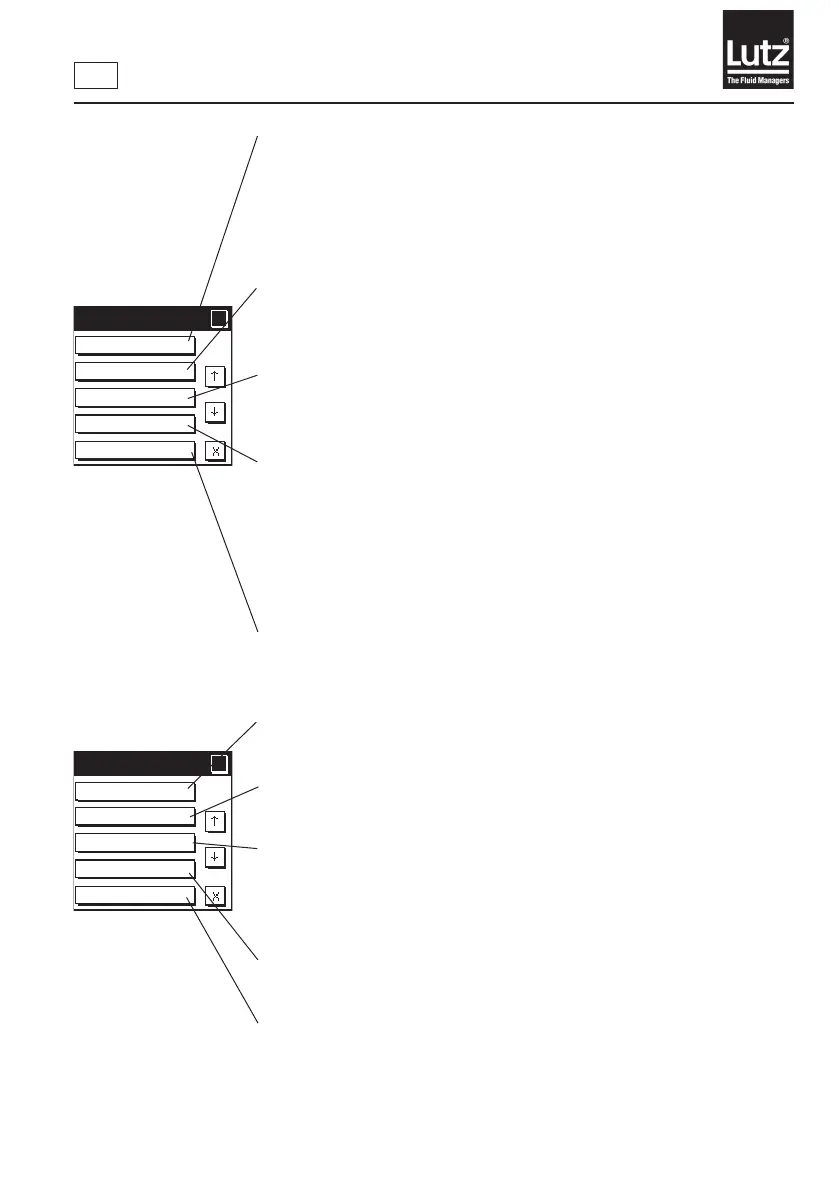
Youcanusethisfunctiontoswitchfaultdetectiononoro.Youcanspecify
amonitoringtimefortheowmeter.Iftheowmeterdoesnotdetectany
uidduringthismonitoringtime,thecurrentllingprocessisterminatedand
an error is reported. This allows issues such as an empty sampling vessel, dry
running,airpockets,andmechanicalfaultsontheowmetertobedetected
(→ chapter 9.14).
You can use this function to set the switching behavior of relay output 2 during
thellingprocess.Youcanswitchonaconnectedsolenoidvalveearlyorwith
a delay in this way (→ chapter 9.15).
Youcanusethisfunctiontoswitchtheleakagealarmonoro.
Theleakagealarmistriggeredifuidowsthroughtheowmeterwithouta
startedllingprocess(→ chapter 9.16).
Youcanusethisfunctiontoswitchoverruncorrectiononoro.
Inallingprocesswithvol.preselectiontheowmeterclosesthesolenoid
valve once the preset volume is reached. If the valve needs a longer closing
time,toomuchuidhasbeenadded.Ifoverruncorrectionisswitchedon,the
owmetertakestheoverrunvolumeintoaccountinthenextllingprocessand
closes the valve a corresponding period of time earlier. The overrun correction
isrecalculatedaftereachllingprocess(→ chapter 9.17).
Youcanusethisfunctiontoswitchexternalactuationonoro.
Theowmeterisactivatedwhenyouchoosethepreselectedvolumeusingthe
button module or the communication module (→ chapter 9.18).
YoucanusethisfunctiontoadjustthecontrastoftheLCDdisplayinlinewith
the ambient conditions (→ chapter 9.19).
You can use this function to switch the safety prompt before the start of volume
preselectiono(→ chapter 9.20).
Youcanusethisfunctiontoswitchowmonitoringonoroandtochangethe
limitvalues.Forowmonitoring,youdenealowerandupperlimitvaluefor
theowrate.Theowmetertriggersanalarmifthevaluefortheowrateis
outside the limit values (→ chapter 9.21).
Youcanusethisfunctiontodenethecommunicationbetweentheowmeter
and other devices (→ chapter 9.22).
Youcanusethisfunctiontorecreatecertainconditionsattheowmeter
system outputs. This is helpful for commissioning and maintenance work
(→ chapter 9.23).
Menu 4/5
?
?
LCD contrast
Safety prompt
Flow monitoring
Communication
Simulation
Menu 3/5
?
?
Fault detection
Valve function
Leakage alarm
Overrun corr.
Ext. actuation



 To Next Page