25
0698-651 Operating unit - 04/2021
en
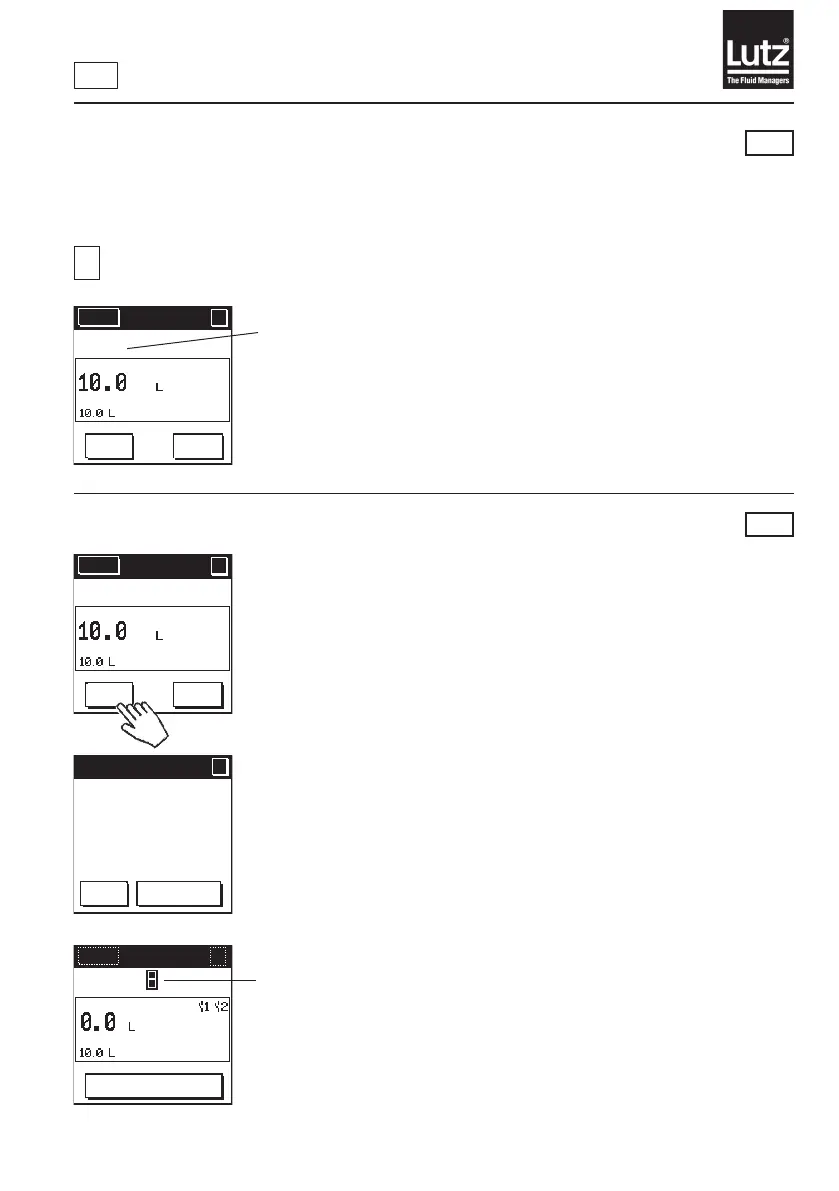
9.2 Operation with volume preset
Inthismodeyoucanentertherequiredllingvolumeontheowmeter.Thisvolumeisautomatically
addedtoacontaineronceyoustarttheprocess.Theowmetercontrolsapumpand/orasolenoidvalve
forthellprocessviatherelaymodule.
i
Setting the operating mode (→ chapter 9.5)
Symbol for operating mode volume preset
Press the "START"buttontostartthellingprocess.
Press the "STOP"buttontostopthellingprocess.
Press "Change volume" to change the preset volume.
RM
9.2.1 Starting the lling process
This display only appears when the safety prompt is activated (→ chapter 9.20).
Thellingprocessrunsifthissymbolisdisplayed.
RM
Menu
?
?
AUTO
START
Change
volume
Safety prompt
?
?
OK
Cancel
Start filling
process?
Menu
?
AUTO
STOP
Menu
?
?
AUTO
START
Change
volume



 To Next Page