Rev #2 Version 3.00 August 2020
Page 12 of 80
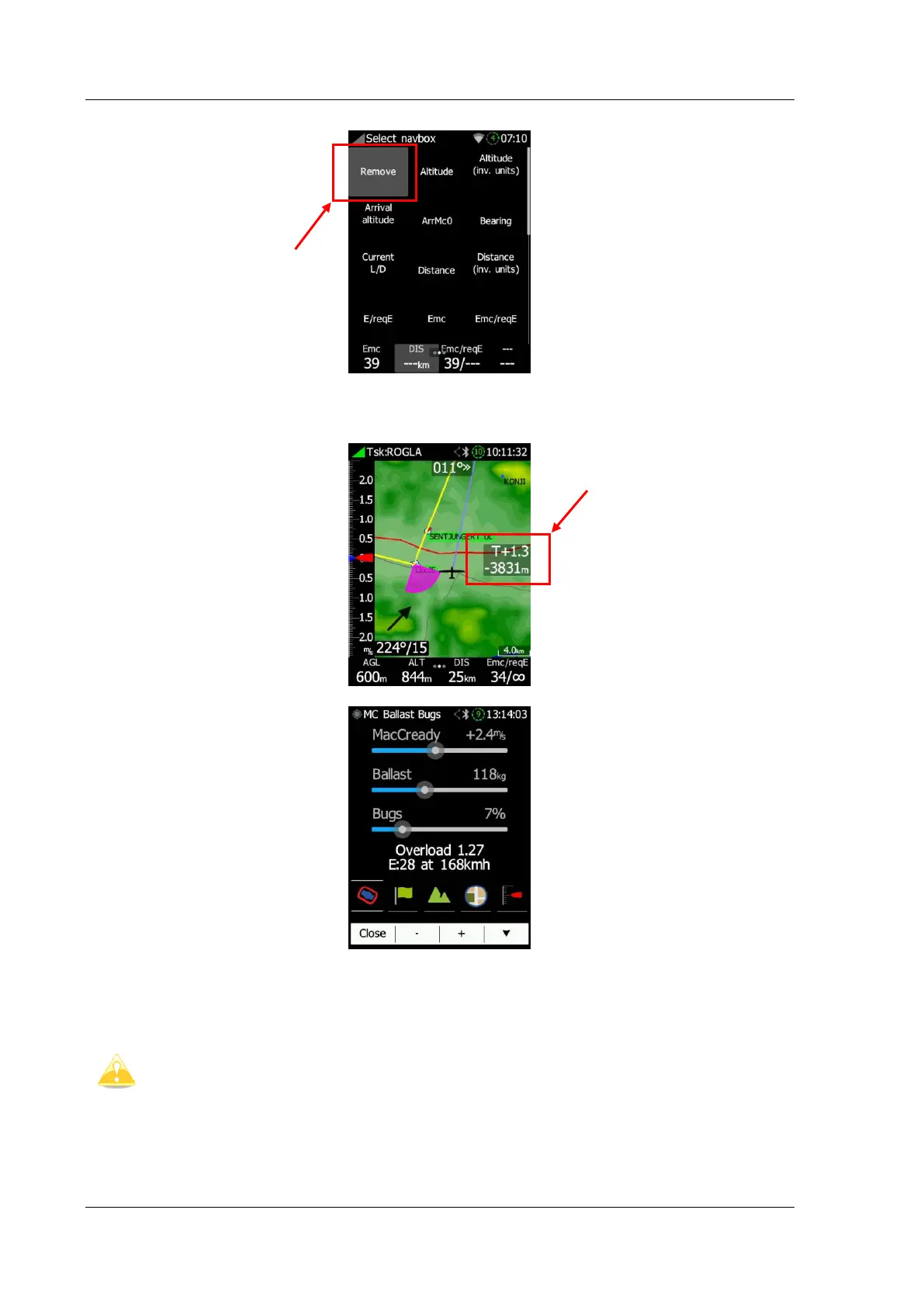
To remove a nav box select first option ("Remove").
3.6 MacCready/Ballast/Bugs Widget Settings
Touching a MC value on the WPT/TSK screen will open the MC/BALL/BUGS screen.
On this screen MacCready, Ballast and Bugs and map shortcuts can be adjusted. At the
same time a calculated final glide and speed are displayed on the lower part of the screen.
If buttons are used for switching between MC, BAL and Bugs, the left button
indicates what will be selected by pressing on that button. The active slider is
white; others are in a grey colour.



 To Next Page