Rev #2 Version 3.00 August 2020
Page 20 of 80
5 Operation
There are two modes of operation: Data transfer mode and Normal operation mode.
When in the data transfer mode, flights can be downloaded, waypoints, airspaces or maps
uploaded by using standard method of copying files. The NanoConfig program can also be
run to edit task or change settings.
When in data transfer mode, there will be a message on the screen "USB Connected"
followed by "USB mounted". This indicates that the NANO
4
Flight recorder is in transfer
mode. To unmount the USB simply press any key on the NANO
4
and it will go to normal
operation mode.
When in Normal operation mode the logger is ready for recording flights.
The mode in which the NANO
4
is operating can be determined from the main screen, or the
LED when the screen is off.
5.1 Powering On
There are three ways to power on the NANO4 flight recorder.
Press the power button and the NANO
4
will power on. It will go directly to normal
operation mode. On start-up a splash screen will appear with information containing the
Serial number. The NANO
4
will then continue with the "Set elevation" page.
Connect the NANO
4
to a computer using a USB cable. It will automatically power on
and offer to go into data transfer mode. If the NANO
4
is in data transfer mode and the USB
cable is unplugged, the NANO
4
will shut down.
Connect the NANO4 to the NanoPower cable. The NANO
4
will then automatically power
on and after approximately 20 seconds the NANO
4
will go into normal operation mode.
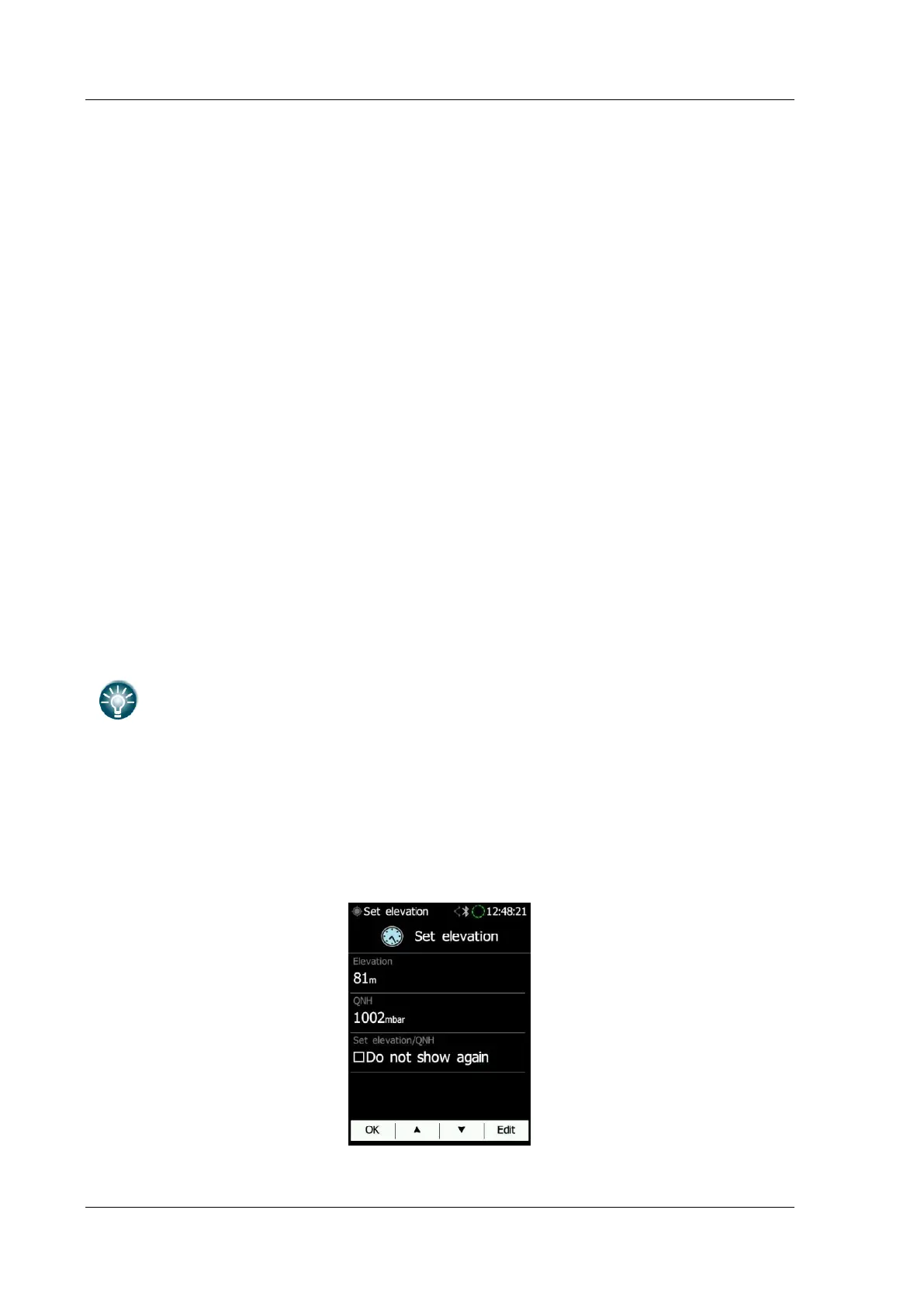
The normal operating mode starts with the "Set elevation" page. The current elevation or
QNH setting should be set here. It is also possible to choose to not see this message on
every start up.



 To Next Page