Rev #2 Version 3.00 August 2020
Page 34 of 80
When the screen is locked it will show only the info screen. You can still scroll up and down,
but you cannot change or edit anything on the screen.
6.4 The Info Screen
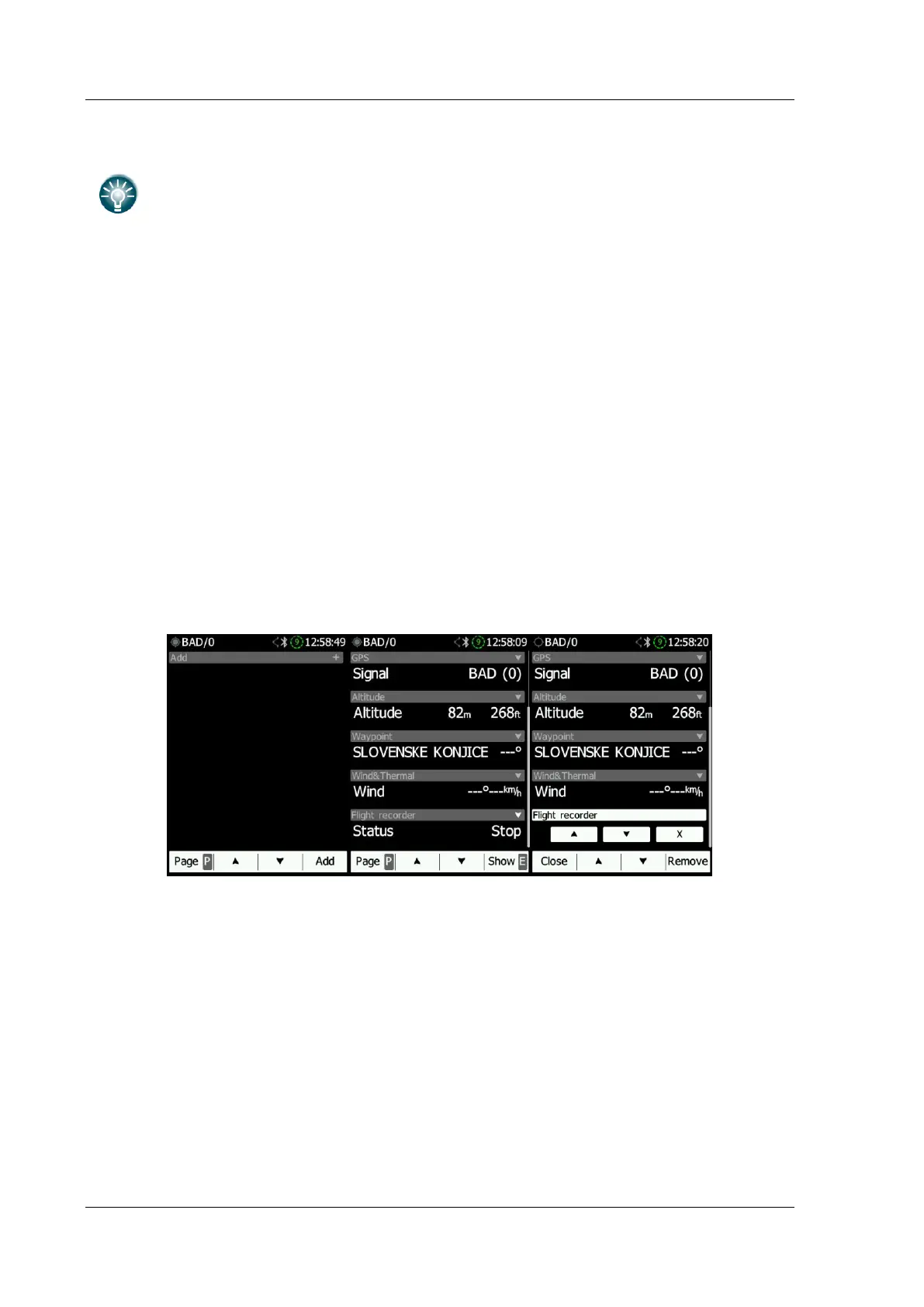
On the info screen, various data about the NANO
4
flight recorder can be displayed. You can
add new data via the "+" on the right side of the screen. You can choose between the
following information:
• Flight info
• Flight recorder
• Altitude
• GPS
• Battery
• Waypoint
• Wind & Thermal.
On the right side of the status bar of each information set is an arrow icon, which closes or
opens a dialogue with data.
Once added you can edit each one of them by long clicking on them. You can change the
order in which they are displayed by clicking the Up or Down arrow and delete them by
clicking "X".
6.5 The FLARM Screen
The FLARM screen is visible only when the NANO
4
detects a FLARM or PowerFLARM
connected to the external port. Selection of FLARM targets and zooming is then available. If
the NANO
4
is connected to a PowerFLARM, it is also able to show PCAS traffic.



 To Next Page