Rev #2 Version 3.00 August 2020
Page 70 of 80
8.3.1.1 Pilot Information
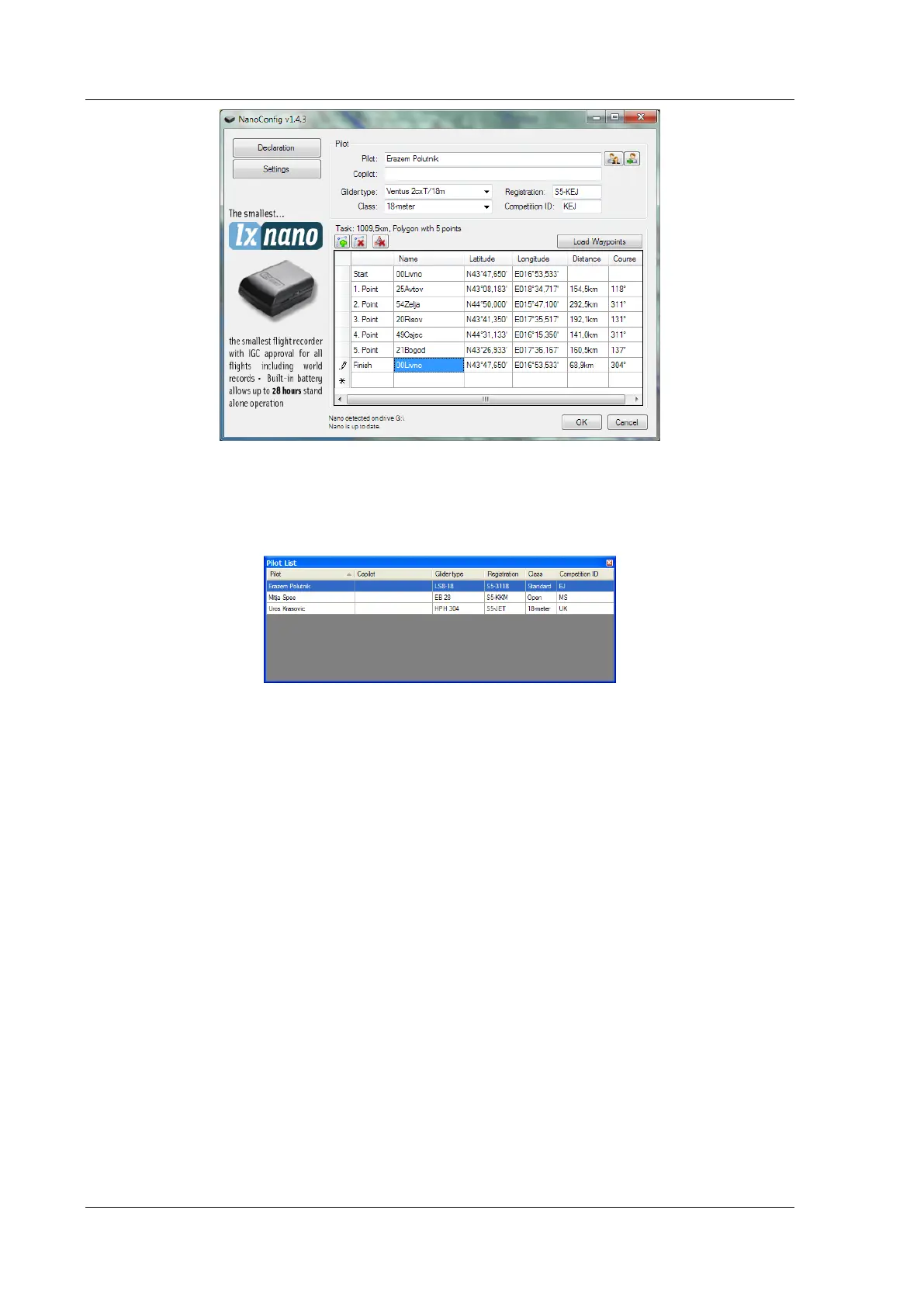
Enter pilot and glider information into the pilot section. In the top right you will find two
icons. The first icon will show a list of stored pilot information and the second will add the
current pilot information to the list.
8.3.1.2 Task Declaration
Before creating a task, you must load the waypoints from which the task will be created. To
load waypoints, press the Load Waypoints button. Waypoints can be loaded from a CUP
formatted file. Once waypoints are loaded you can create a task by entering the names of
the waypoints. Use the icons in the upper left corner of the task declaration group to add or
delete a point, or to clear the whole task. Task points can also be deleted by pressing the
DEL key or can be inserted by pressing the INS key.



 To Next Page