Rev #2 Version 3.00 August 2020
Page 75 of 80
8.5.5 Task
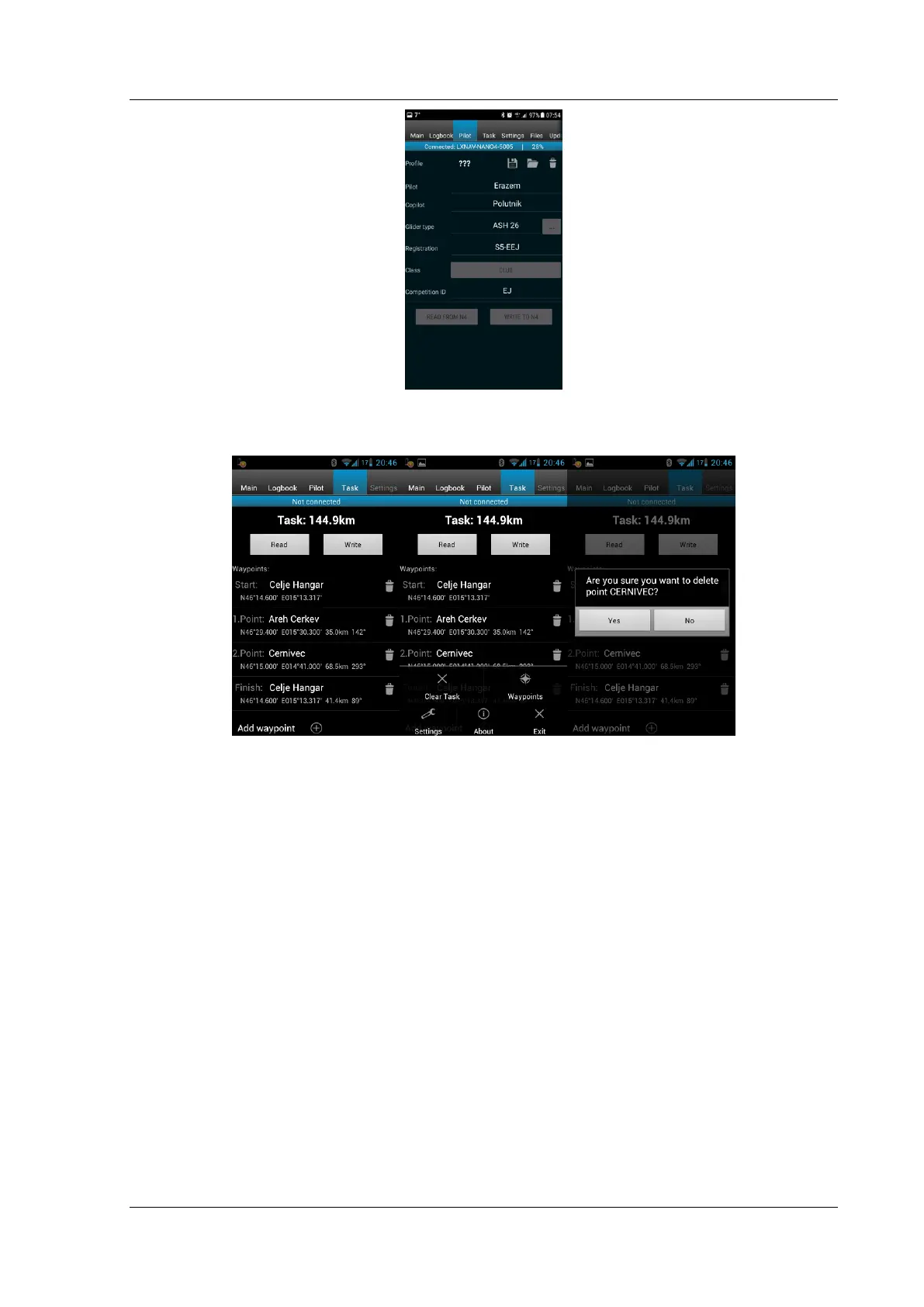
This page is used for creation of new tasks or editing old ones.
First it is necessary to choose a waypoint file in the CUP (SeeYou) format. To select the CUP
file use the MENU button. On some devices you must press the menu button for a long
time. To read a task from your NANO
4
device press Read. Press the Add waypoint button
(+) to add the waypoint to the last position. A long press on the waypoint will give you an
option to insert a waypoint. On the right-hand side of waypoint name there is a trash box.
Press the trash box to delete the waypoint from the list. After a task has been entered it can
be transferred to the NANO
3
by pressing the Write button.
8.5.6 Settings
In this tab you can configure your NANO
4
. Slide the bar to edit the recording interval; a
shorter recording interval will allow you to perform more accurate post-flight analysis and it
increases the probability of obtaining a data point in the observation zone. You can also turn
enable/disable Automatic flight finish and Automatic turn off or edit your NMEA output baud
rate.



 To Next Page