3030226 Rev. D 2-6 Installation And
Initial System Start-Up
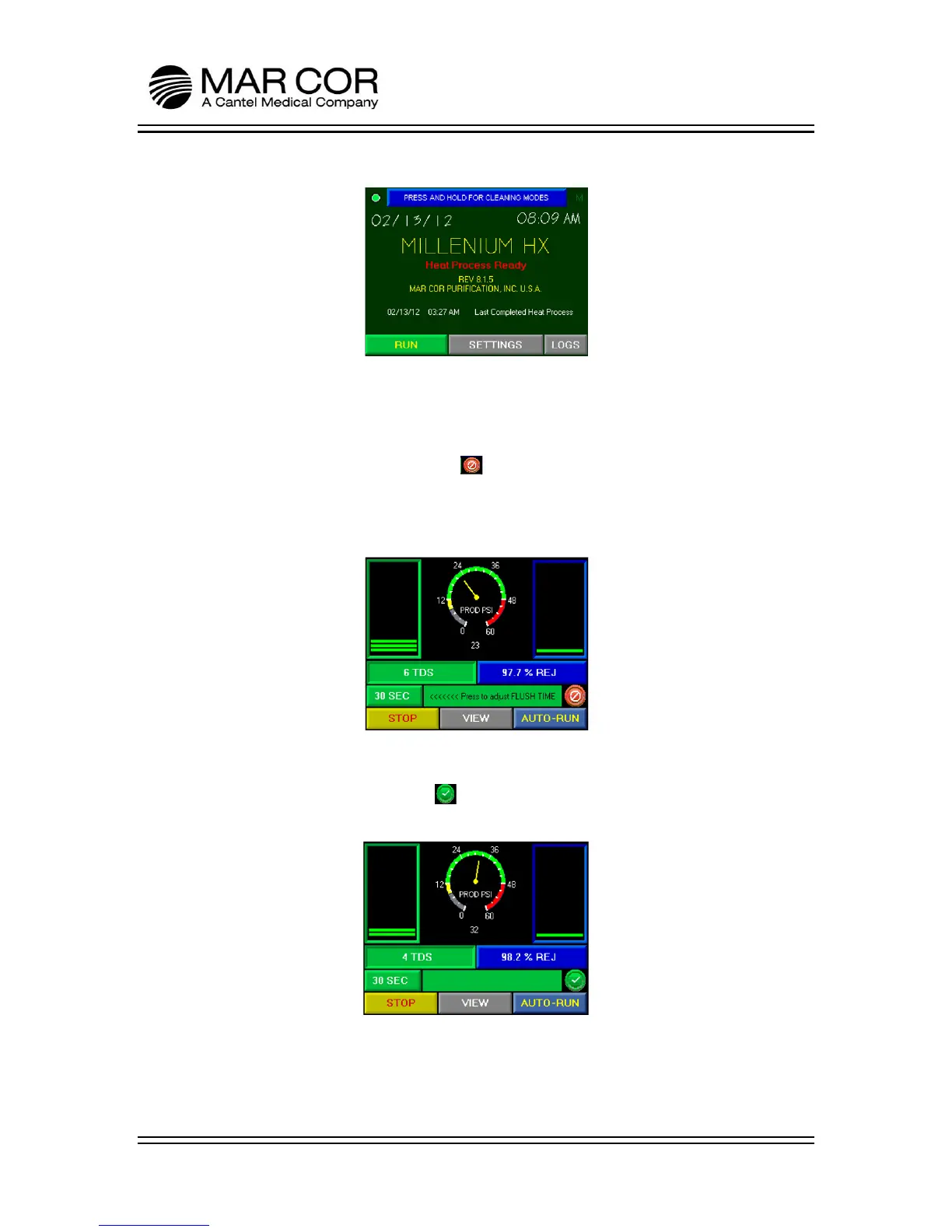
10. Press the RUN button.
11. The RO will start in a flush and divert mode where the product water is diverted
to the internal tank. The machine will operate in this flush mode for a user
specific time (adjustable from 30-300 seconds) indicated on the run screen. The
RO will not come out of divert mode until the flush is complete and the TDS/µS
is below the alarm set point. The symbol in the lower right hand side of the
display indicates the machine is in divert mode. If water quality does not
improve as the RO is operating, the RO may shutdown because of product water
quality. If this occurs, clear the alarm screen and press RUN again.
12. After the RO startup flush is complete and the product water is below the alarm
set point, the divert valve will open and start supplying product water through
the product water line. The symbol in the lower right hand side of the
display indicates the machine is supplying water to the product water line.
13. Let the RO run for 15 minutes or until the percent rejection and TDS/µS values
have stabilized.



 To Next Page