3030226 Rev. D 2-7 Installation And
Initial System Start-Up
WARNING:
Ensure that TDS/µS and membrane performance (% rejection) are normal for the
regions water quality. Consult your facility physician. An appropriate AAMI
analysis and bacteria/Endotoxin test meeting AAMI or CSA requirements of the
product water must be obtained and interpreted before using the RO unit for
hemodialysis treatment, refer to Section 2.3 “Product Water AAMI Analysis
Procedure” and Section 5.5.1 “Product Water Culture Procedure”.
14. Once the RO has achieved a steady state, note the percent rejection, and
product TDS/µS (Run Screen), and the Combined Pump Feed Water Condition
TDS/µS (V-1 screen). You will need these values when setting the operating
parameters in the SETTINGS screen.
15. After a minimum of 30 minutes of run time, perform a Single Heat disinfection
of the RO (steps 17 through 25).
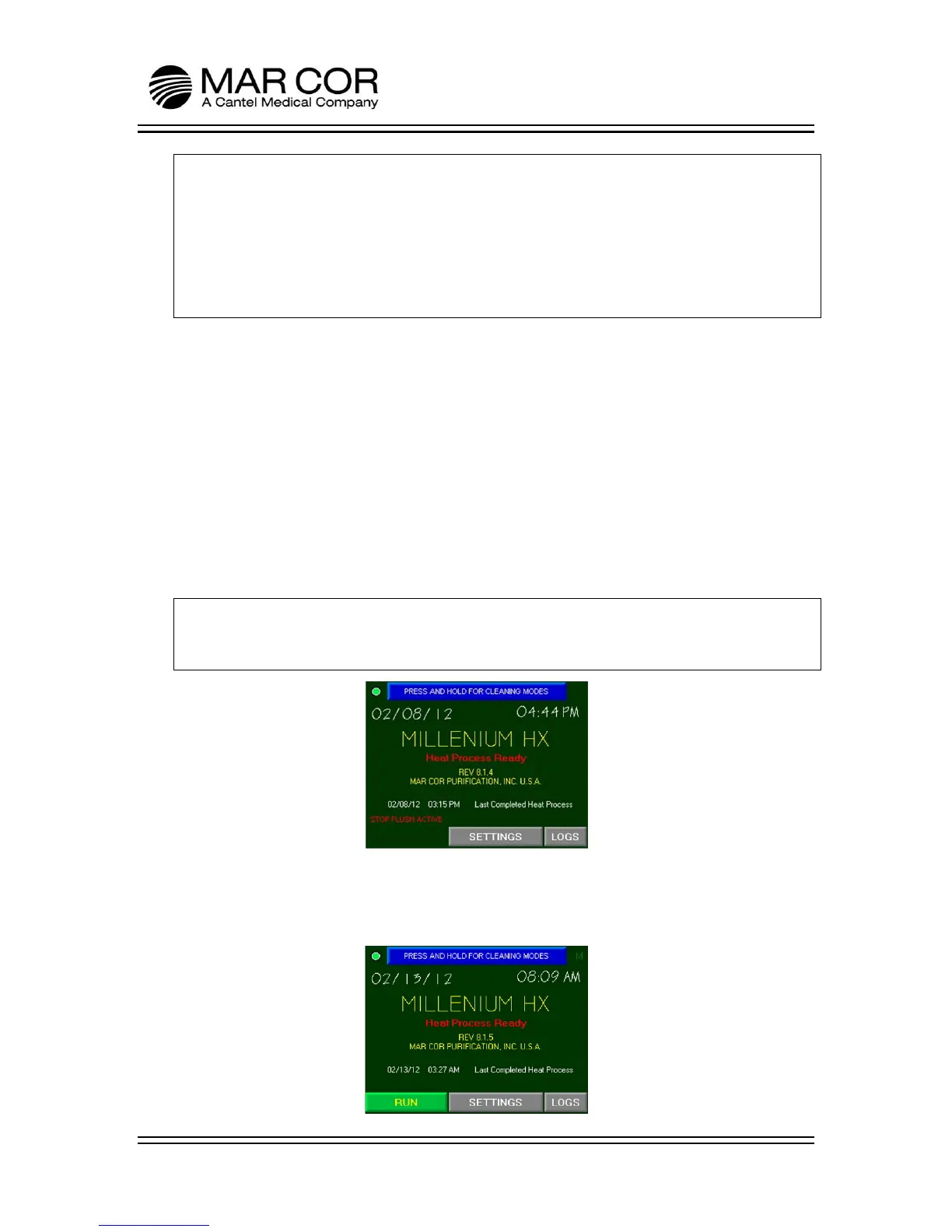
16. From the RUN screen, press and hold the STOP button for 2 seconds. The RO
will continue to operate for 60 seconds in a flush mode. When in flush, the RO
RUN button is not visible until the process is complete.
NOTE:
When in stop flush, the message STOP FLUSH ACTIVE is visible on the screen
indicating that the RO is flushing the membrane with low TDS/µS water.
17. Press and hold the blue banner at the top of the screen that states PRESS AND
HOLD FOR CLEANING MODES to enter the Chemical or Heating Operations
selection screen.



 To Next Page