AUTO RUN
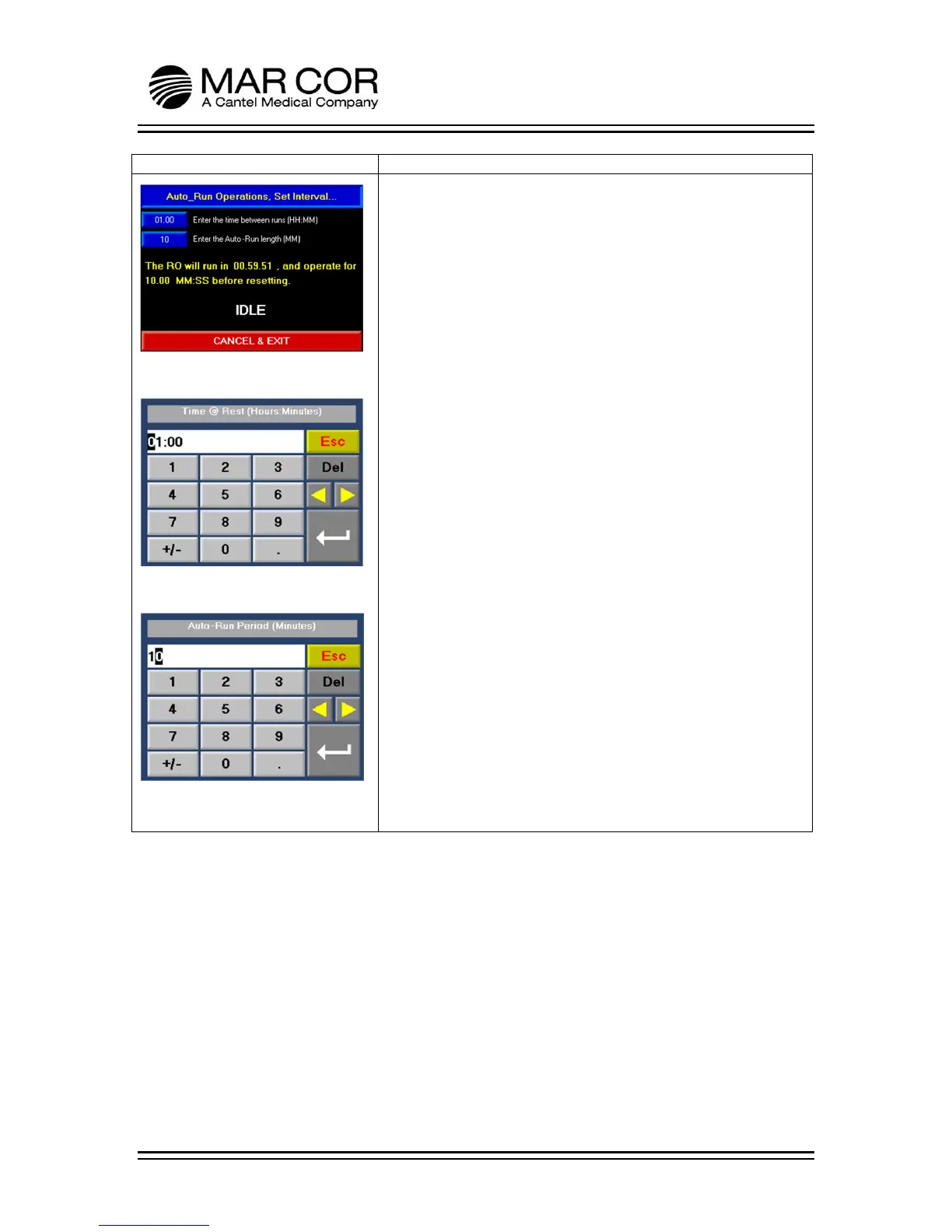
When AUTO-RUN is pressed and held from the run screen, the
operator enters the Auto Run Screen (Figure 1). The operator can
set the RO to run for up to 59 minutes (Figure 3) at specified time
intervals (1 minute up to 99 hours and 59 minutes) (Figure 2). To
enter the times, press the box indicating the time. When the RO is
running in this mode, the IDLE indicator is replaced with
OPERATING. To exit, press the CANCEL & EXIT banner.
When the RO is OPERATING in auto run, water is circulated
through the product line at low pressure.
When CANCEL & EXIT is pressed, the RO will return to the run
screen in a startup flush and divert for the set time.



 To Next Page