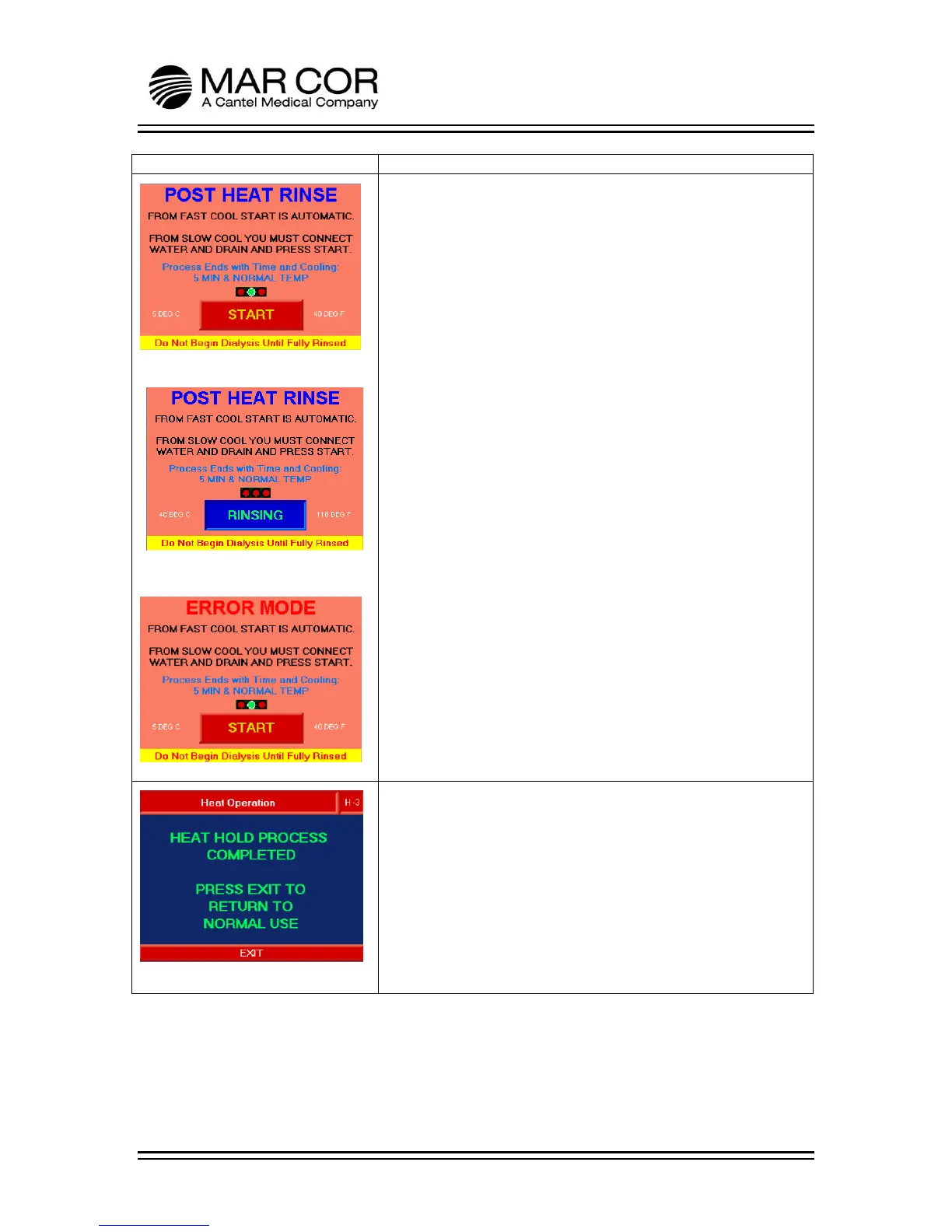
POST HEAT RINSE
Figure 1
After the completion of a heat process and cooling below 120F
(49C), the RO automatically advances to the Post Heat Rinse
screen. The RO operates in this mode cooling and rinsing the RO
product water below 105°F (41°C). Figure 1 is shown if the
cooling method is set to Slow Cool. The operator must connect
water and drain and press the START button to initiate the rinse
process (Figure 2). If START is pressed and there is no water
available a LOW FEED PRESSURE message (not shown) appears.
Figure 2
Figure 2 is shown after the cool down screen if the cooling
method is set to Fast Cool or the START button is pressed in
Figure 1. The RINSING indicator shows that the machine is in the
process of rinsing.
There are 3 indicator lights above the START/RINSING box that
show when the process is complete. The left indicator when
green indicates that the 5 minute rinse process is complete; the
middle indicator shows when the product water temperature is
below 105°F (41°C) and the final indicator shows when the
bottom float (LS3) has been satisfied indicating the tank level is
low.
Figure 3
If during the heat disinfection process, an error is detected, you
will receive the ERROR MODE POST HEAT RINSE screen. To exit
from this screen for troubleshooting, hold your finger on the
screen in a blank area for 10 seconds. The START button does not
work when you receive the ERROR MODE screen.
HEAT SCREEN 3
Once the post heat rinse is complete, the RO displays HEAT HOLD
PROCESS COMPLETED PRESS EXIT TO RETURN TO NORMAL USE.
The operator presses EXIT to return to the Chemical or Heating
Operations selection screen.



 To Next Page