EasyManua.ls Logo

Marantz SR-73 - Marantz SR-73 Sound Adjustments and Playback; Adjusting Surround Sound Levels; Surround Mode Sound Characteristics; Normal Playback and Multi-Source Listening

Marantz SR-73
108 pages
Print Icon
To Next Page IconTo Next Page
To Previous Page IconTo Previous Page
Loading...
Clearing
preset
stations
You
can
remove
preset
stations
from
the
memory
using
the
following
procedure.
1.
Recall
the
preset
number
to
be
cleared
with
the
method
described
in
Recalling
a
preset
station
.
2.
Press
the
MEMO
button
@.
MEMO
flashes
on
the
display
for
5
seconds.
While
MEMO
is
still
flashing,
press
the
0/CL(clear)
button
@®.
CLEAR
appears
on
the
display
to
indicate that
the
specified
preset
number
has
been
cleared.
*
If
you
wish,
you
can
clear
all
of
the
memory
contents
with
a
single
operation,
as
follows:
Press
the
MEMO
button
@
and
0/CL(clear}
button
simultaneously.
ADJUSTMENTS
Adjusting
the
surround
level
Use
this
procedure
to
adjust
the
volume
of
each
of
the
front,
centre,
and
rear
speakers
when
watching
a
movie
or
other
video
source
in
DOLBY
surround
mode.
1.
Turn
the
VOLUME
contro!
@
to
the
minimum
position.
2.
Press
the
SURR.(surround)
button
@).
Select
Pro-logic.
3.
Press
the
CENTRE
MODE
button
to
the
select
the
centre
mode
corresponding
to
your
speaker
system
configuration.
In
this
example,
the
centre
mode
is
set
to
NORMAL.
4.
Press
the
T.(test)
TONE
button
©.
A
test
signal
tone
is
heard
from
the
left,
centre,
right,
and
surround
speakers
in
sequence.
5.
Gradually
turn
the
VOLUME
contro!
@
clockwise
to
increase
the
volume.
6.
Using
the
remote
control,
adjust
the
volume
of
the
test
tone
for
centre
and
surround
until
the
volume
appears
to
be
set
at
the
same
level
for
all
speakers.
This
unit
is
preset
so
that
a
correct
balance
will
be
obtained
under
conditions
of
normal
use,
so
make
adjustments
only
as necessary.
7.
When
volume
adjustment
is
completed,
press
the
T.(test)
TONE
button
©)
again
so
that
the
test
signal
tone
stops.
Hall
Surround,
Matrix
Surround
and
Simulated
Stereo
®
With
stereo
sources
other
than
Dolby
Surround
sources,
the
surround
component
is
combined
with
the
source
signal.
To
obtain
a
surround
effect
with
these
sources,
use
Hall
Surround
or
Matrix
Surround.
Select
the
desired
mode
by
pressing
the
SURR.(surround)
MODE
button
®
©
Use
Simulated
Stereo
mode
with
mono
sources.
In
this
mode,
a
short
time
delay
is
inserted
between
the
left
channel
and
right
channel
signals,
creating
a
stereo
effect.
The
delay
time
in
Simulated
Stereo
mode
can
be
adjusted
in
the
same
way
as
in
other
surround
modes.
In
Hall
Surround
mode,
a
stereo
sum
signal
(L+R)
is
output
from
the
rear
speakers.
In
Matrix
Surround
mode,
a
stereo
difference
signal
(L~R)
is
output
from
the
rear
speakers.
In
both
modes,
a
digital
delay
effect
is
used
to
delay
the
rear
speaker
sound
by
2-33
milliseconds
in
relation
to
the
front
speaker
sound.
After
having
set
up
the
system
for
surround
mode
listening,
your
choice
can
be
confirmed
by
pressing
the
SURR.(surround)
ON/OFF
button @.
®
In
these
modes,
no
sound
is
output
from
the centre
speaker.
PLAYBACK
OPERATION
Normal
playback
Set
the
VOLUME
control
@
to
the
minimum
position.
2
Press
the
POWER
switch
@
to turn
on
the
power.
3.
Press
the
desired
function
button
@
according
to
the
table
shown
below.
4.
Start
playing
the
desired
source.
Adjust
the
volume
using
the
VOLUME
contro!
@.
Adjust
the
tone
using
the
BASS
and TREBLE
controls
@9.
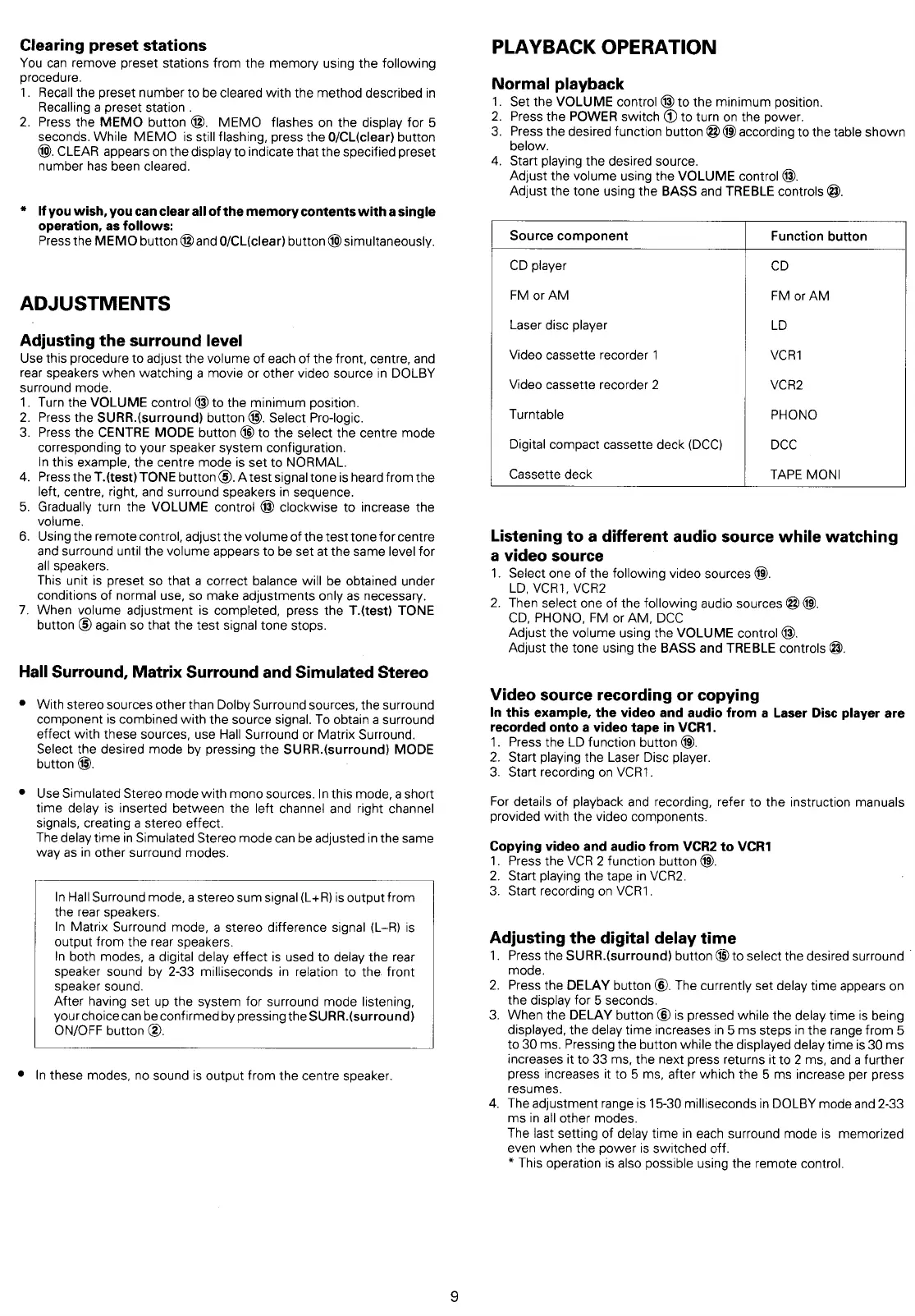
Source
component
Function
button
CD
player
cD
FM
or
AM
FM
or
AM
Laser
disc
player
LD
Video
cassette
recorder
1
VCR1
Video
cassette
recorder
2
VCR2
Turntable
PHONO
Digital
compact
cassette
deck
(DCC)
DCC
Cassette
deck
TAPE
MONI
Listening
to
a
different
audio
source
while
watching
a
video
source
1.
Select
one
of
the
following
video
sources
@.
LD,
VCR1,
VCR2
2.
Then
select
one
of
the
following
audio
sources
@
@.
CD,
PHONO,
FM
or
AM,
DCC
Adjust
the
volume
using
the
VOLUME
control
@®.
Adjust
the
tone
using
the
BASS
and
TREBLE
controls
@.
Video
source
recording
or
copying
In
this
example,
the
video
and
audio
from
a
Laser
Disc
player
are
recorded
onto
a
video
tape
in
VCR1.
1.
Press
the
LD
function
button
@.
2.
Start
playing
the
Laser
Disc
player.
3.
Start
recording
on
VCR1.
For
details
of
playback
and
recording,
refer
to
the
instruction
manuals
provided
with
the
video
components.
Copying
video
and
audio
from
VCR2
to
VCR1
1.
Press
the
VCR
2
function
button
@.
2.
Start
playing
the
tape
in
VCR2.
3.
Start
recording
on
VCR1.
Adjusting
the
digital
delay
time
.
Press
the
SURR.(surround)
button
@
to
select
the desired
surround
©
mode.
2.
Press
the
DELAY
button
©.
The
currently
set
delay
time
appears
on
the
display
for
5
seconds.
3.
When
the
DELAY
button
©
is
pressed
while
the
delay.
time
is
being
displayed,
the
delay
time
increases
in
5
ms
steps
in
the
range
from
5
to
30
ms.
Pressing
the
button
while
the
displayed
delay
time
is
30
ms
increases
it
to
33
ms,
the
next
press
returns
it
to 2
ms, and
a
further
press
increases
it
to
5
ms,
after
which
the
5
ms
increase
per
press
resumes.
4.
The
adjustment
range
is
15-30
milliseconds
in
DOLBY
mode
and
2-33
ms
in
all
other
modes.
The
last
setting of
delay
time
in
each
surround
mode
is
memorized
even
when
the
power
is
switched
off.
*
This
operation
is
also
possible
using
the
remote
control.

Table of Contents

Related product manuals