EasyManua.ls Logo

Marantz SR-73 - Marantz SR-73 Maintenance and Troubleshooting; Remote Control Operation and Maintenance; Resolving General Malfunctions; Installation Notes and Memory Backup

Marantz SR-73
108 pages
Print Icon
To Next Page IconTo Next Page
To Previous Page IconTo Previous Page
Loading...
Operation
of
Remote
Control
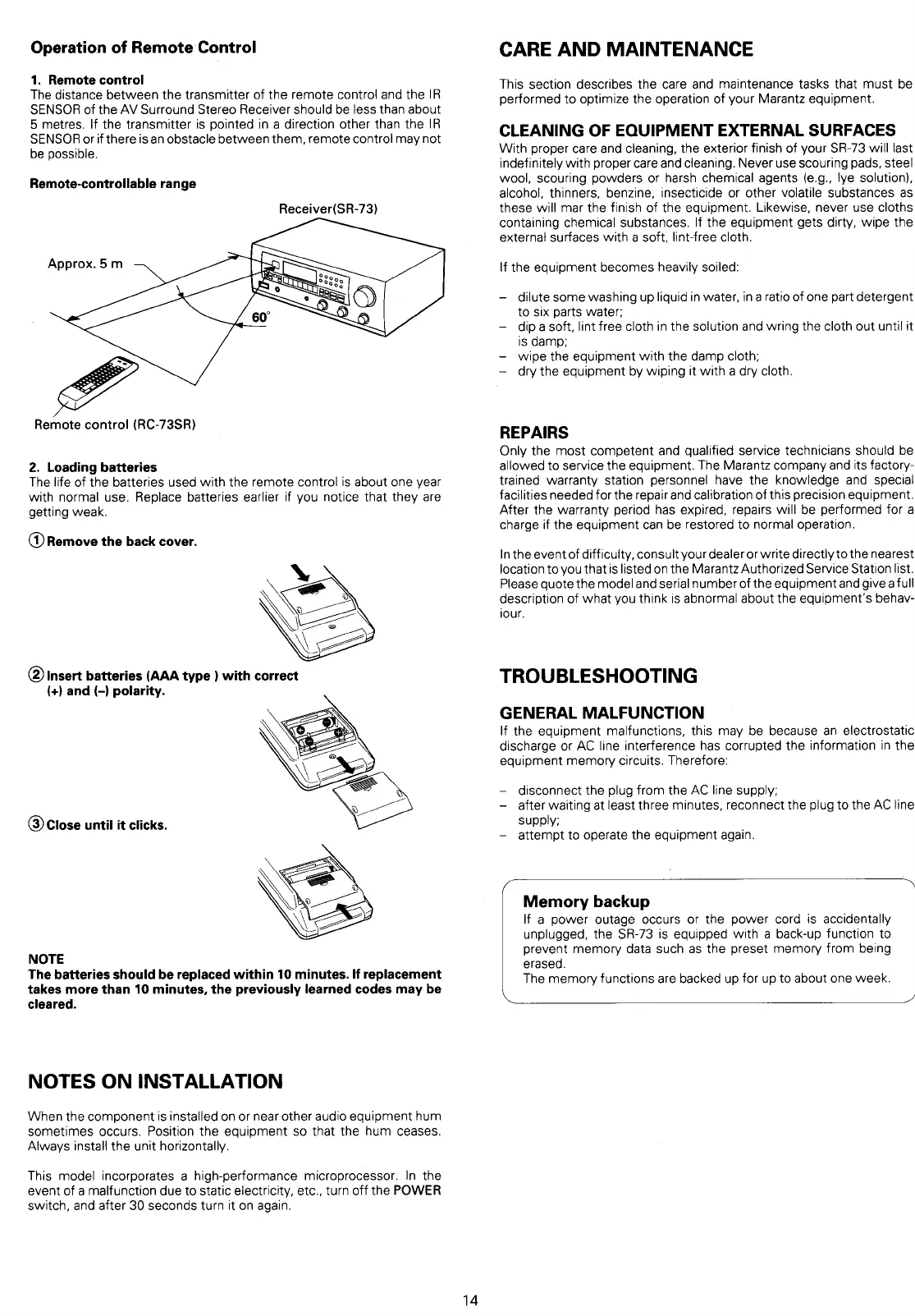
1.
Remote
control
The
distance
between
the
transmitter
of
the
remote
control
and
the
IR
SENSOR
of
the
AV
Surround
Stereo
Receiver
should
be
less
than
about
5 metres.
If
the
transmitter
is
pointed
in
a
direction
other
than
the
IR
SENSOR
or
if
there
is
an
obstacle
between
them,
remote
control
may
not
be
possible.
Remote-controllable
range
Receiver(SR-73)
Approx.
5m
Remote
control
(RC-73SR)
2.
Loading
batteries
The
life
of
the
batteries
used
with
the
remote
control
is
about
one
year
with
normal
use.
Replace
batteries
earlier
if
you
notice
that
they
are
getting
weak.
@
Remove
the
back
cover.
@)
Insert
batteries
(AAA
type
)
with
correct
(+)
and
(-)
polarity.
3)
Close
until
it
clicks.
NOTE
The
batteries
should
be
replaced
within
10
minutes.
If
replacement
takes
more
than
10
minutes,
the
previously
learned
codes
may
be
cleared.
NOTES
ON
INSTALLATION
When
the
component
is
installed
on
or
near
other
audio
equipment
hum
sometimes
occurs.
Position
the
equipment
so
that
the
hum
ceases.
Always
install
the
unit
horizontally.
This
model
incorporates
a
high-performance
microprocessor..
In
the
event
of
a
malfunction
due
to
static
electricity,
etc.,
turn
off
the
POWER
switch,
and
after
30
seconds
turn
it
on
again.
14
CARE
AND
MAINTENANCE
This
section
describes
the
care
and
maintenance
tasks
that
must
be
performed
to
optimize
the
operation
of
your
Marantz
equipment.
CLEANING
OF
EQUIPMENT
EXTERNAL
SURFACES
With
proper
care
and
cleaning,
the
exterior
finish
of
your
SR-73
will
last
indefinitely
with
proper
care
and
cleaning.
Never
use
scouring
pads,
steel
wool,
scouring
powders
or
harsh
chemical
agents
(e.g.,
lye
solution),
alcohol,
thinners,
benzine,
insecticide
or
other
volatile
substances
as
these
will
mar
the
finish
of
the
equipment.
Likewise,
never
use
cloths
containing
chemical
substances.
If
the
equipment
gets
dirty,
wipe
the
external
surfaces
with
a
soft,
lint-free
cloth.
If
the
equipment
becomes
heavily
soiled:
-
dilute
some
washing
up
liquid
in
water,
ina
ratio
of
one
part
detergent
to
six
parts
water;
dip
soft,
lint
free
cloth
in
the
solution
and
wring
the
cloth
out
until
it
is
damp;
-
wipe
the
equipment
with
the
damp
cloth;
dry
the
equipment
by
wiping
it
with
a
dry
cloth.
REPAIRS
Only
the
most
competent
and
qualified
service
technicians
should
be
allowed
to
service
the
equipment.
The
Marantz
company
and
its
factory-
trained
warranty
station
personnel
have
the
knowledge
and
special
facilities
needed
for
the
repair
and
calibration
of
this
precision
equipment.
After
the
warranty
period
has
expired,
repairs
will
be
performed
for
a
charge
if
the
equipment
can
be
restored
to
normal
operation.
Inthe
event
of
difficulty,
consult
your
dealer
or
write
directly
to
the
nearest
location
to
you
that
is
listed
on
the
Marantz
Authorized
Service
Station
list.
Please
quote
the
model
and
serial
number
of
the
equipment
and
give
full
description
of
what
you
think
is
abnormal
about
the
equipment’s
behav-
jour.
TROUBLESHOOTING
GENERAL
MALFUNCTION
If
the
equipment
malfunctions,
this
may
be
because
an
electrostatic
discharge
or
AC
line
interference
has
corrupted
the
information
in
the
equipment
memory
circuits.
Therefore:
disconnect
the
plug
from
the
AC
line
supply;
-
after
waiting
at
least
three
minutes,
reconnect
the
plug
to
the
AC
line
supply,
-
attempt
to
operate
the
equipment
again.
Memory
backup
If
a
power
outage
occurs
or
the
power
cord
is
accidentally
unplugged,
the
SR-73
is
equipped
with
a
back-up
function
to
prevent
memory
data
such
as
the preset
memory
from
being
erased.
The
memory
functions
are
backed
up
for
up
to
about
one
week.

Table of Contents

Related product manuals