EasyManua.ls Logo

Marantz SR-73 - Marantz SR-73 Surround Sound Modes; Dolby Pro Logic Surround Setup and Modes; Hall Surround Mode Description; Matrix Surround Mode Description

Marantz SR-73
108 pages
Print Icon
To Next Page IconTo Next Page
To Previous Page IconTo Previous Page
Loading...
USING
THE
SURROUND
MODES
Four
surround
modes
are
provided
for
reproducing
sound
with
a
live
atmosphere.
Select
the
surround
mode
appropriate
to
the.
music/video
source
and
your
listening
room
conditions.
1.
Dolby
Pro
Logic
Surround
The
SR-73
features
anewly
developed
high-performance
Dolby
Pro
Logic
decoder
chip
that
separates
the
two
channels
of
stereo
audio
from
movie
soundtracks,
and
derives
left,
centre,
right
and
surround
channels,
With
the
high
separation
accuracy
and
pinpoint
placement
of
music,
dialogue,
and
surround-sound
effects
created
by
the
Pro
Logic
system,
you
will
be
provided
with
an
exhilarating
home
theatre
experience.
The
SR-73
allows
easy
set-up
and
balancing
of
the Pro
Logic
system
via
remote
contro!
and
the
built-in
Dolby
test-tone
generator.
DOLBY
PRO
LOGIC
SURROUND
Speaker
positioning
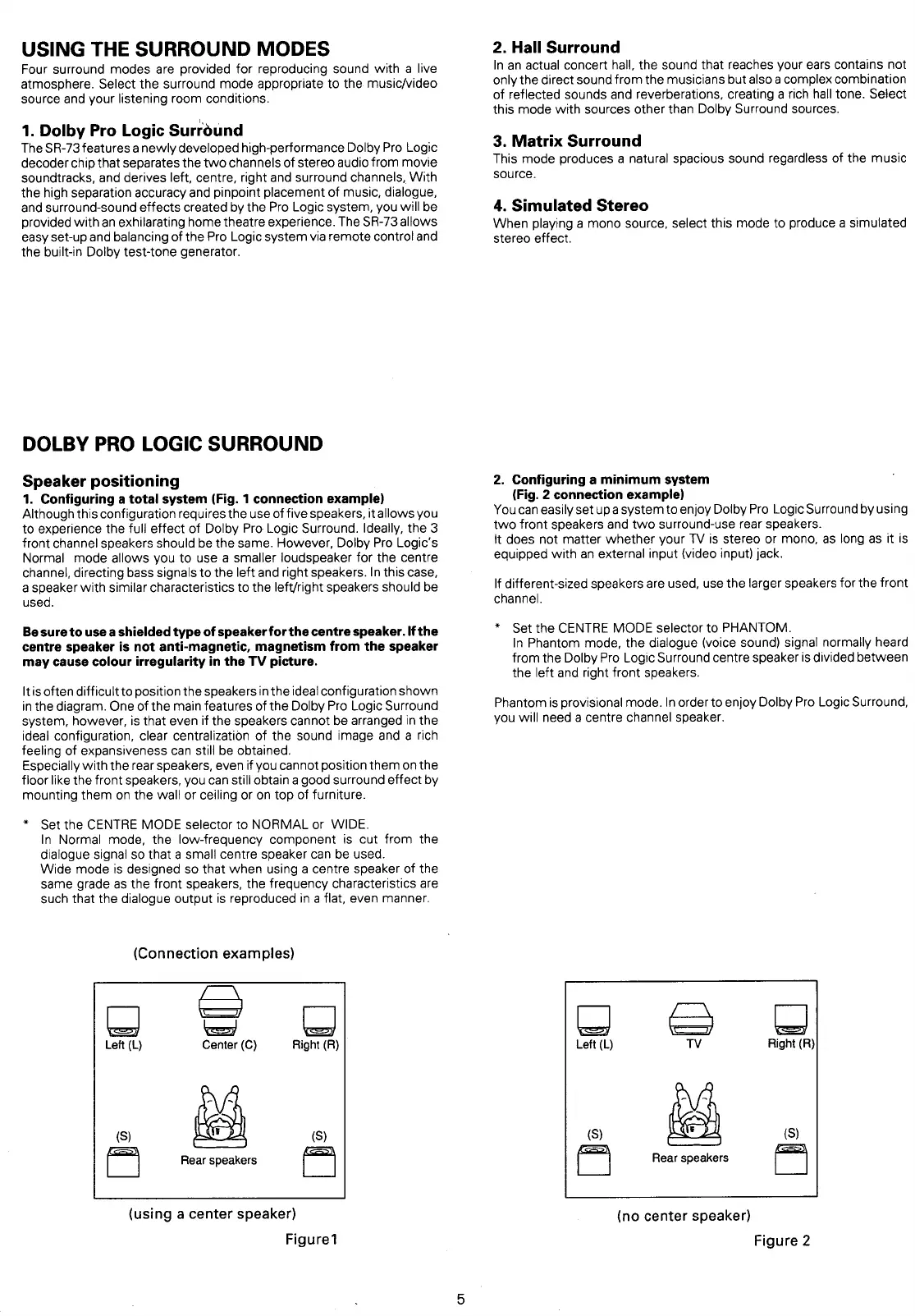
1.
Configuring
a
total
system
(Fig.
1
connection
example)
Although
this
configuration
requires
the
use
of
five
speakers,
it
allows
you
to
experience
the
full
effect
of
Dolby
Pro
Logic
Surround.
Ideally,
the
3
front
channel
speakers
should
be
the
same.
However,
Doiby
Pro
Logic’s
Normal
mode
allows
you
to
use
a
smaller
loudspeaker
for
the centre
channel,
directing
bass
signals
to
the
left
and
right
speakers.
In
this
case,
a
speaker
with
similar
characteristics
to
the
left/right
speakers
should
be
used.
Be
sure
to
use
a
shielded
type
of
speaker
for
the
centre
speaker.
If
the
centre
speaker
is
not
anti-magnetic,
magnetism
from
the
speaker
may
cause
colour
irregularity
in
the
TV
picture.
Itis
often
difficult
to
position
the
speakers
in
the
ideal
configuration
shown
in
the
diagram.
One
of
the
main
features
of
the
Dolby
Pro
Logic
Surround
system,
however,
is
that
even
if
the
speakers
cannot
be
arranged
in
the
ideal
configuration,
clear
centralization
of
the
sound image
and
a
rich
feeling of
expansiveness
can
still
be
obtained.
Especially
with
the
rear
speakers,
even
if
you
cannot
position
them
on
the
floor
like
the
front
speakers,
you
can
still
obtain
a
good
surround
effect
by
mounting
them
on
the
wall
or
ceiling
or
on
top
of
furniture.
*
Set
the
CENTRE
MODE
selector
to
NORMAL
or
WIDE.
In
Normal
mode,
the
low-frequency
component
is
cut
from
the
dialogue
signal
so
that
a
small
centre
speaker
can
be
used.
Wide
mode
is
designed
so
that
when
using
a
centre
speaker
of
the
same
grade
as
the
front
speakers,
the
frequency
characteristics
are
such
that
the
dialogue
output
is
reproduced
in
a
flat,
even
manner.
(Connection
examples)
os}
cee
=
Left
(L)
Center
(C)
Right
(R)
Rear
speakers
(using
a
center
speaker)
Figure?
2.
Hall
Surround
In
an
actual
concert
hall,
the
sound
that
reaches
your
ears
contains
not
only
the
direct
sound
from
the
musicians
but
also
a
complex
combination
of
reflected
sounds
and
reverberations,
creating
a
rich
hall
tone.
Select
this
mode
with
sources
other
than
Dolby
Surround
sources.
3.
Matrix
Surround
This
mode
produces
a
natural
spacious
sound
regardless
of
the
music
source.
4.
Simulated
Stereo
When
playing
a
mono
source,
select
this
mode
to
produce
a
simulated
stereo
effect.
2.
Configuring
a
minimum
system
(Fig.
2
connection
example)
Youcan
easily
set
up
a
system
to
enjoy
Dolby
Pro
Logic
Surround
by
using
two
front
speakers
and
two
surround-use
rear
speakers.
it
does
not
matter
whether
your
TV
is
stereo
or
mono,
as
long
as
it
is
equipped
with
an
external
input
(video
input)
jack.
lf
different-sized
speakers
are
used,
use
the
larger
speakers
for
the
front
channel.
*
Set
the
CENTRE
MODE
selector
to
PHANTOM.
In
Phantom
mode,
the
dialogue
(voice
sound)
signal
normally
heard
from
the
Dolby
Pro
Logic
Surround
centre
speaker
is
divided
between
the
left
and
right
front
speakers.
Phantom
is
provisional
mode.
In
order
to
enjoy
Dolby
Pro
Logic
Surround,
you
will
need
a
centre
channel
speaker.
eS
cS)
ey
TV
Left
(L)
Right
(R)
(S)
KS
fe
Rear
speakers
(no
center
speaker)
Figure
2

Table of Contents

Related product manuals