Catch Sensors | V1 | Sensor Configuration
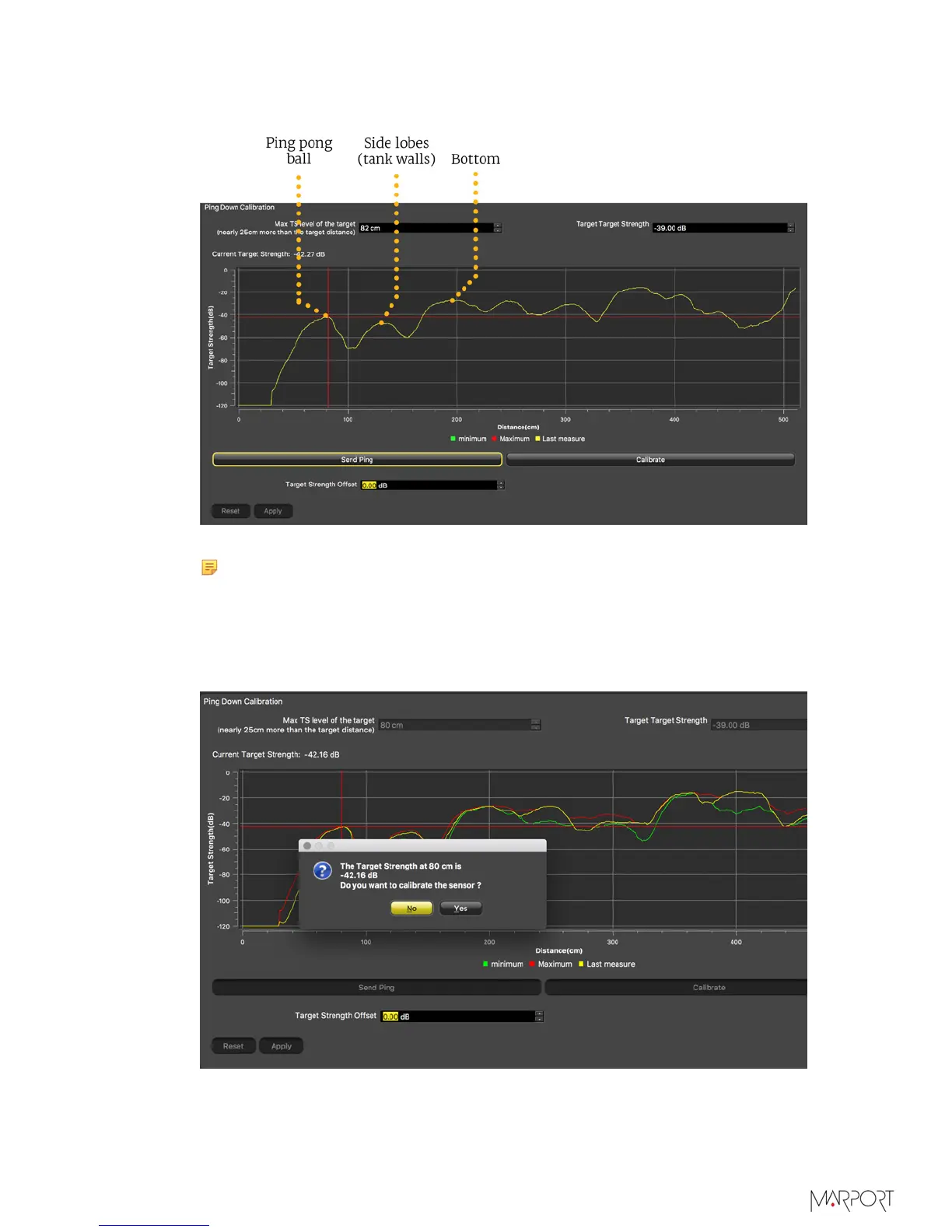
vertical line and drag it to the top of the curve. Press up and down arrows on your
keyboard to move it with more precision.
8.
From the bottom of the screen, click Calibrate.
Note: If the sensor is not correctly placed, you may have an error message
asking you to correct the pitch and/or roll angle.
The sensor sends a series of 5 pings to calculate if the echo is consistent and constant.
A new target strength offset is calculated. A dialog box appears to propose the
new target strength offset. When you click Yes, the target strength offset is auto-
populated.
9.
From the dialog box, accept the new calibration settings.
| 30



 To Next Page