Catch Sensors | V1 | System Configuration and Display
3.
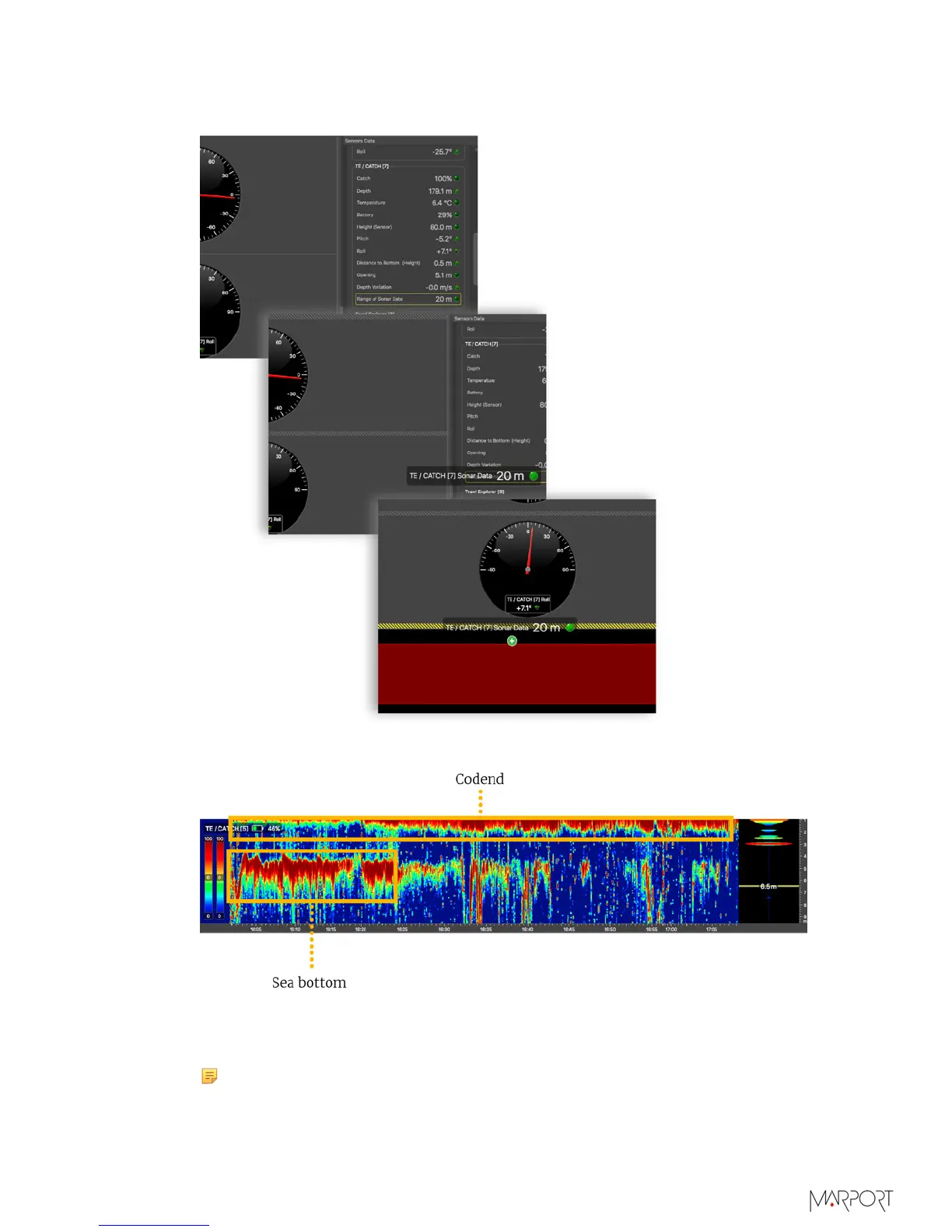
To display echogram images of a Catch Explorer: from TE/CATCH in Sensors Data,
click + hold Range of Sonar Data and drag it to the page display.
Below is an example of an echogram image.
When the codend is not totally full, you can see the bottom of the sea. When the
codend is filling up, you can see at the top that the echogram gets denser and the sea
bottom disappears. It is because fish can block the signal.
Note: When the trawl is empty, the codend moves a lot, as well as the sensors
attached to it. You may not have correct echogram images at the beginning
of a tow because the sensors are not correctly oriented toward the vessel. The
| 50



 To Next Page