Catch Sensors | V1 | System Configuration and Display
codend and sensor become stable when the trawl begins to fill. The codend can
move again when the codend is full.
Note: We recommend you to deactivate Draw Bottom Line option. Right-click
the echogram to check if it is activated.
4.
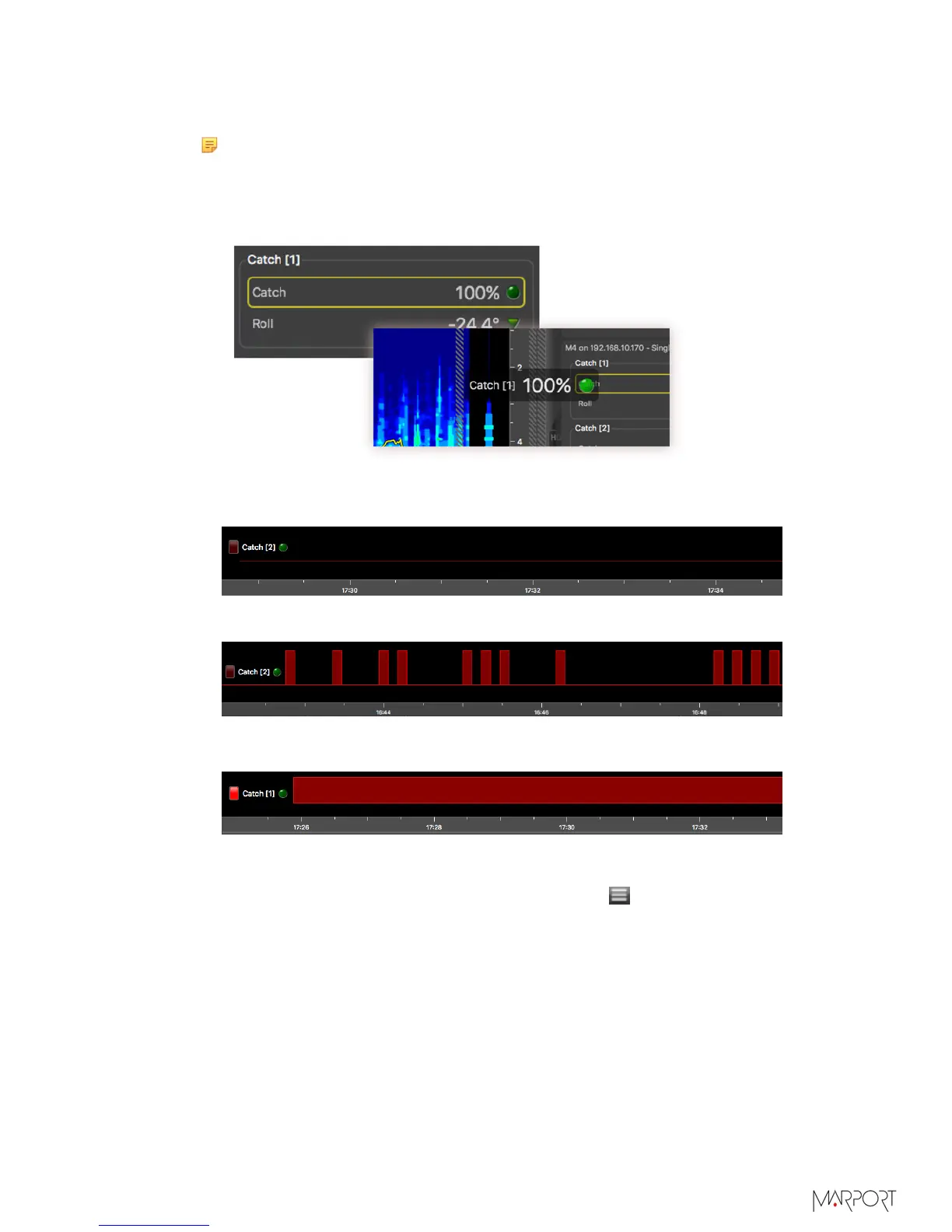
To know if the trawl is empty or full:
a)
From the Control panels, click + hold Catch data and drag it to the page display.
b)
From the Choose new Gauge Type dialog box, select History Plot.
When the codend is empty, the history plot is:
When the codend is filling up:
When the codend is full:
5.
To be alerted when the trawl is full:
a)
From the top left corner of the screen, click Menu
> Settings.
b)
From the Settings dialog box, select the tab Alarms.
c)
Click Add.
| 51



 To Next Page