MAXDATA PLATINUM Server Board User’s Manual
27
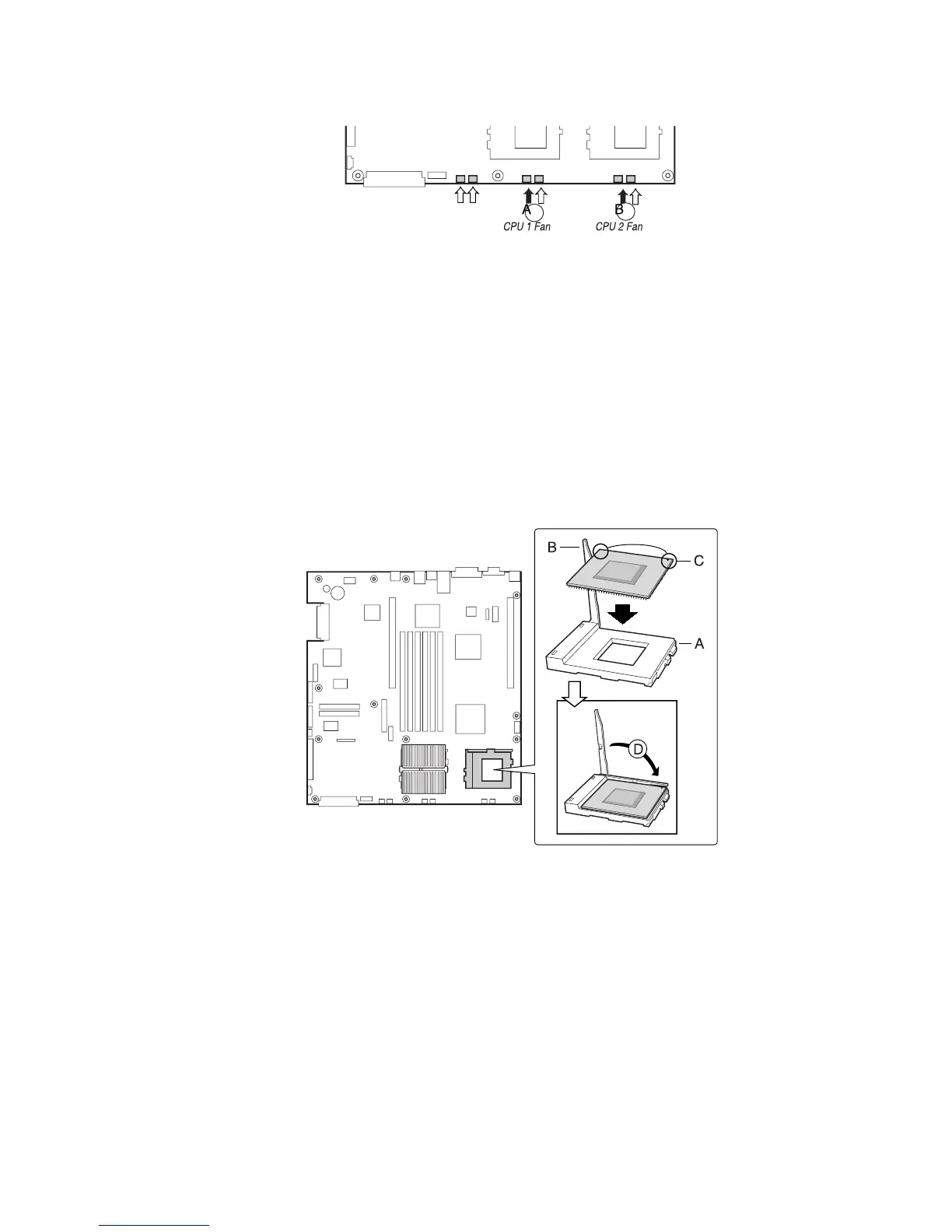
Figure 13. Connecting the Heat Sink Fan
Install the Processor Terminator
If you are installing only one processor, you must install a terminator in the secondary pro-
cessor socket (A). If you are installing two processors, skip this section.
1. Raise the locking bar (B) on the socket.
2. Aligning the two corner marks on the terminator with the handle-side of the socket (C),
insert the terminator into the socket.
3. Lower the locking bar completely (D).
Figure 14. Installing the Processor Terminator



 To Next Page