MAXDATA PLATINUM Server Board User’s Manual
64
Platform Event Paging Dialog
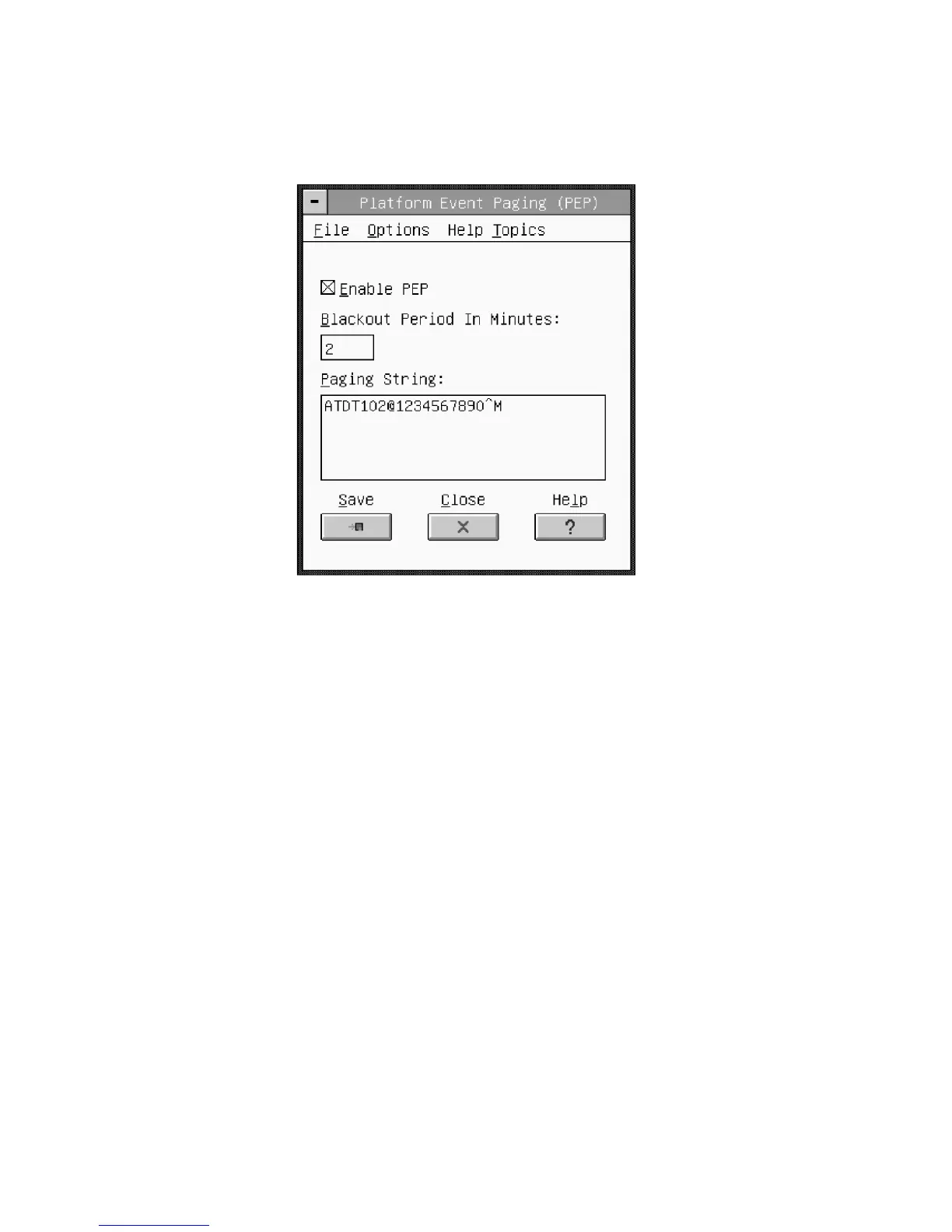
This dialog allows you to configure the Platform Event Paging features. (See Figure 26.)
Figure 26. Platform Event Paging Dialog
File
The File menu has the following options:
• Save: Allows you to save the configuration immediately.
• Close: Allows you to close the Platform Event Paging dialog without saving changes.
If changes have been made, you will be prompted to save changes before closing.
Options
The Options menu has the following options:
• Enable PEP: Allows you to enable or disable the PEP feature entirely. A check will
appear next to the menu item when PEP is enabled.
• Send Alert: Allows you to immediately send a test page with the configuration cur-
rently shown on the screen.
• Configure Event Actions: Launches the Platform Event Paging Actions Dialog (see
Figure 28 on page 67) to allow you to configure event actions.
Help Topics
The Help Topics menu has the following options:
• Help Topics: Displays help information.
Enable PEP Checkbox
Enable or disable the PEP feature entirely.
Blackout Period in Minutes
Enter the time, in minutes, between successive pages. The valid range is [0 – 255] where
0 disables the blackout period.



 To Next Page