MAXDATA PLATINUM Server Board User’s Manual
67
Host IP Address
Enter the Logical or Internet Address of the host. The Host IP Address will only be saved
when DHCP is disabled. The IP is entered as a dotted IP, (e.g., 192.168.0.2).
Gateway IP Address
Enter the Logical or Internet Address of the router. The Gateway IP Address will only be
saved when DHCP is disabled. The IP is entered as a dotted IP, (e.g., 192.168.0.2).
Subnet Mask
Enter the logical or Internet address of the host’s subnet. The server uses this to decide if
the alert destination is in the local subnet or in another subnet relative to the server. The
Subnet Mask will only be saved when DHCP is disabled. The IP is entered as a dotted IP,
e.g., 192.168.0.2
Alert IP Address
Enter the logical or Internet address of the Alert-Destination. In case of single node destina-
tion, this is the unicast or specific IP address. This is the IP Subnet address if the alert needs
to be broadcast within a particular subnet. The Alert IP Address is always saved. The IP is
entered as a dotted IP, e.g., 192.168.0.2
Buttons
• Save: Allows you to save the configuration immediately.
• Close: Allows you to close the BMC LAN-Alert dialog without saving changes. If changes
have been made, you will be prompted to save changes before closing.
• Help: Displays help information.
Platform Event Action Dialogs
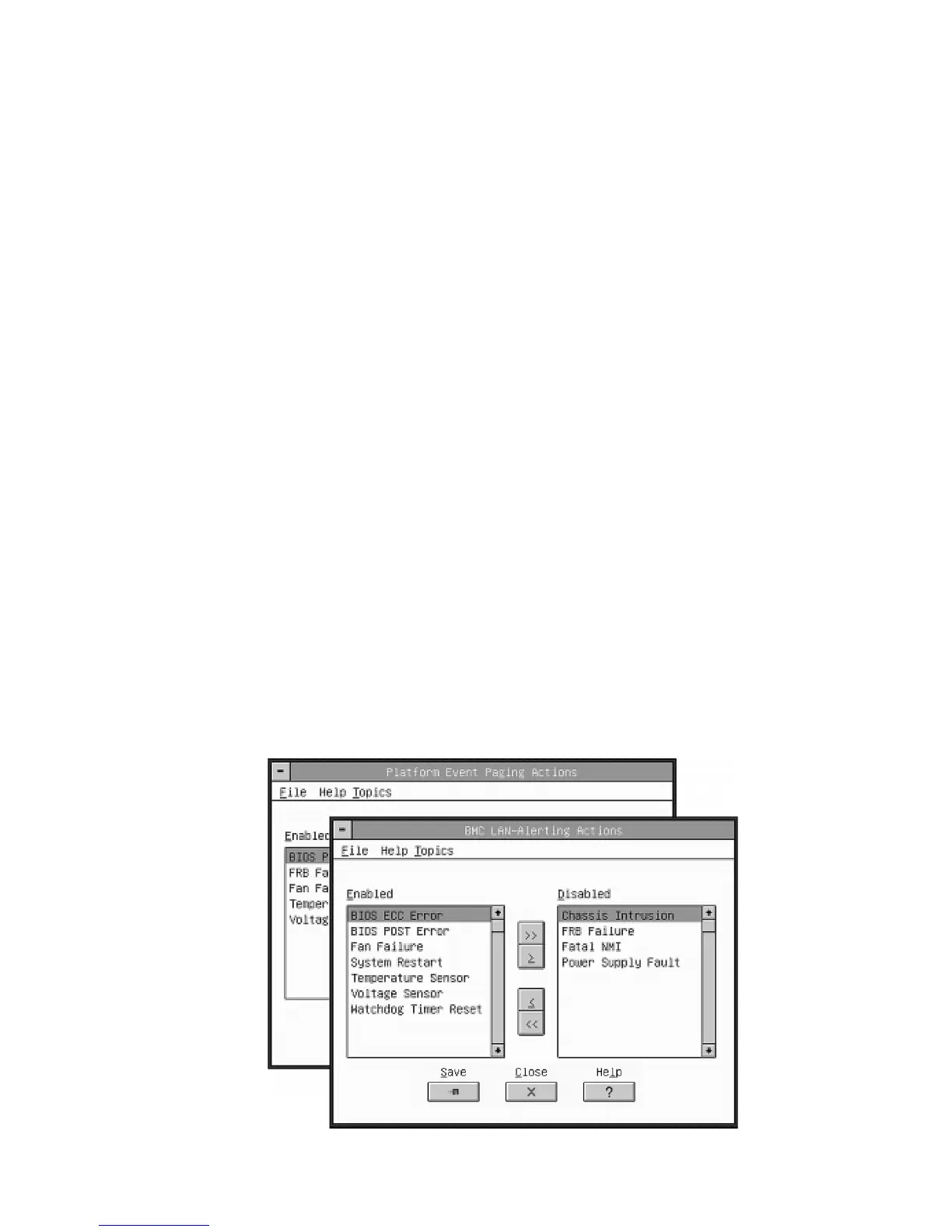
These similar dialogs allow you to configure the Platform Event Action features for PEP and
BLA (See Figure 28). If an event is in the enabled listbox, it will generate the appropriate
action when it occurs. If an event is in the disabled listbox, it will not generate an action
when it occurs. Enable global action for events to generate actions. This global flag is in the
PEP or BLA dialogs as ‘Enable PEP’ or ‘Enable BLA’ checkboxes.
Figure 28. Platform Event Action Dialogs



 To Next Page