MAXDATA PLATINUM Server Board User’s Manual
35
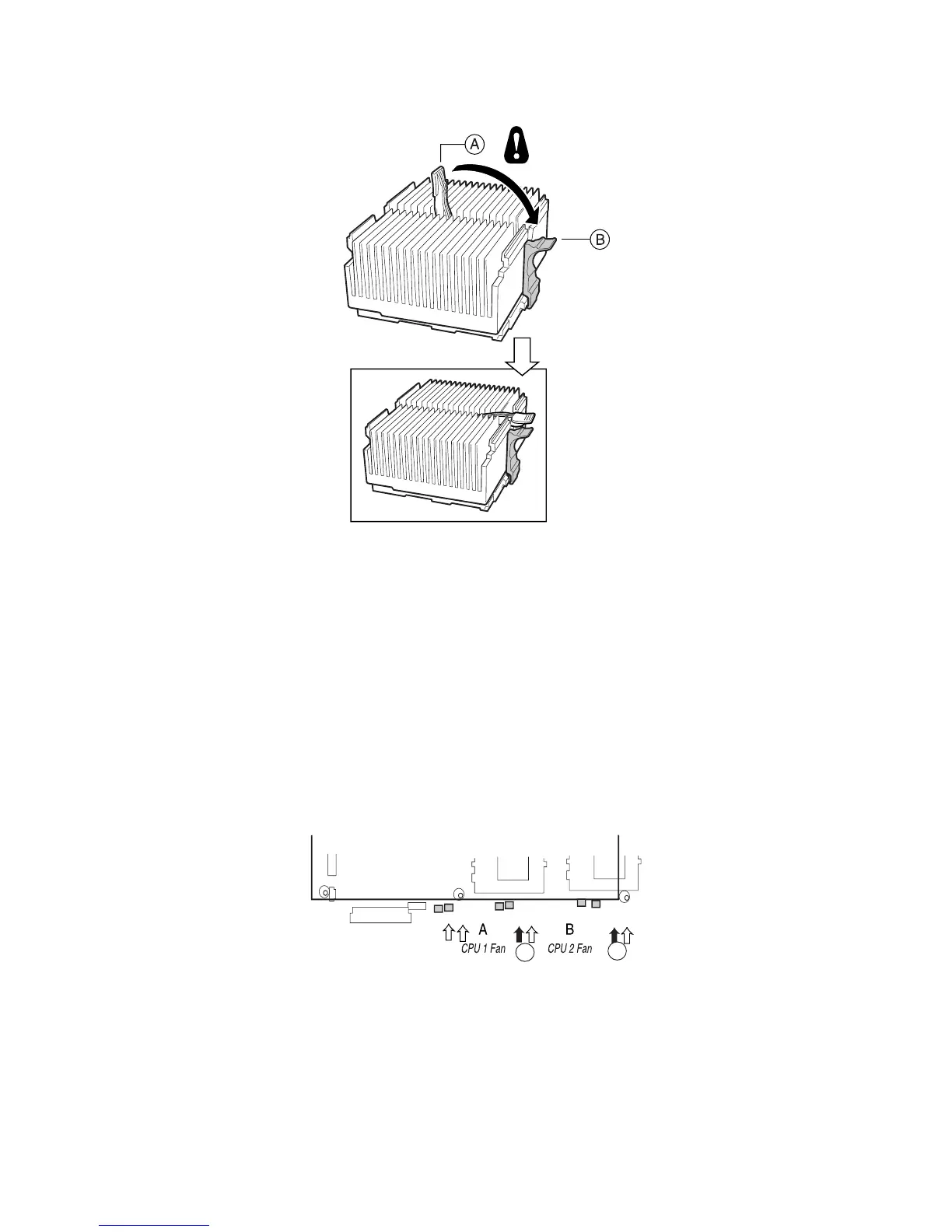
Figure 20. Attach the Heat Sink
✏ NOTE
When using the boxed Intel
®
Pentium
®
III processor, compatible with the SCB2S server board,
it will come with a fan for the processor heat sink. This fan cannot be used in a 1U server
chassis. If you are integrating a 2U chassis, proceed to the next step.
11. Following the instructions provided with the processor, install the fan on the processor
heat sink.
12. Connect the fan to (A) if it is on the primary processor or to (B) if it is on the secondary
processor.
Figure 21. Connect the Heat Sink Fan



 To Next Page