MAXDATA PLATINUM Server Board User’s Manual
29
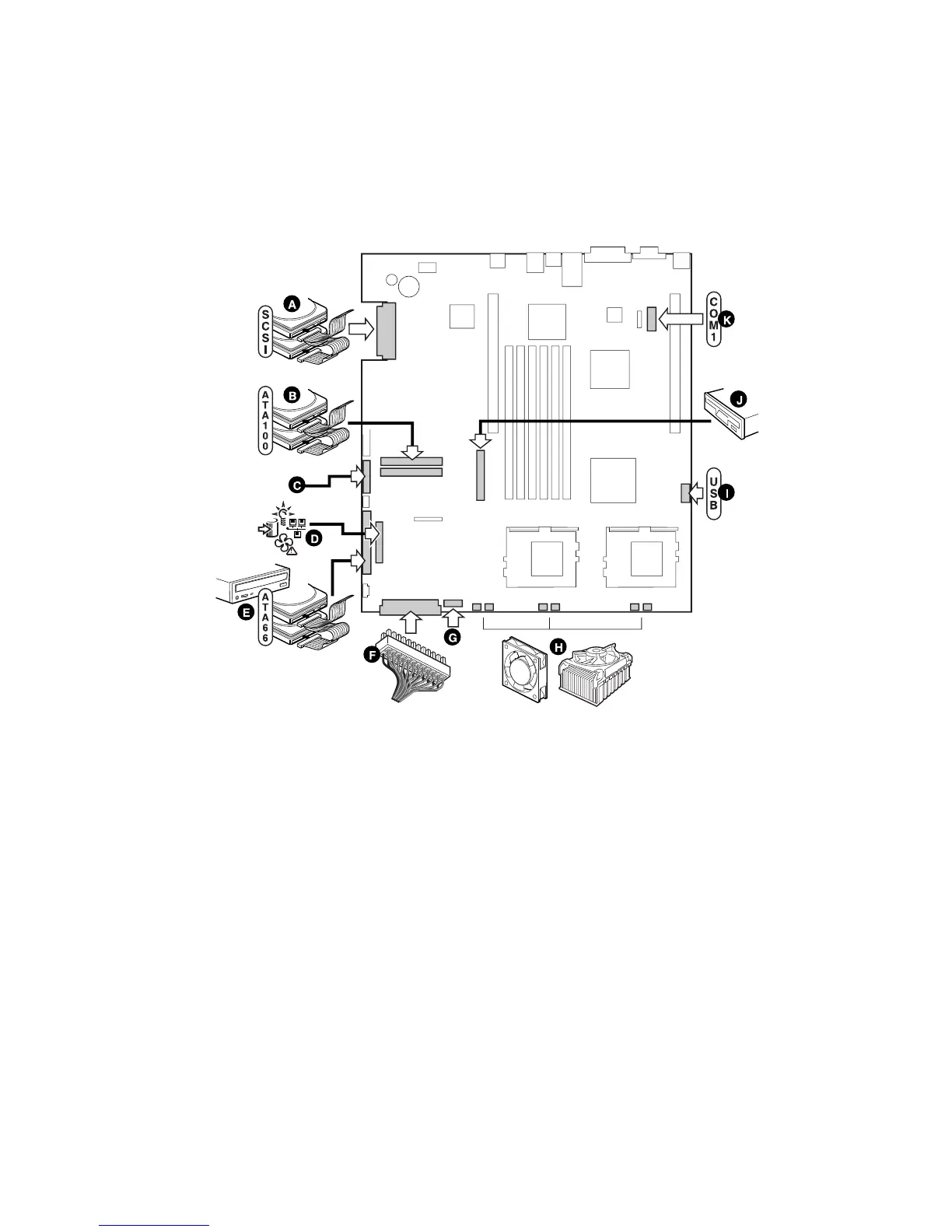
Connect Cables
Before connecting cables, consult the documentation supplied with your chassis.
Figure 16. Connecting Cables
A. SCSI connector (SCSI server board only)
B. ATA-100 primary/secondary connectors (ATA server board only)
C. SSI front panel connector (see the server board diagram label for pin out)
D. Front panel connector (For use in a non Intel chassis only)
E. IDE connector (For use in a non Intel chassis only)
F. Main power connector
G. Fan module connector (7-pin)
H. Fan connectors (system and processor)
I. USB header
J. Floppy connector (For use in a non Intel
®
chassis only)
K. COM 1 header
L. Combined Floppy/Front Panel/IDE connector (For use in an Intel
®
chassis only)



 To Next Page