INTRODUCTION
Function
Contacts provides a quick
and easy route to the list of
contacts stored on your phone.
NOTE: Dependant on
phone model, if pictures of
contacts are stored on your
phone, these will be displayed
on the screen during a call if
contacts have been
synchronized with IRIS
In addition, several options are
available to refine your search to
a specific contact.
Contact list
If your contacts list extends
beyond the depth of the screen,
scroll up and down using the left-
hand or right-hand screen icon
controls, or gently swipe your
finger upwards or downwards on
the screen.
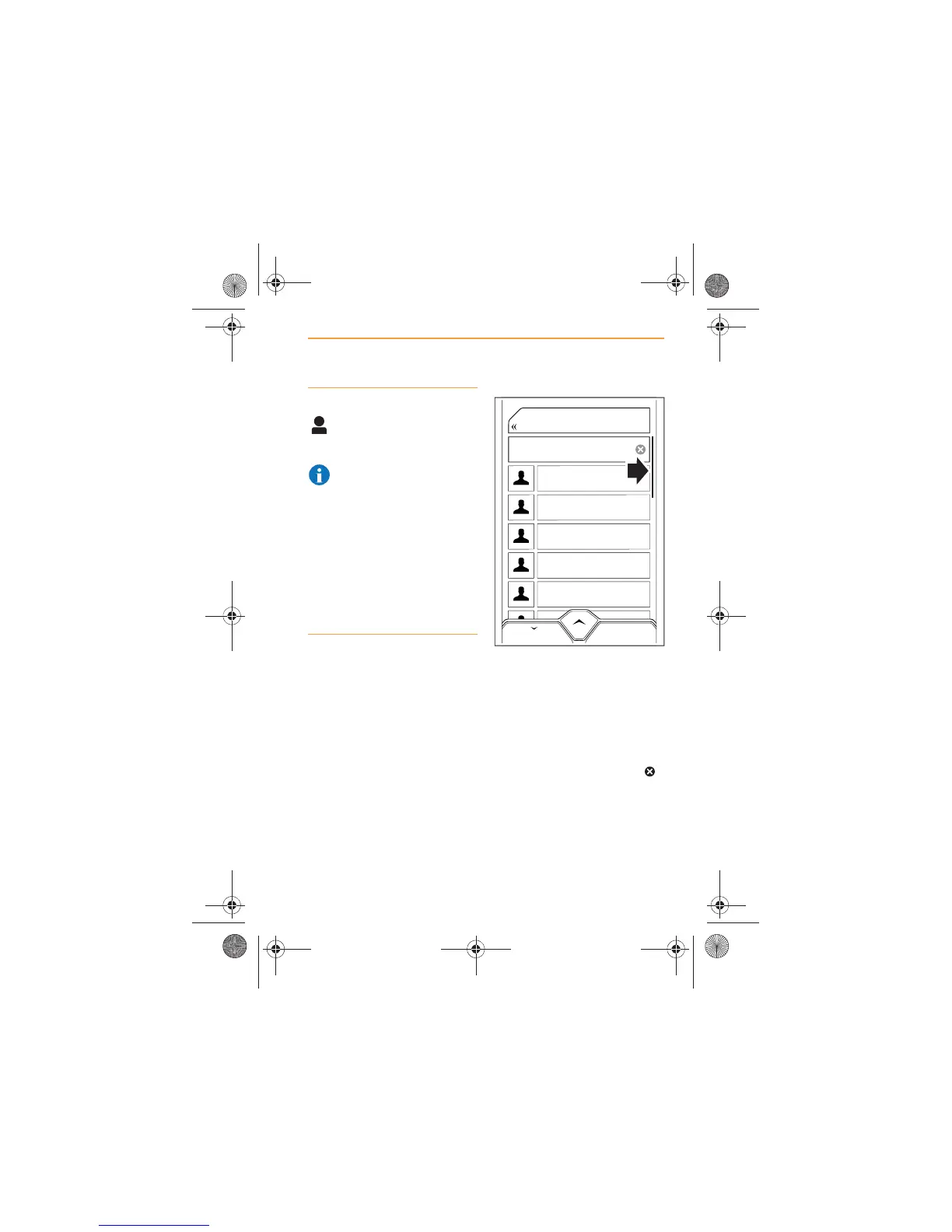
The size of the scroll bar
(arrowed) on the right-hand side
of the screen indicates how long
a list is. The shorter the scroll
bar, the longer a list is.
The number of contacts is
displayed in the Search area,
above and to the right of the
icon.
Andrew Jones
Jane Smith
John Smith
Norman Jones
Sarah Brown
Tom Brown
BACK
46
Search
IRIS.book Page 53 Thursday, October 18, 2012 8:21 AM



 To Next Page