MIDITEMP MP 22-W, MP 22-CD, MP 88-W, MP 88-CD, PMM 88-E, MT 16-X
MIDITEMP MP 22-W, MP 22-CD, MP 88-W, MP 88-CD, PMM 88-E, MT 16-XMIDITEMP MP 22-W, MP 22-CD, MP 88-W, MP 88-CD, PMM 88-E, MT 16-X
MIDITEMP MP 22-W, MP 22-CD, MP 88-W, MP 88-CD, PMM 88-E, MT 16-X
5
9.10 Backup of a storage device (BAK)
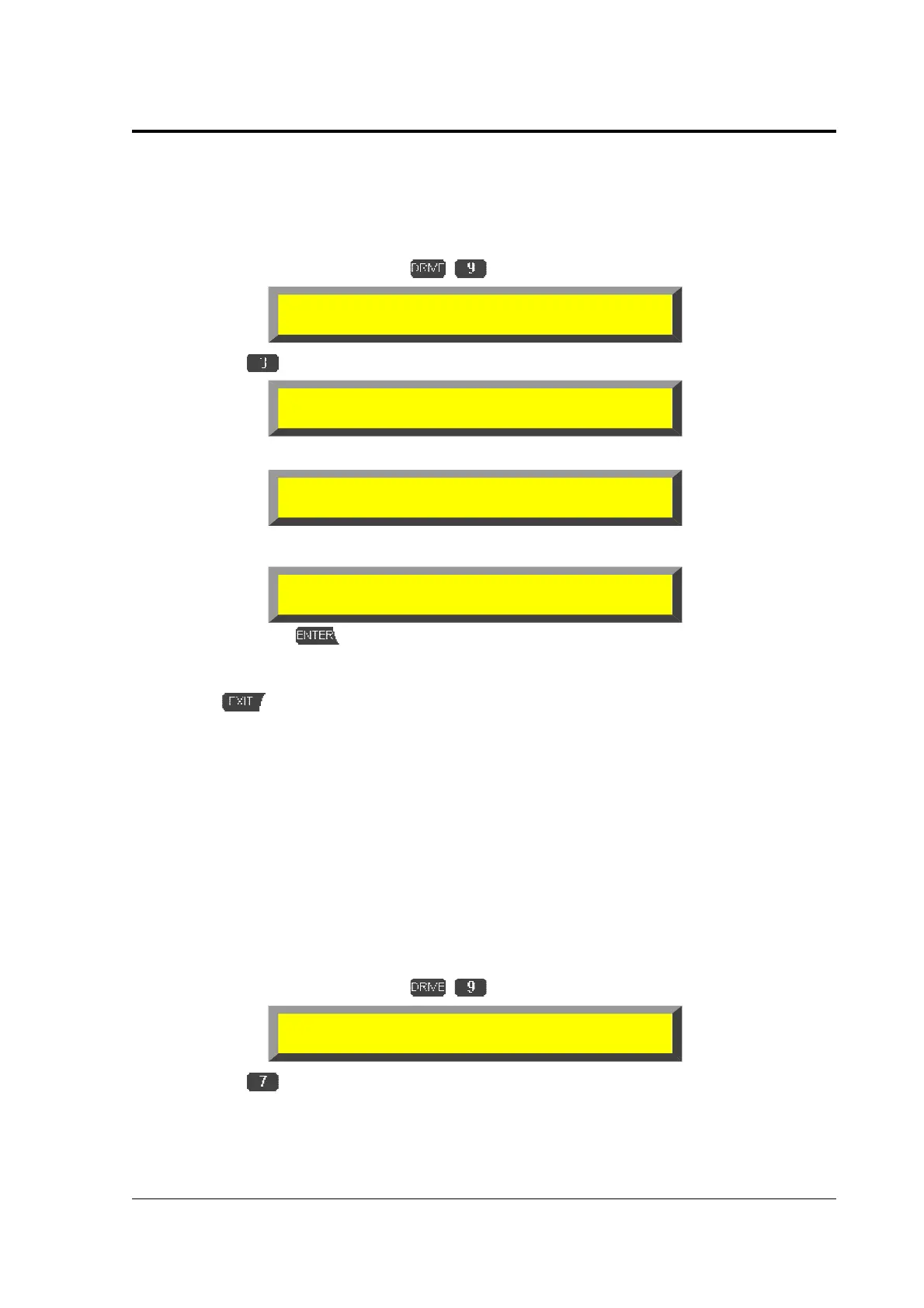
With the Backup function you can copy easily the complete contents of one storage device
(including all files and directories) to another.
$
Enter the Drive function menu
$
select
»
BAK
«.
You will be asked:
➊
Enter the corresponding letter of the drive you want to backup.
➋
Enter the corresponding letter of the destination drive.
➌
Confirm with
, the display shows the advancement of the work.
If the work is complete the unit automatically removes to the top level display.
With
you can break the function!
If a device is not ready, or if a device is not formatted, the unit gives an adequate message
bevore moving to the display of step
➊
or
➋
and removes to the top level.
9.11 Switch off hard disk drive motor (OFF)
Here you can switch off the motor of the drive selected in the function
»
CD
«
. Use this
function only if you know that there will be no disk access for a long time, since spinning up and
down will wear out the drive a little bit more than constant operation.
! ATTENTION: The Wave player will neither play from a stopped drive, nor start the drive!
! ATTENTION: The Wave player will neither play from a stopped drive, nor start the drive!! ATTENTION: The Wave player will neither play from a stopped drive, nor start the drive!
! ATTENTION: The Wave player will neither play from a stopped drive, nor start the drive!
$
Enter the Drive function menu
$
select
»
OFF
«.
The drive motor spins down and starts automatically with the next required access
(this does not apply for Waves!).
<DRIVE> Select function:
!
!!
!
MKD RMD BAK FMT OFF
Backup from ?
A: B: C: D: -- F: -- --
Backup from name: to ?
A: B: C: D: -- F: -- --
Backup from name: to name:
Ok to start backup ?
<DRIVE> Select function:
!
!!
!
MKD RMD BAK FMT OFF



 To Next Page