Milestone Srl MA213-003 – DMA-80 EVO – User Manual
26
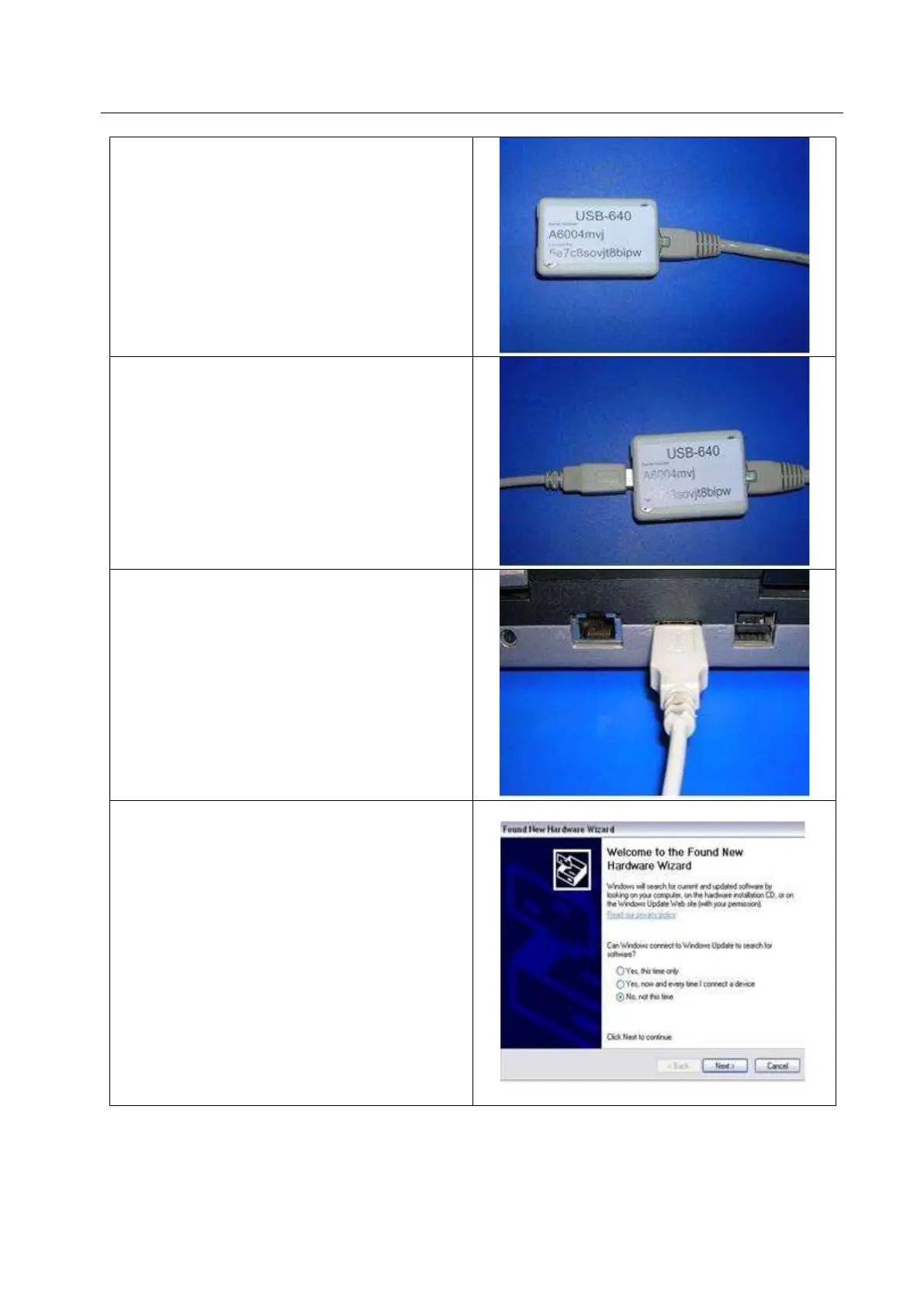
Plug the other end of the serial cable into the RJ45
interface port of the Gateway.
Plug the USB cable (B) into the Gateway port.
Plug the end of USB cable (A) into the PC USB
port.
When connecting the DMA-80 EVO to the USB of
the PC (via Gateway) for the first time, the
following announcement might be shown: FOUND
NEW HARDWARE.
If the following message appears, then you have to
install the driver.
Driver installation may be different according to the
Windows update version. If you see the Welcome
page, no connection to Windows Update is
required. Then click on “Proceed”.
NOTE: Windows 10 should automatically install the
driver without requesting any user action. If this
does not happen, install the driver you can find in
the folder
CDM v2.08.30 WHQL Certified.



 To Next Page