Milestone Srl MA213-003 – DMA-80 EVO – User Manual
75
The connection of the points can be made even before all calibration points have been
measured. The availability to have the connection functions (linear, square, ..) will
depend by the number of points, position in the graph and distance between them.
It is recommend to joint the point everytime a calibration cell has been covered. For
example, in case of dualcell, join the points in cell 1 after measuring the 20 ng
calibration point (value close to the limit of the cell)
The Automatic BV function should be disabled during the calibration procedure.
This because if no approx. method has been selected in calibration graph before the
Automatic BV run, the result of the Automatic BV run has not any reference curve to
be calculated.
The Automatic BV is not a calibration point, so the software sees it like a "normal
measurement", trying to calculate , based on the absorbance value, the absolute value
In case you want to keep Automatic BV function enabled during the calibration,
remember to join the previous points on basis of the ng value set for Automatic BV.
(see chapter 5.17.1.2. Blind values)
Cell 0 Cell 1 Cell 2
In the calibration above we used aqueous standard solutions stabilized with ultrapure HCL 2%
v/v.
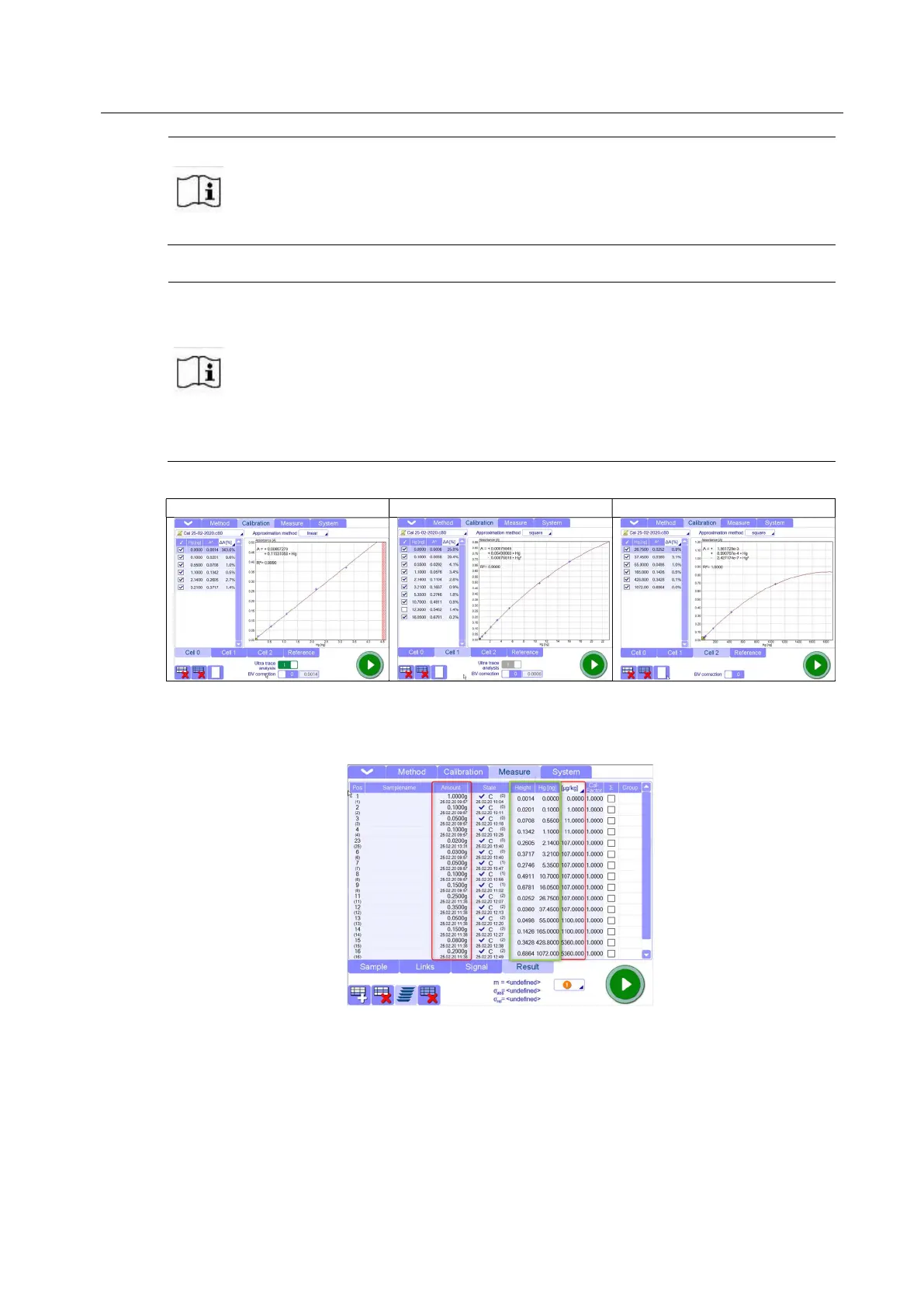
With different standard solutions we could cover a working range from 0ng to 1000ng:
The columns circled in red are the values that the operator has to enter
The columns circled in green are the values calculated by the software (absolute value of Hg[ng])
on the basis of “Amount” and “Concentration”([ug/Kg]) and generated by the instrument (Height)
These values will be used by the software like reference to trace the calibration curve.
The choice of which cell use for the points is automatically decided by the software on the basis
of the limit of absorbance of the cell set in software settings page.



 To Next Page