Milestone Srl MA213-003 – DMA-80 EVO – User Manual
74
12. Press Start and wait the end of measurement. At the end of measurement the software will switch
automatically in calibration page, showing the new calibration point added to the calibration
graph.
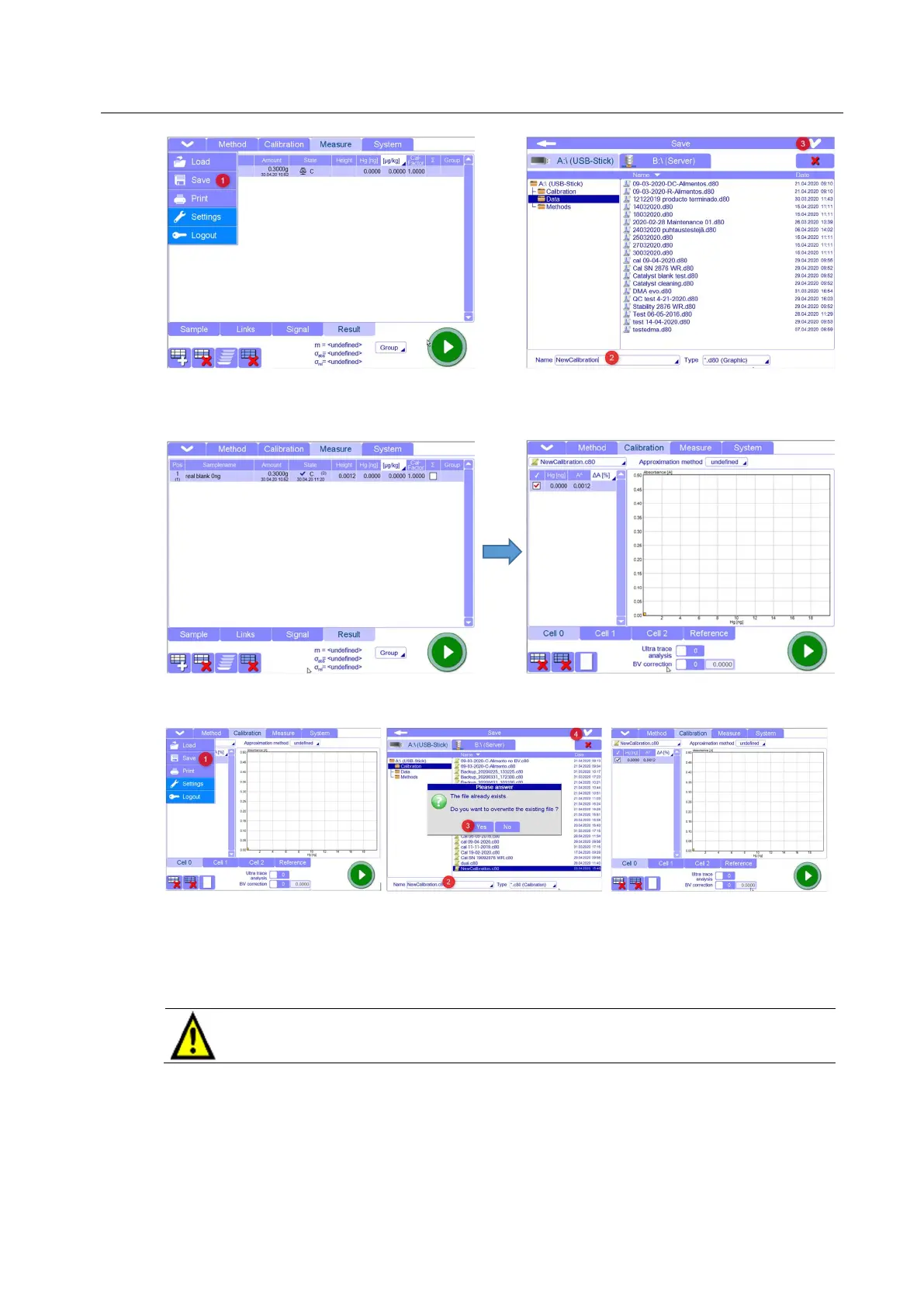
13. In calibration page, save the new point otherwise it will be lost changing the page. The calibration
point will become blue color.
14. At this point, it is possible to add further calibration points in according with the working range to
cover.
Go to point 8. and repeat each single step for each new calibration point. You can also already
create the table of all calibration points. Remember that working in Single Mode only the selected
sample will be run after pressing Start.
The quartz boats have not to be hot when injecting samples, especially in case of
aqueous solution. Wait enough time to get them cooled before to inject sample,
otherwise the solution could evaporate
15. When all calibration points have been measured, then you can join them by choosing between
the different functions available in Approximation method.



 To Next Page