Milestone Srl MA213-003 – DMA-80 EVO – User Manual
73
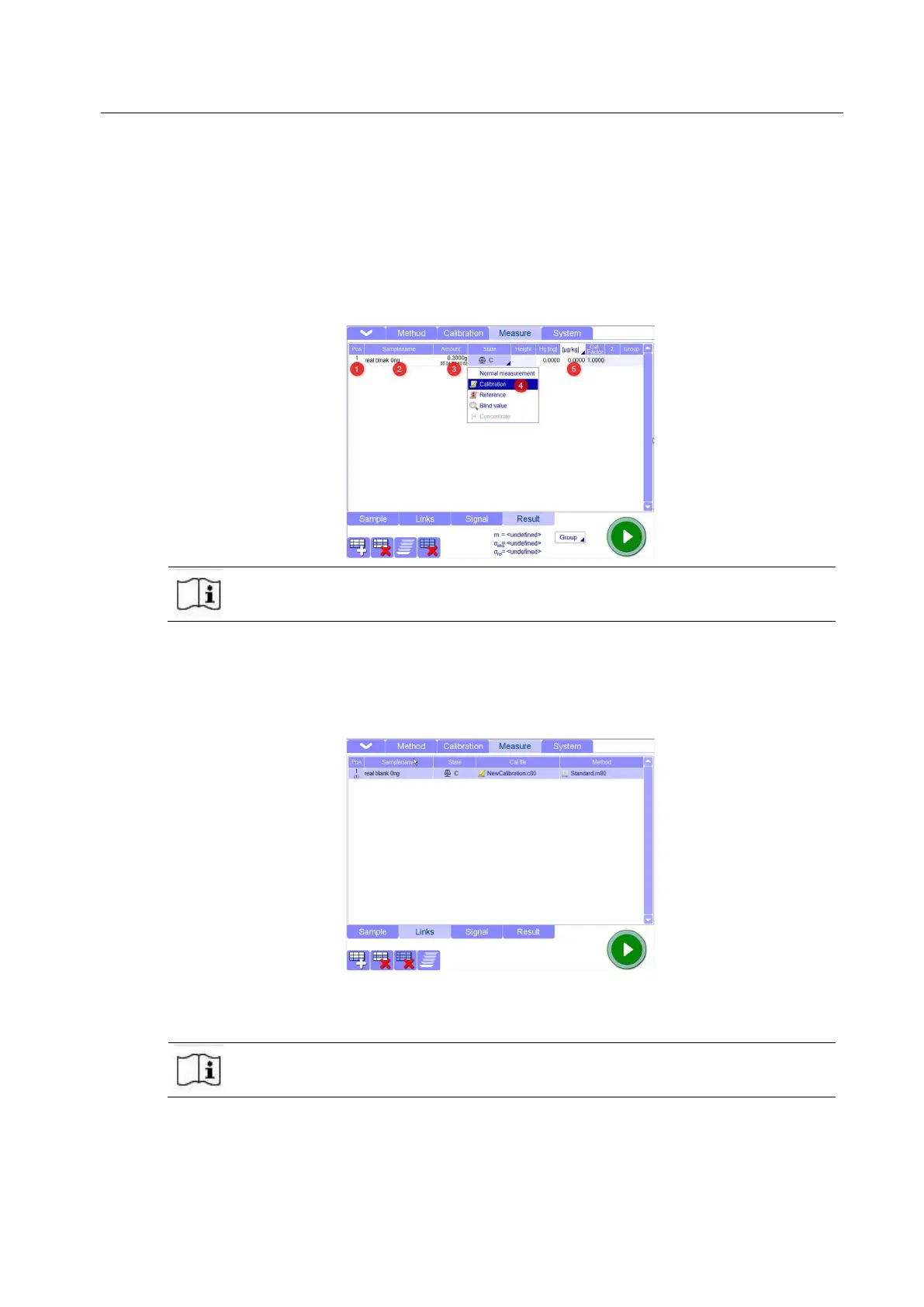
8.1. Under Pos column, choose the position of the autosampler plate where the boat with sample will
be placed
8.2. Under SampleName column, give a name to the calibration point
8.3. Under Amount column, put the exact sample amount after checking it with a balance (It is
intended the weight of sample, without boat)
8.4. Under State column, select Calibration
8.5. Under Hg Concentration column, enter the concentration of Hg present in your sample (in case of
first calibration point (real blank), the Hg concentration will be 0 ug/Kg)
The absolute value of Hg [ng] is automatically calculate by the software after entering
Hg concentration and amount of calibration sample. The values in Hg [ng] column do
not have to be changed or entered
9. Take a cleaned quartz boat (it should have been cleaned before, following the cleaning methods
described in the Tips and Techniques chapter) and fill it with the same volume and matrix used
for all the other points of the calibration as explained in point 8.
10. Before to Start with the measurement, verify in Link page that the Calibration and method file are
the ones you selected before and you want us for the calibration.
11. The software will ask to save before to Start with the measurement, so choose a name for the
new measurement file and save it in the destination you prefer (Data folder is the default
destination)
You can use the same name used for the Calibration file since it is the data file of the
calibration curve. There is not conflict by using the same name because the extension
is different (for data file, the extension is .d80)



 To Next Page