OM-278174 Page 25
F
Complete Parts List is available at www.MillerWelds.com
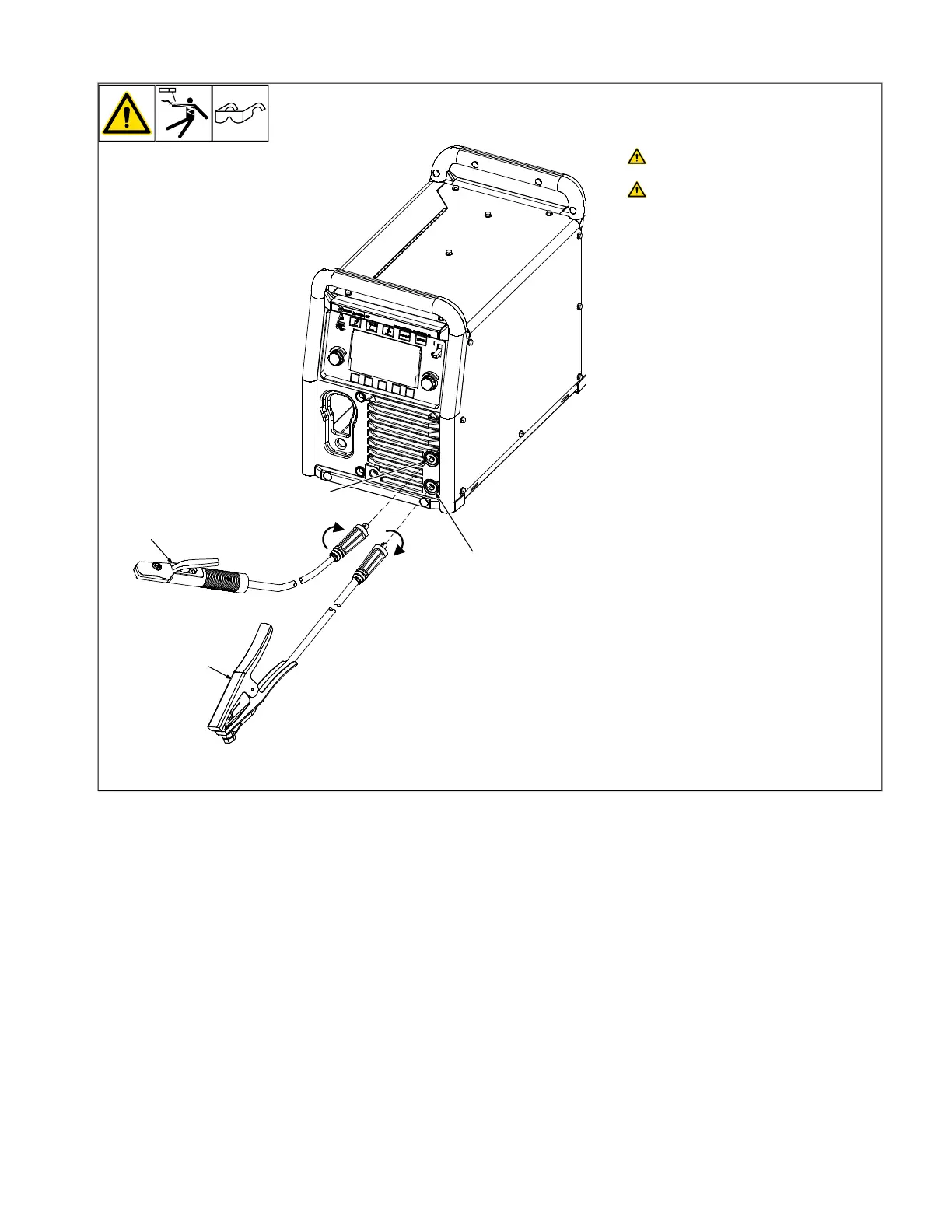
5-11. Stick Welding Connections
Turn off unit and disconnect input
power before making connections.
Do not use worn, damaged, under-
sized, or repaired cables.
1 Positive Weld Output Receptacle
2 Negative Weld Output Receptacle
3 Stick Electrode Holder And Cable
4 Work Clamp And Cable
Connect stick electrode holder cable to the
positive weld output receptacle, and connect
work clamp to negative weld output recep-
tacle. Turn connectors clockwise.
Ensure all connections are tight.












 To Next Page