OM-278174 Page 48
F
Complete Parts List is available at www.MillerWelds.com
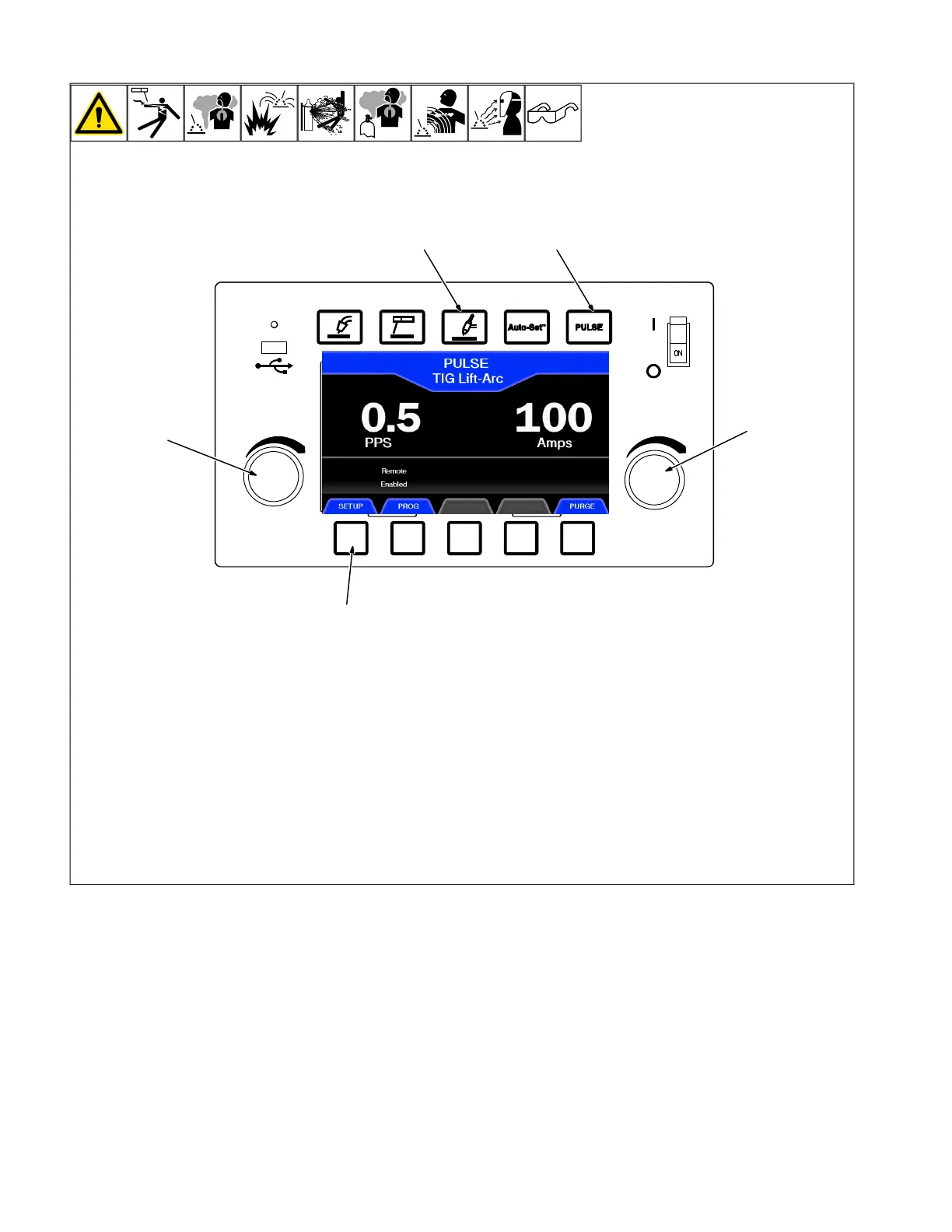
6-13. Pulsed TIG Manual Mode
1 TIG Process Button
2 Pulse Button
3 Set-Up Button
4 Left Knob
5 Right Knob
6 Home Button
Press TIG Process, and Set-Up buttons.
In the Set-Up menu, rotate left knob to high-
light Pulse Frequency. Rotate right knob to
set the frequency (PPS).
Press Home to return to welding mode. The
frequency can be adjusted on the home
screen by rotating the left knob.












 To Next Page