OM-278174 Page 45
F
Complete Parts List is available at www.MillerWelds.com
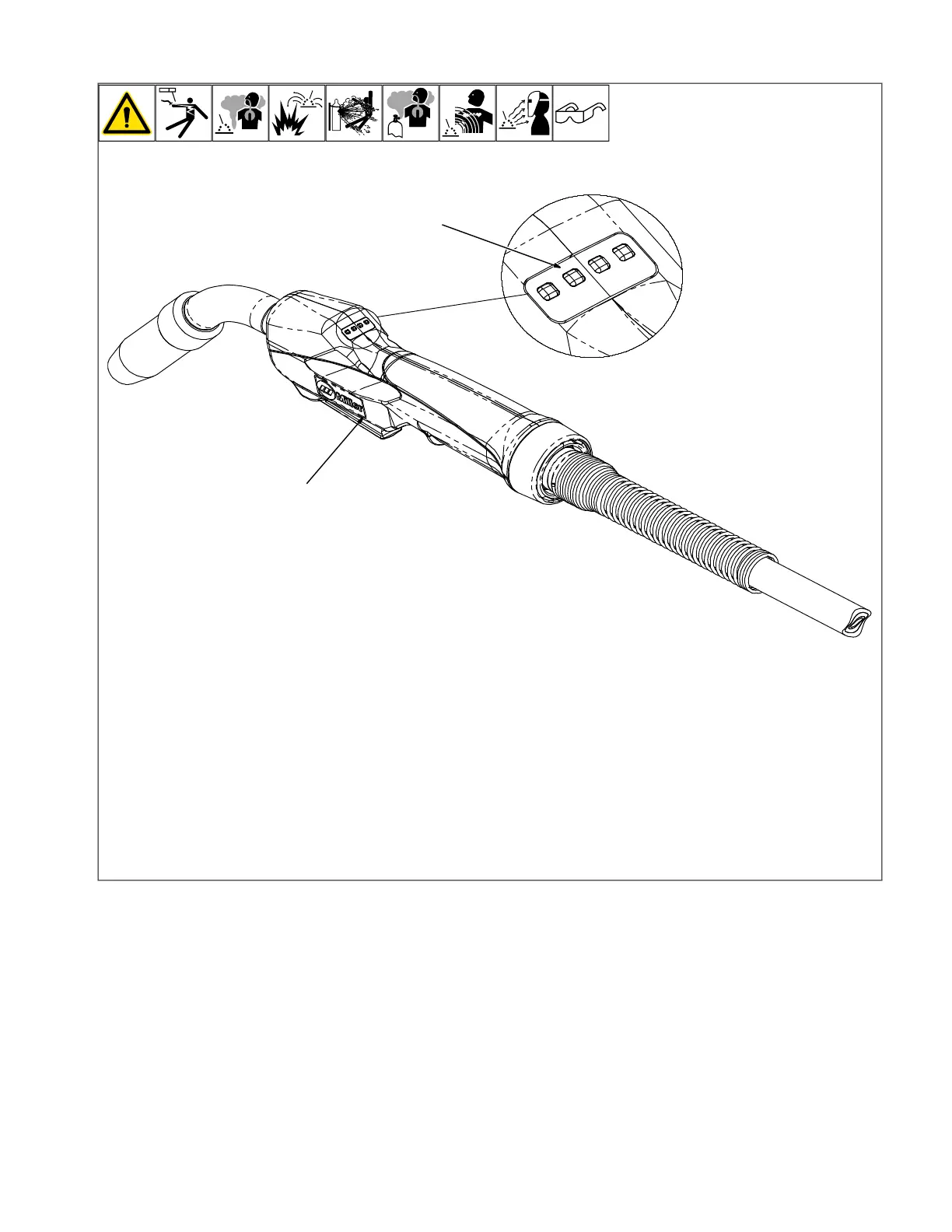
6-10. Using Optional MDX-250 EZ-Select
™
Gun In Program Mode
1 Trigger Switch
2 Program LEDS
The optional MDX-250 EZ-Select gun gives
the operator the ability to change weld pro-
grams at the gun. When the MDX-250 is
connected, "EZ Select" is displayed in the
last tab. Push the soft key below the EZ Se-
lect tab to enable.
When this feature is enabled, the 4 LEDs on
the MDX-250 gun handle indicate which pro-
gram is active. Tap the gun trigger to select
the program. The number of lit LEDs on the
gun indicates the selected program and al-
lows the operator to know which program is
being used without going back to or seeing
the machine.
Tap the trigger once. LED 1 on the gun illu-
minates. Program 1 is selected.
Tap the trigger twice. LEDs 1 and 2 on the
gun illuminate. Program 2 is selected.
Tap the trigger three times. LEDs 1, 2, and 3
on the gun illuminate. Program 3 is selected.
Tap the trigger 4 times. LEDs 1, 2, 3, and 4
on the gun illuminate. Program 4 is selected
When the EZ-Select feature is disabled on
the welder, LEDs 1 and 4 on the gun are
illuminated.












 To Next Page