System Information Menu Repair Information
1 - 42 0070-10-0556-02 Spectrum
®
/Spectrum OR
™
Service Manual
1.27 System Information Menu
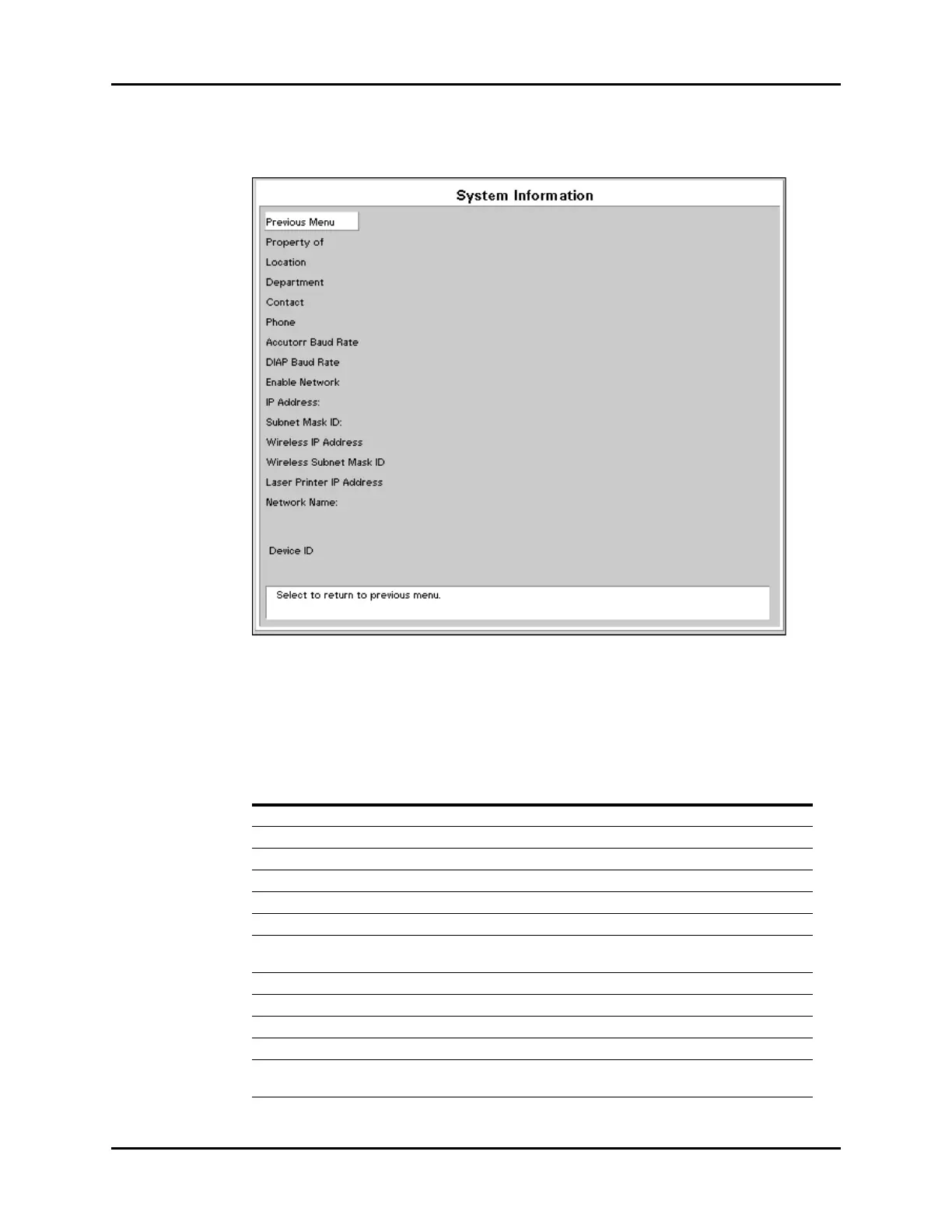
FIGURE 1-20 System Information Menu
This menu is accessed by selecting System Information from the Installation Menu.
Information is entered via a on-screen keyboard. Select each letter using the Navigator
™
Knob. When finished, rotate to Previous Menu and select using the Navigator Knob.
MENU TITLE ON
SCREEN
MENU
CHOICES DEFAULT TEXT STRINGS
Previous Menu Select to return to Previous Menu
Property Of Select to set up Property of name
Location Select to set up Location
Department Select to set up Department
Contact Select to set up Contact
Phone Select to set up Phone
Accutor Baud Rate
(Spectrum only)
9600, 1200 Select to change the Accutorr
protocol baud rate
DIAP Baud Rate 9600, 19200 Select to change the DIAP baud rate
Enable Network Not Used
IP Address: Select to set up IP Address
Subnet Mask ID: Select to set up Subnet Mask ID
Wireless IP Address
(Spectrum only)
Select to set up Wireless IP Address












 To Next Page