Installation Menu Repair Information
1 - 38 0070-10-0556-02 Spectrum
®
/Spectrum OR
™
Service Manual
1.26 Installation Menu
1.26.1 Installation Mode
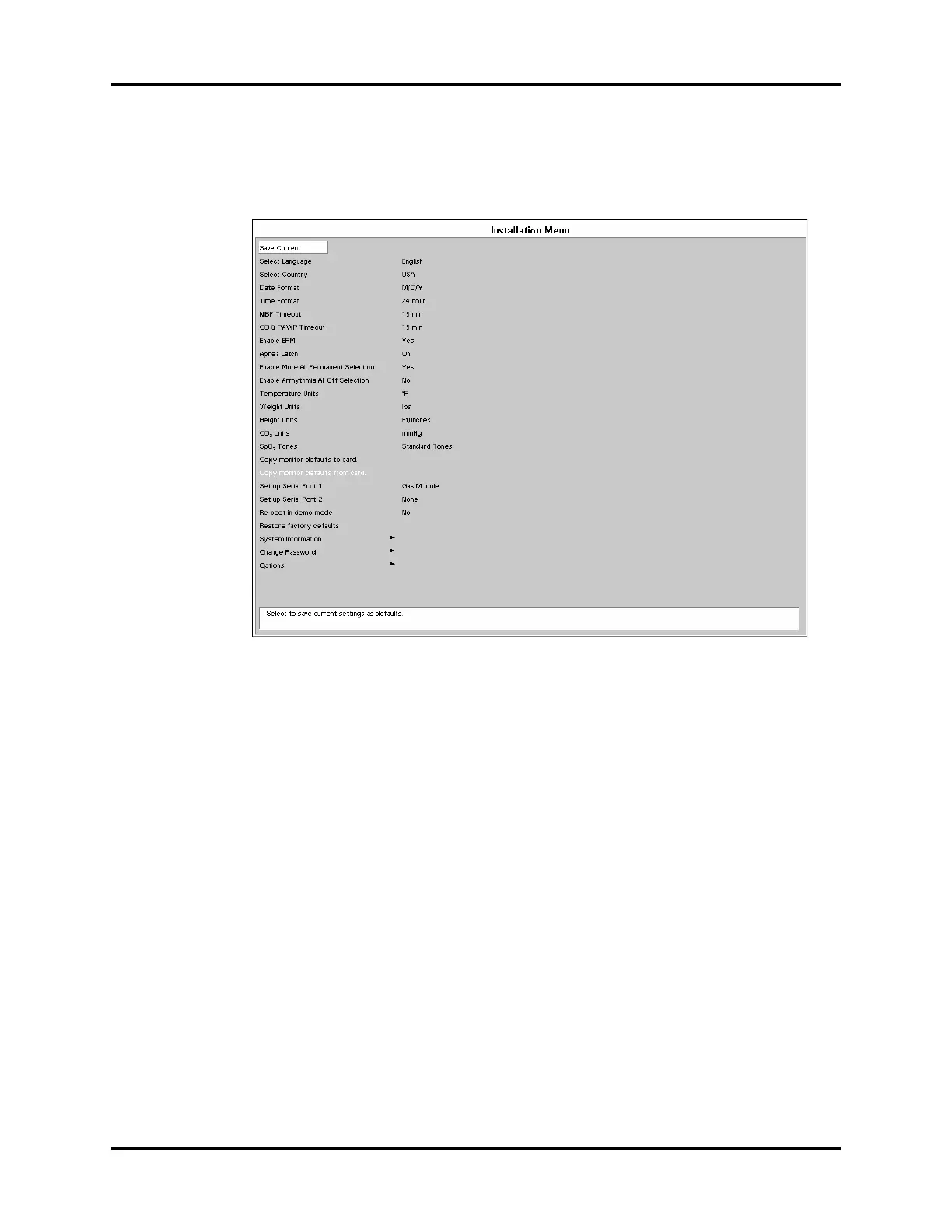
FIGURE 1-19 Installation Menu
The following items are set through the Installation Mode menu: Language, Country, Date
Format, Time Format, NIBP Timeout, CO & PAWP Timeout, Enable EPM, Apnea Latch
(Spectrum OR only), Enable Mute All Permanent Selection (Spectrum OR only), Enable
Arrhythmia All Off Selection (Spectrum OR only), Temperature Units, Weight Units, Height
Units, CO
2
Units, SpO
2
Tones (Spectrum OR only), Copy monitor defaults to card, Copy
monitor defaults from card, Set up Serial Port 1, Set up Serial Port 2, Re-boot in demo mode,
Restore factory defaults, System Information, Change Password (Spectrum OR only), and
Options.
1. Enter Installation Mode by pressing and holding the DISCHARGE key (Spectrum
®
) or
the TRENDS key (Spectrum OR
™
) while powering ON the monitor.
2. Set each item as necessary. The operation of the menu is the same as that of the normal
operating mode. To save all of the selected settings, choose Save Current before
exiting this menu. To access the normal operation screen, power the unit OFF and ON
again.












 To Next Page