11. Commissioning
MiR250 User Guide (en) 11/2020 - v.1.3 ©Copyright 2020: Mobile Industrial Robots A/S. 136
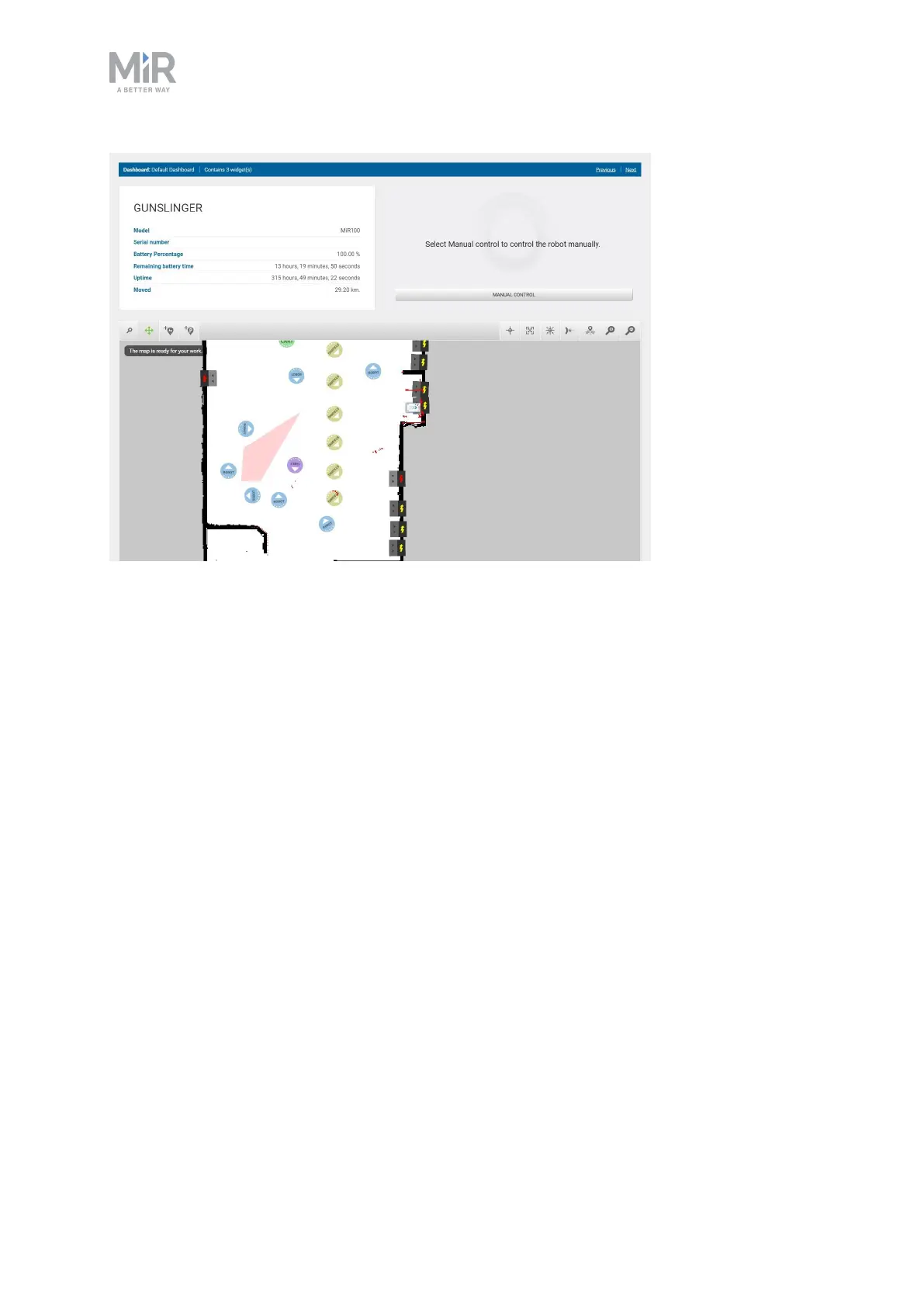
Figure 11.21. The default dashboard includes the robot information, a joystick for manual control, and the active
map.
When creating new dashboards, you should consider the following:
• Who will be using the dashboards?
• Which functionalities will they need to use the most?
• For example, if your robot uses many I/O modules, you may want to monitor them
from the dashboard, or if there is a mission that the robot often has to execute on
demand, you may want to add it to the dashboard.
• Will each user or user group need a different dashboard? If so, what should be included in
each?
• Will some users need more than one dashboard?
• Users that are responsible for both maintaining and operating the robot could have
seperate dashboards for the maintenance routine and another dashboard for operating
the robot.
• If you have any SingleDashboard users, which functionalities will they need and which
would be useful to include?
• Often it is not a good idea to include too many widgets in the dashboard as this can
slow down the interfacing to the robot. Try to include only the necessary widgets.



 To Next Page