12. Usage
MiR250 User Guide (en) 11/2020 - v.1.3 ©Copyright 2020: Mobile Industrial Robots A/S. 172
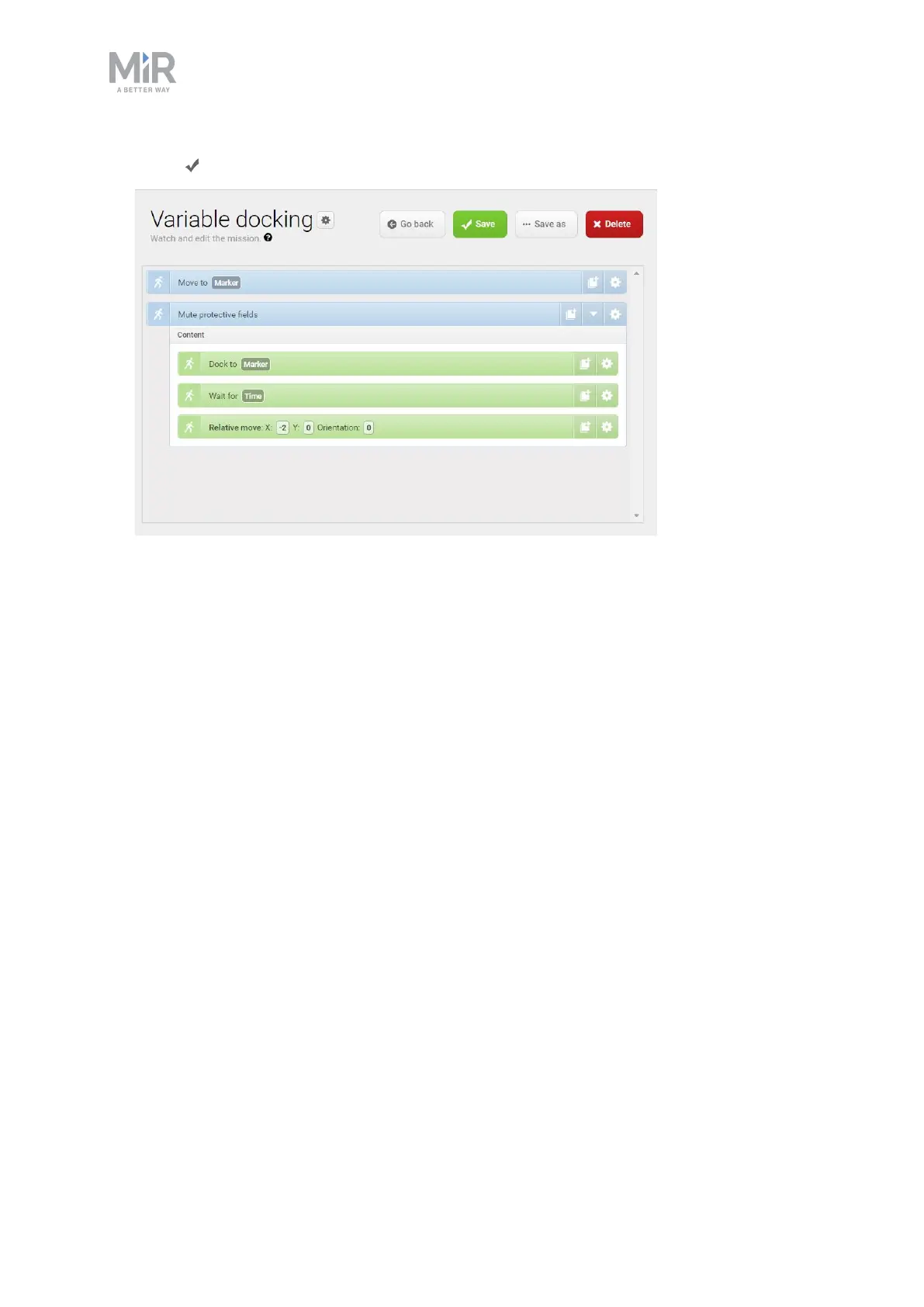
9. Select Save to save the mission.
12.6 Creating the mission 80 cm doorway
This section describes how to create a mission that makes the robot drive through a doorway
that is 80 cm wide in one direction. To do this, the robot does the following actions:
1. Moves to a position in front of the 80 cm wide doorway (the narrowest possible for
MiR250).
2. Adjusts its localization.
3. Sets a defined narrow footprint.
4. Mutes its Protective fields so it can traverse the doorway.
5. Goes through the doorway to a position on the other side.
6. Changes its footprint back to default.
To create the mission, it is assumed that you have completed the following:
• Created a map. To drive through narrow doorways, it is very important that the map is
accurate and thoroughly cleaned, and that the robot is localized accurately—see Creating
and configuring maps on page108.



 To Next Page