7. Battery and charging
MiR250 User Guide (en) 11/2020 - v.1.3 ©Copyright 2020: Mobile Industrial Robots A/S. 63
If the robot has been inactive for more than a week or if its battery
percentage has been below 5% for more than four hours, the battery goes into
Power save mode, which disables the power to the robot—see Battery storage
on the next page.
To disable Power save mode, disconnect the battery connector for 30 seconds
and then reconnect it and wait 30 seconds before turning on the robot, or
connect a MiR cable charger to the robot.
For information about the charging time, see specifications on the MiR website.
7.2 Disconnecting the battery
Whenever the robot is to be transported, undergo maintenance, or stored for long periods of
time, you should always disconnect the battery.
The rear compartment holds the robot’s battery. To access the rear compartment, see
Accessing the internal parts on page38.
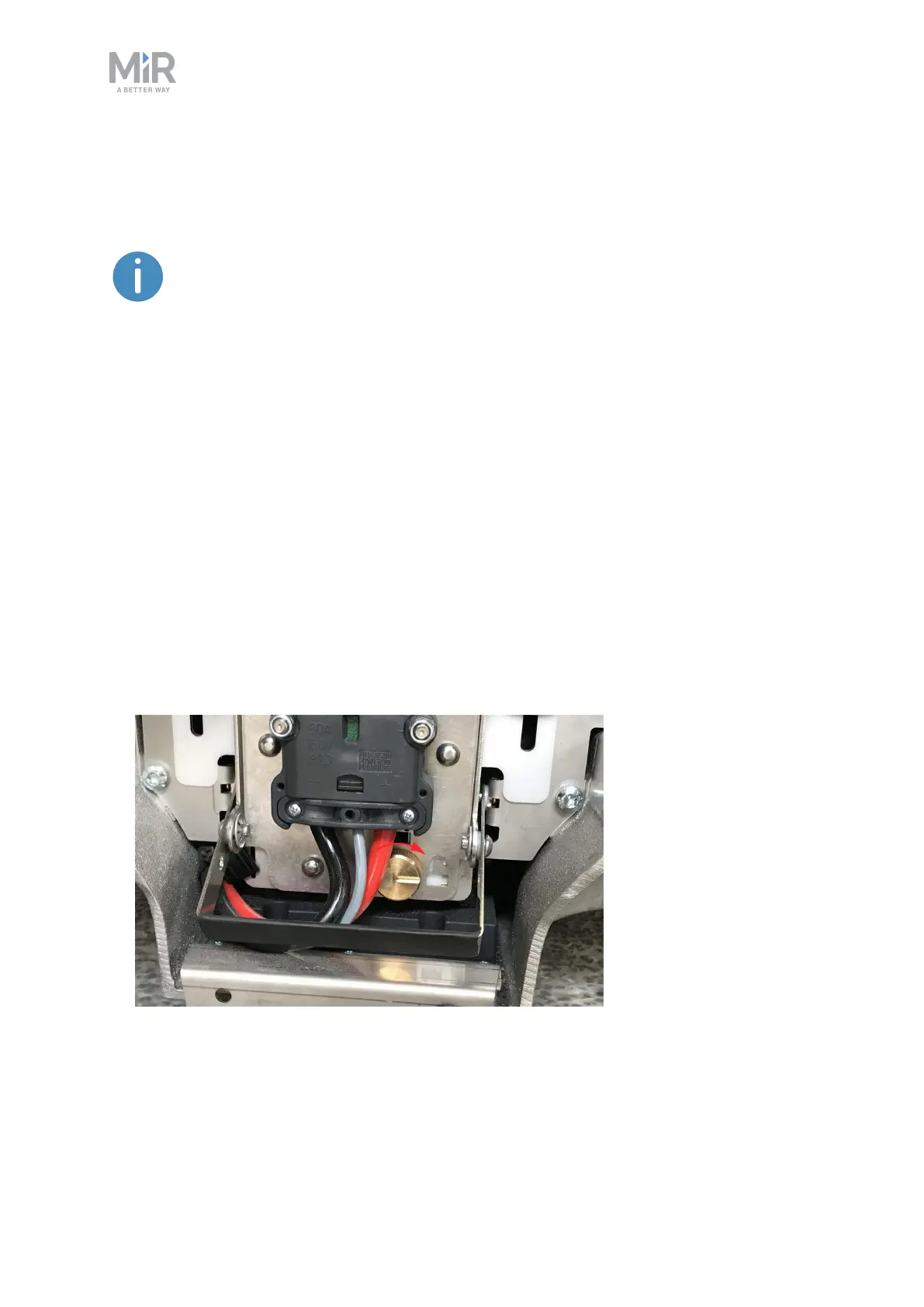
To disconnect the battery, follow these steps:
1. Turn the battery lock clockwise to release it.



 To Next Page