6. Getting started
MiR250 User Guide (en) 11/2020 - v.1.3 ©Copyright 2020: Mobile Industrial Robots A/S. 48
6.3 Connecting the battery
To connect the battery to the robot, you need to open the rear compartment—see Accessing
the internal parts on page38.
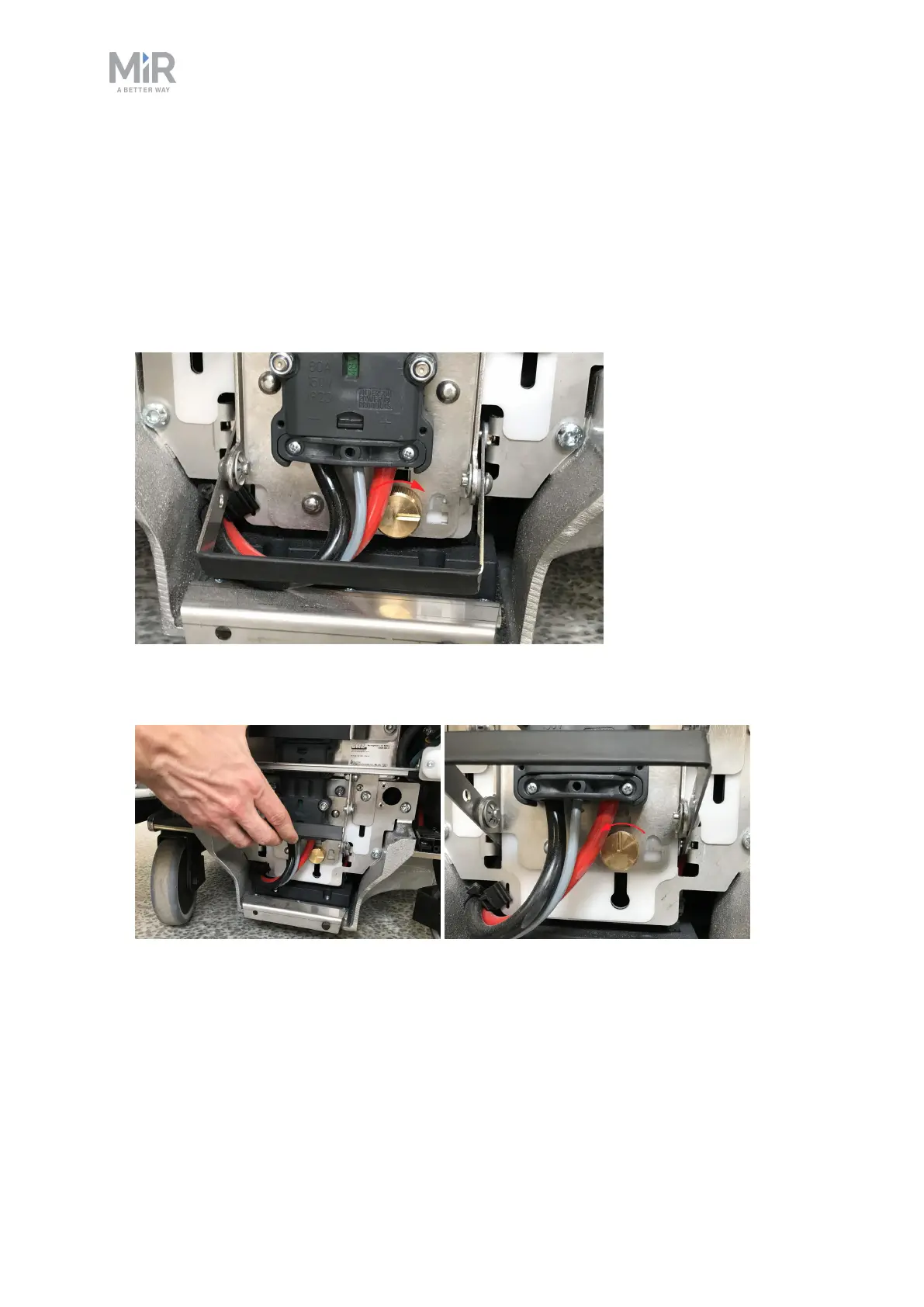
To connect the battery to the robot, follow these steps:
1. Turn the battery lever lock clockwise to unlock the battery lever.
2. Pull up the lever to connect the battery connector to the battery. Then turn the battery
lever lock counterclockwise to secure the battery lever.



 To Next Page