12. Usage
MiR250 User Guide (en) 11/2020 - v.1.3 ©Copyright 2020: Mobile Industrial Robots A/S. 150
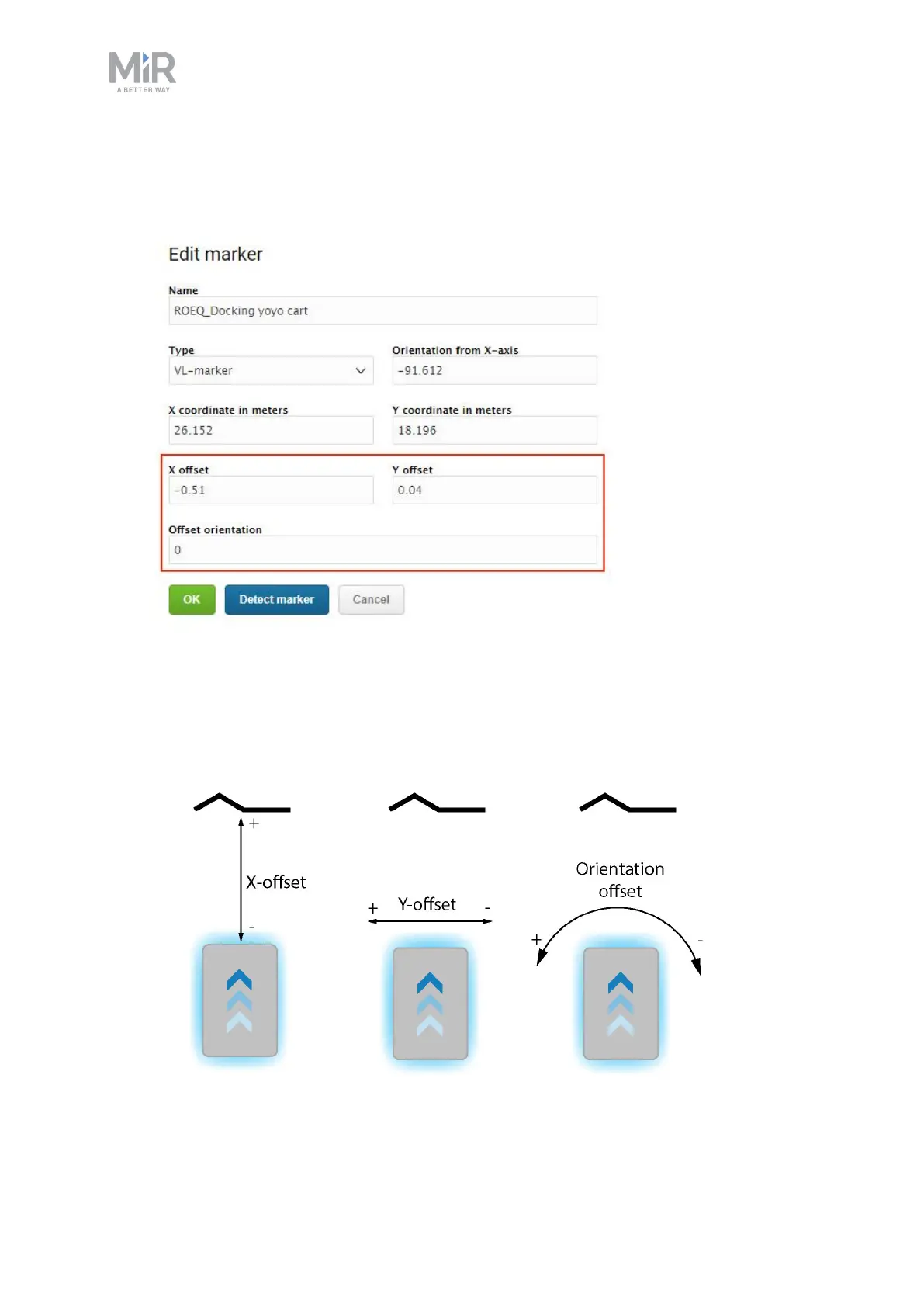
• To change where the robot stops relative to the marker, you can adjust the offsets.
These are valued in meters and are based on the centerpoint of the robot towards the
marker.
• The X-offset moves the robot closer to or further from the marker in meters.
• The Y-offset moves the robot further to the left or right of the marker in meters.
• The orientation offset changes the final orientation of the robot in degrees.



 To Next Page