Operating the unit
39Operating instructions
5. Leave the cooking zone door slightly ajar.
This extends the service life of the door seal.
No moisture builds up in the cooking zone.
5.5 Equipment functions menu
Various functions or settings can be selected in the "Equipment
functions" menu.
All equipment functions can also be accessed from within a
cooking program by tapping the
blue
tab.
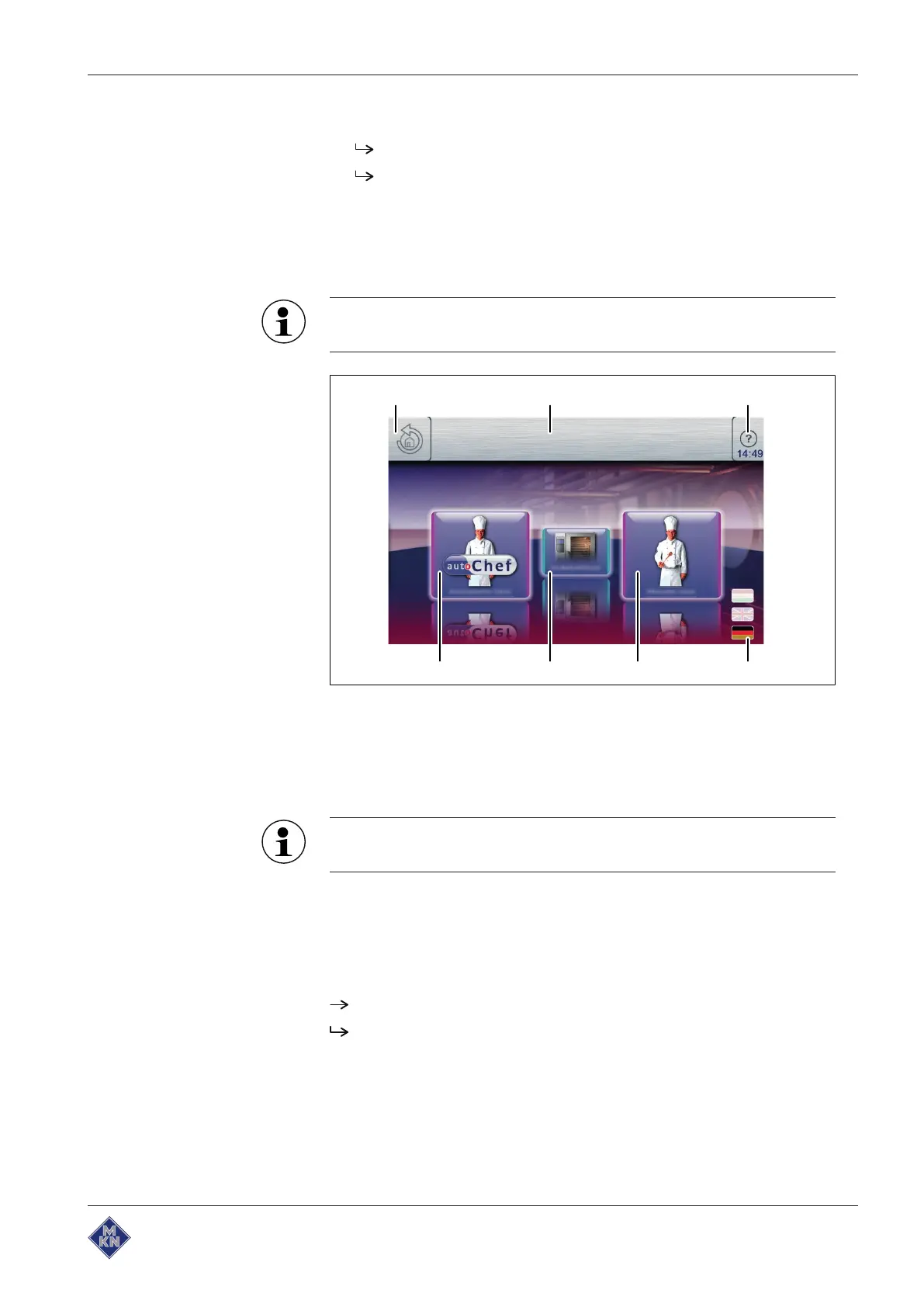
Image: Main menu
a
Back
button e "Manual cooking" button
b Information bar f "Equipment functions" button
c
FlexiHelp
button g "Automatic cooking" button
d
Language selection
button
The equipment information is displayed without entering a
password.
5.5.1 Opening the equipment functions menu
Requirement The unit is switched on
The Main menu is displayed
Tap the "Equipment functions" button.
The
Equipment functions
menu is displayed.
10013865-0ABBE-B



 To Next Page