Operating the unit
51Operating instructions
5.6.3 Setting the core temperature
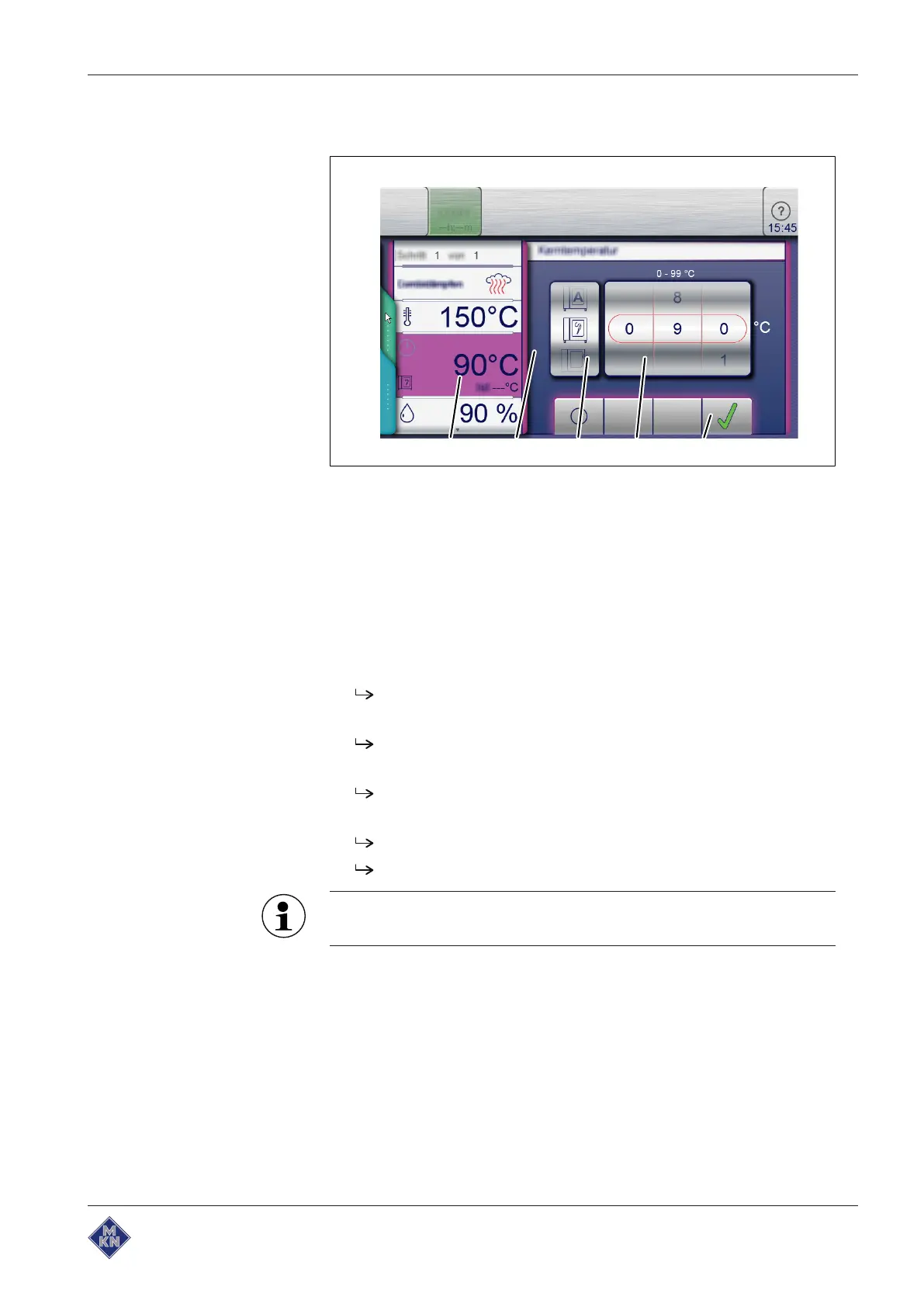
Image: Core temperature setting window for internal and external display
a
Core temperature
field d
Temperature
roller
b
Setting
window e
Confirm
button
c Roller for
Type of core
temperature sensor
Requirement Cooking program selected
Cooking time set
1. Tap the
Cooking time
field.
The
Cooking time
setting window is displayed.
2. Tap the
Core temperature
button.
The
Core temperature
setting window is displayed.
3. Using a wiping gesture, set the rollers to the desired value.
Wipe up / down to increase / decrease the core temperature.
4. Tap the
Confirm
button.
The
Setting
window closes.
The
Cooking time
field changes to the
Core temperature
field.
Further notes about working with the core temperature sensor
can be found under 5.6, Using the core temperature sensor.
10013865-0ABBE-B



 To Next Page