Cleaning and caring for the unit
87Operating instructions
6.14.2 Running CombiDoctor (self-diagnostic program)
Incorrect results are displayed when the unit is warm. Allow the
unit to cool.
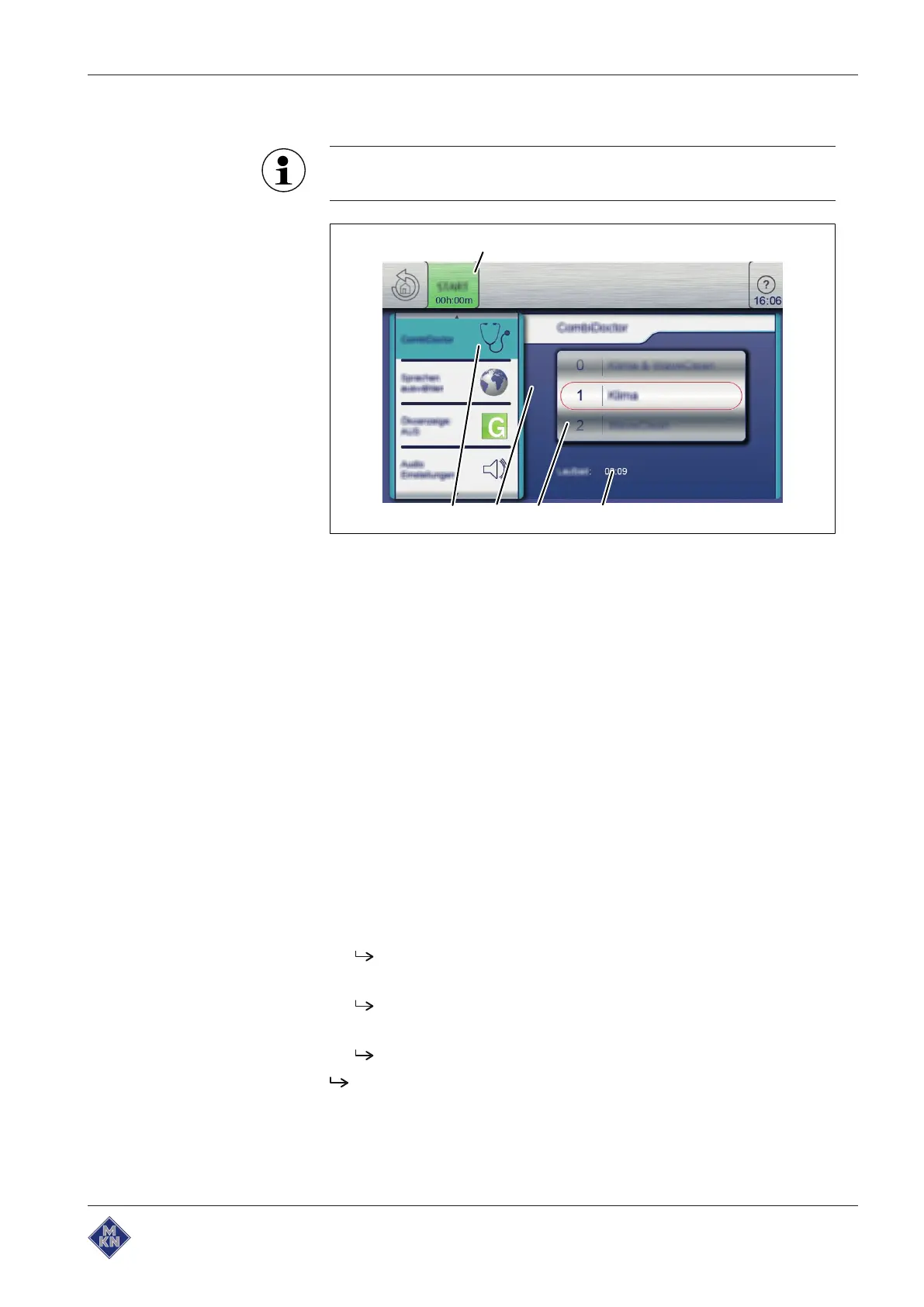
Image: Selecting the setting for self-diagnostic program
a CombiDoctor field d Remaining time
b Setting window e START button
c Roller
Requirement Water connection is opened
Power optimisation system deactivated (optional)
Cooking zone empty, no grates and no containers, with support rack
or tray trolley
The unit is on
No errors displayed
Equipment functions displayed
1. Open the
Settings
menu.
2. Enter the password.
3. Tap the "CombiDoctor" field.
4. Using a wiping gesture, set the roller to the desired self-diagnostic
program.
The set self-diagnostic program displays the elapsed time.
5. Press the "START" button.
A help text is displayed.
6. Open the cooking zone door briefly and then close it.
The self-diagnostic program continues automatically.
On completion of self-diagnosis, the result is displayed. Note the
error message and forwarded to your local customer service.
10013865-0ABBE-B



 To Next Page