Dual Image Exposure3.4.3
Generally, the exposure settings for the D14D are carried out automatically. Alternately,
settings can be made manually or separately for each camera image using custom
configurable exposure windows. You can either select a factory default exposure window
(via the Quick Control Exposure control) or define a custom exposure window (via Setup
Menu > Exposure Settings) using the web browser.
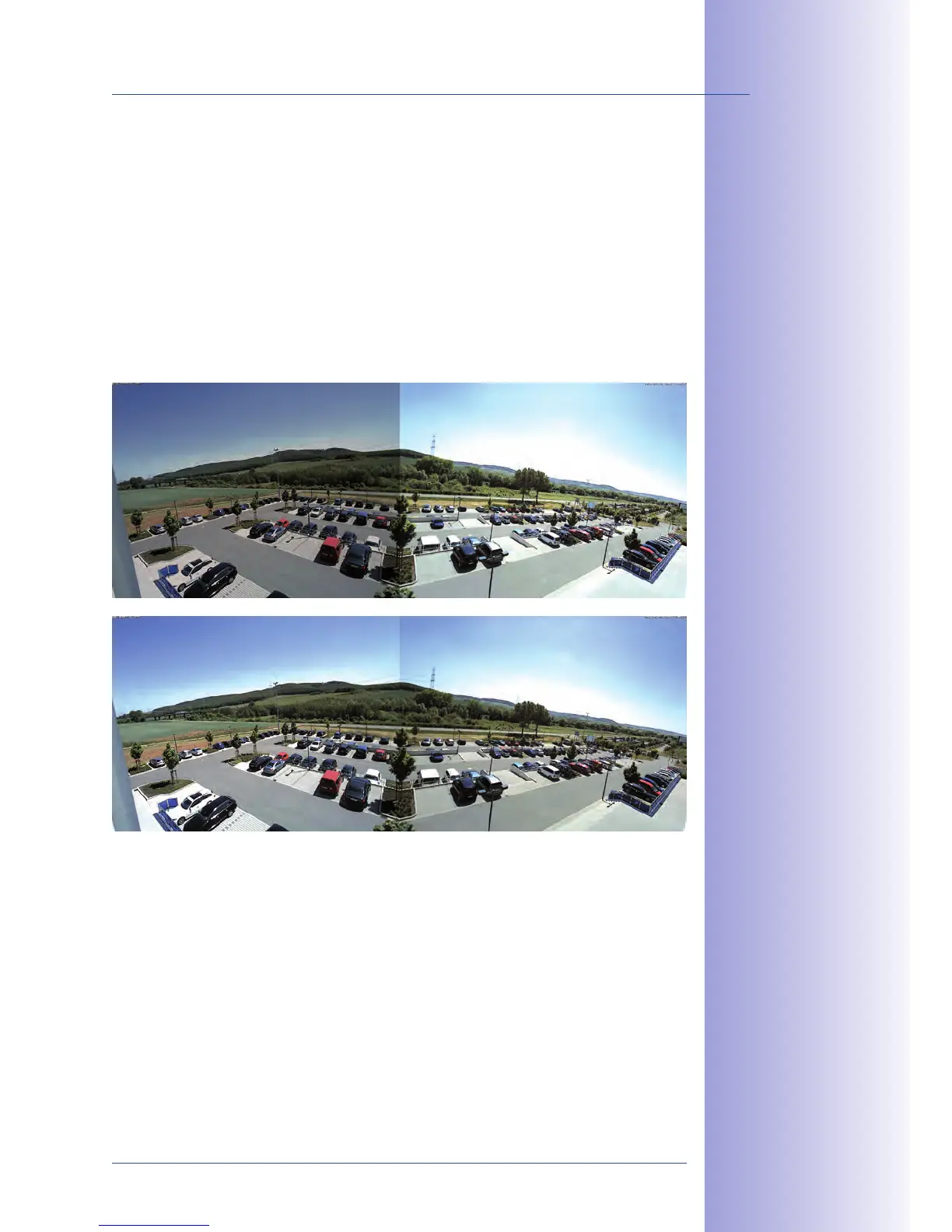
The special D14D exposure setting Coupled image control is activated as a default factory
setting to create an evenly lit, harmonious dual image with the D14D 180° (with two 90°
individual images combined to create a 180° panorama). This setting determines the best
average exposure value for the combined panorama image and sets this value automatically.
This function is also available for every standard D14D camera. This function ensures
that both camera images in the combined dual image appear equally bright so that it
is easier for the observer to associate these images with the same camera and/or the
same mounting location.
To activate coupled image control in the web browser, go to Setup Menu > Exposure
Settings and check the Coupled image control item. Then save your setting by clicking
on Set and Close.
180° panorama image
without coupled
exposure control
180° panorama image with
coupled exposure control



 To Next Page