68/126
D14D Camera Manual: Mounting
www.mobotix.com • sales@mobotix.com
Mounting To A Pole2.5.3
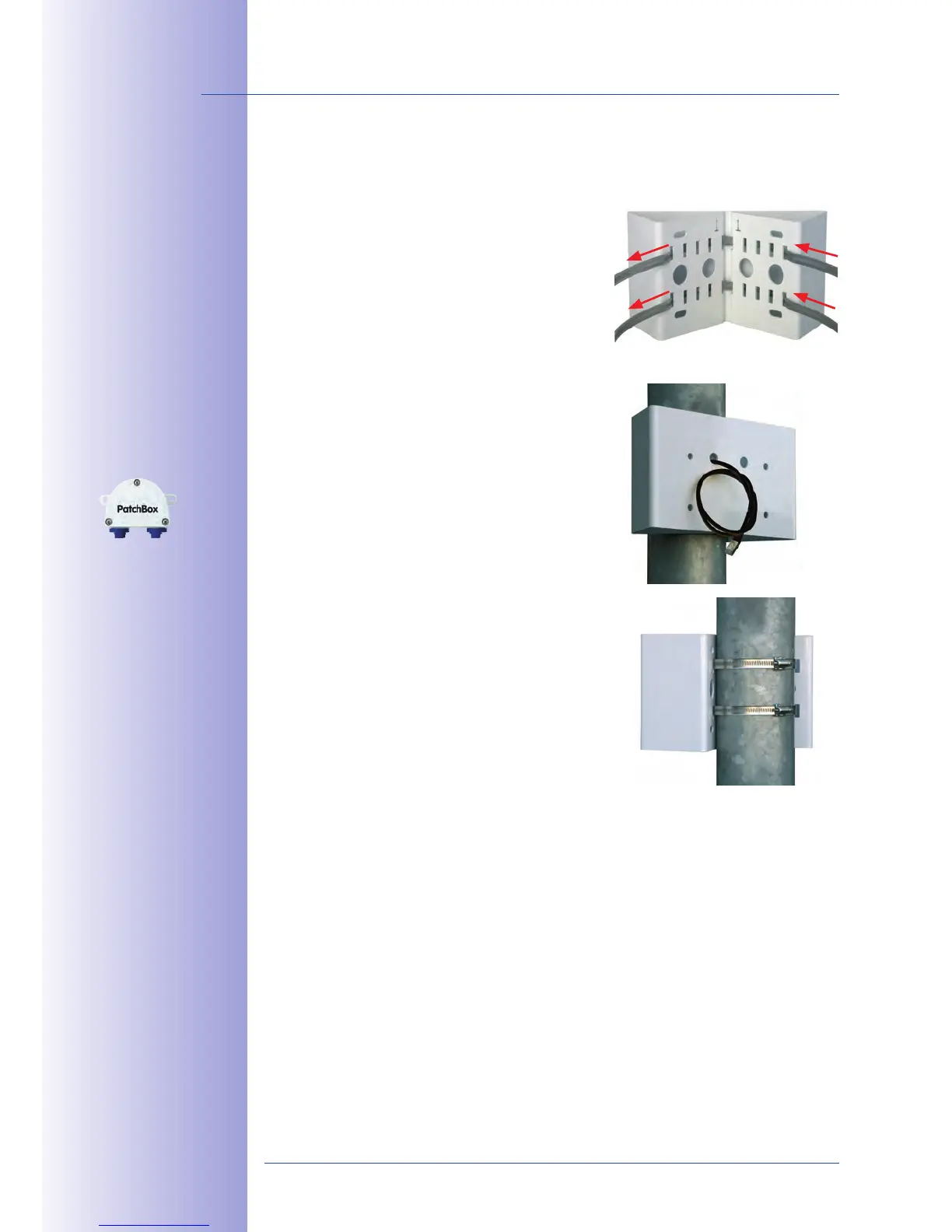
Use the stainless steel straps supplied to ax the Corner and Pole Mount to a pole.
1. Guide the stainless steel straps through the
holes in the pole mount (see figure). Make sure
that you are using the slots of the mount which
are fitting best for the thickness of the pole. The
stainless steel straps allow the mount to be
attached to
and 180 mm.
Guide the
2. connection cables from behind
through one of the large round holes of the
Corner and Pole Mount. In order to properly
, you should let the cabling
run from the pole through the Corner and
Pole Mount directly into the camera. Note:
3.
straps. If required, clip the ends of the stainless
steel straps.
Pole diameter:
60 to 180 mm
Available soon: Corner
and Pole Mount with
predrilled holes for the
Outdoor PatchBox



 To Next Page