67/126
www.mobotix.com • sales@mobotix.com
2.5.2
Use the to ax the Corner and Pole Mount
to a building corner.
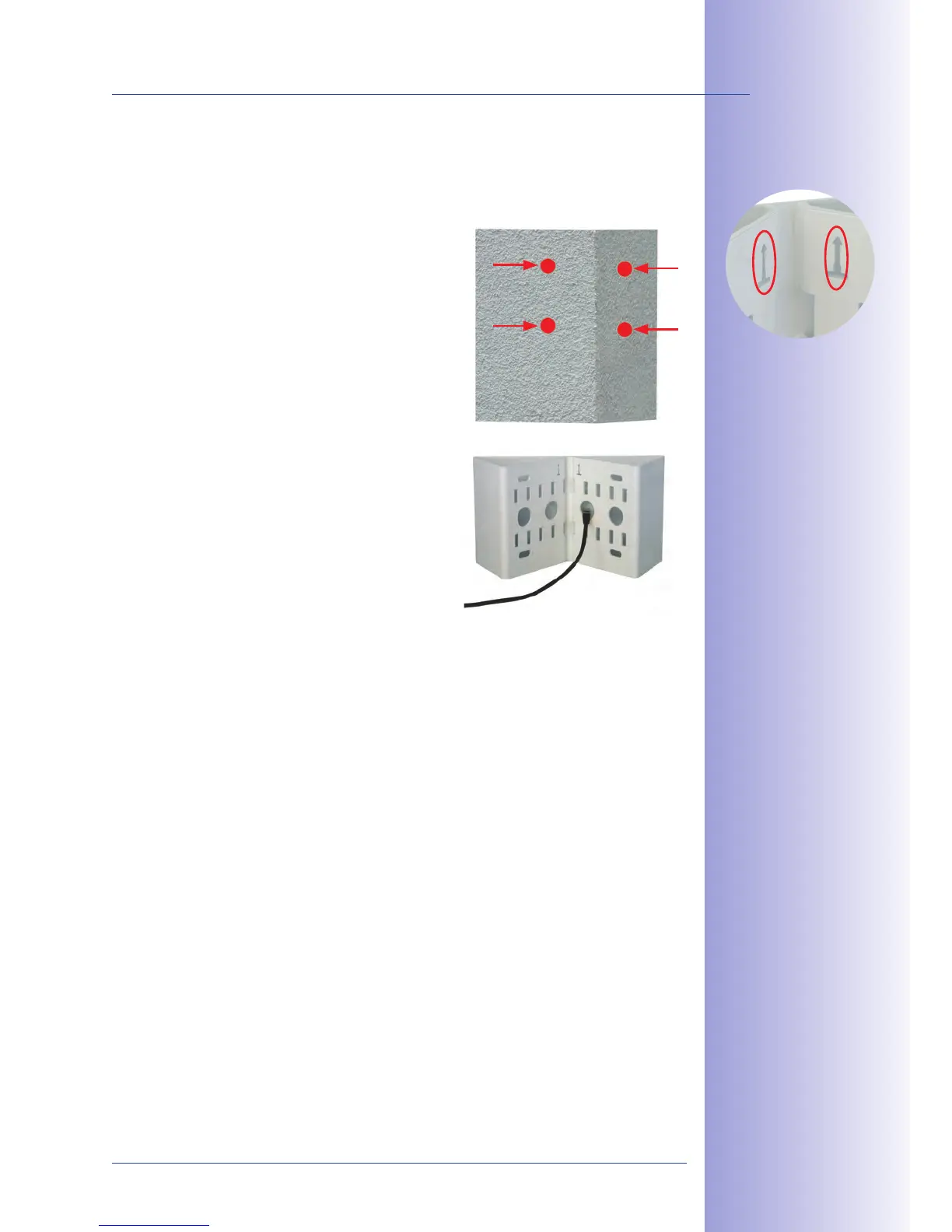
Mark the 1. on the corner
of the building. Make sure that the arrows on the
mount are pointing upwards. Drill the holes with
a 10-mm drill bit.
Guide the 2. connection cables through one of
the large round holes at the back of the Corner
and Pole Mount and then through one of the
two 16-mm holes on the front of the mount.
In order to properly , you
should let the cabling run from the inside of the
building through the Corner and Pole Mount
directly into the camera.
Insert the 3. supplied into the screw anchor holes and secure
the Corner and Pole Mount to the corner of the building using the 8x70 screws and
.
Attach the as described in Section 2.5.4.
Make sure that the
arrows are pointing
upwards when mounting
Make sure not to
pinch and damage the
cables when mounting



 To Next Page