56/126
D14D Camera Manual: Mounting
www.mobotix.com • sales@mobotix.com
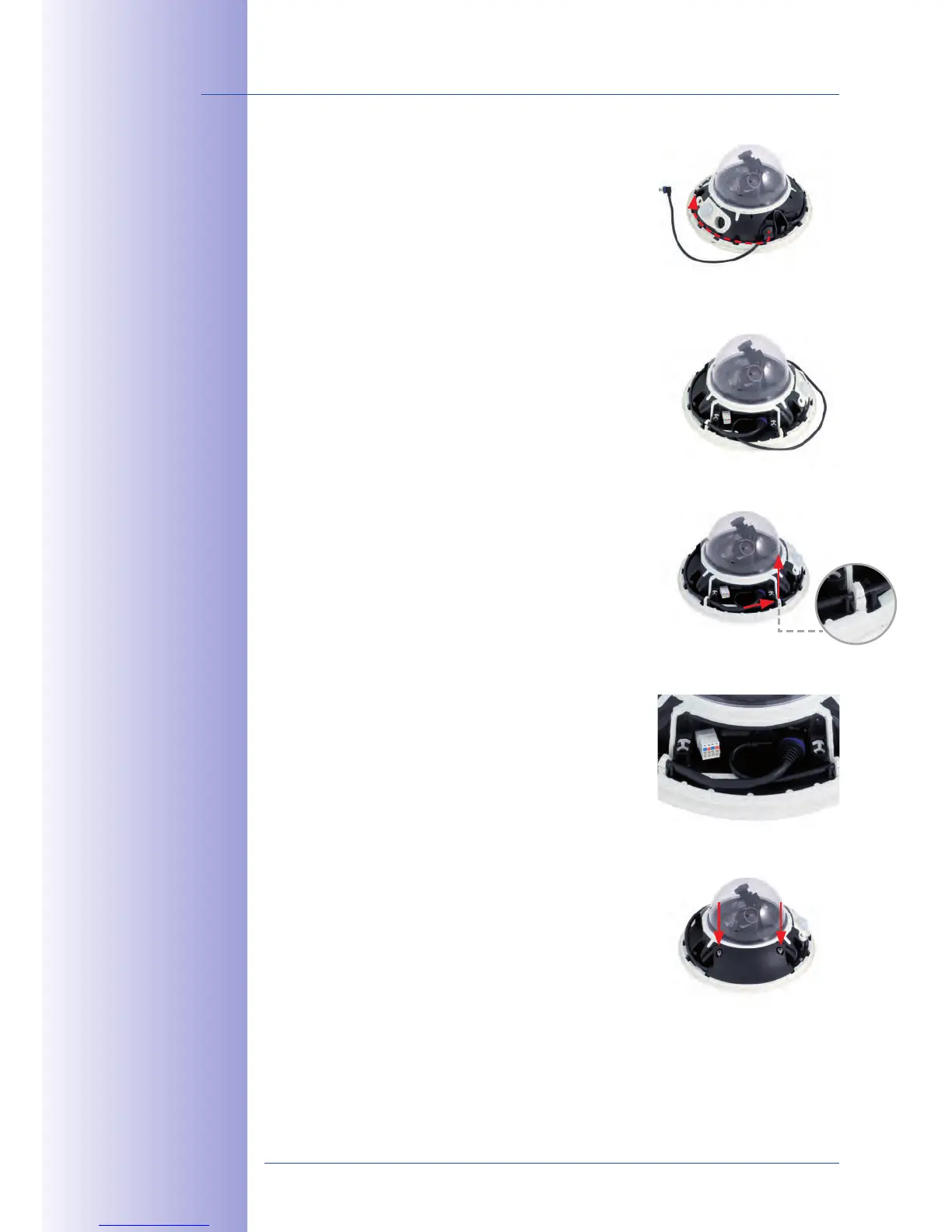
Insert USB cable5. : Insert the MOBOTIX USB cable
from below through the cable outlet (see figure) and
wrap it around the camera within the cable guides.
6. : Insert the Mini USB
connector in the relevant socket. Make sure that the
cable is correctly fitted into the cable guides and
that there is no excess cable in front of the connections.
7. : Carefully
bend the cable guides upwards, place the USB cable
in the guides and snap the cable guides closed again.
8. : The two cables
should now cross one another just before the
connectors.
Install cable cover
9.
: Push the cable cover back into its
seat and fasten the two M4x25 Allen screws. When
mounting the cable cover, take care to properly align
the cover with the seal of the camera housing and
the two cable guides. This is the only way to ensure
that the connections are reliably protected against
any kind of weather.



 To Next Page