Dansensor A/S COPYRIGHT © P/N 330654-E 01/2018
Lippke 4000/4500 EN User Guide 21
Setting Up
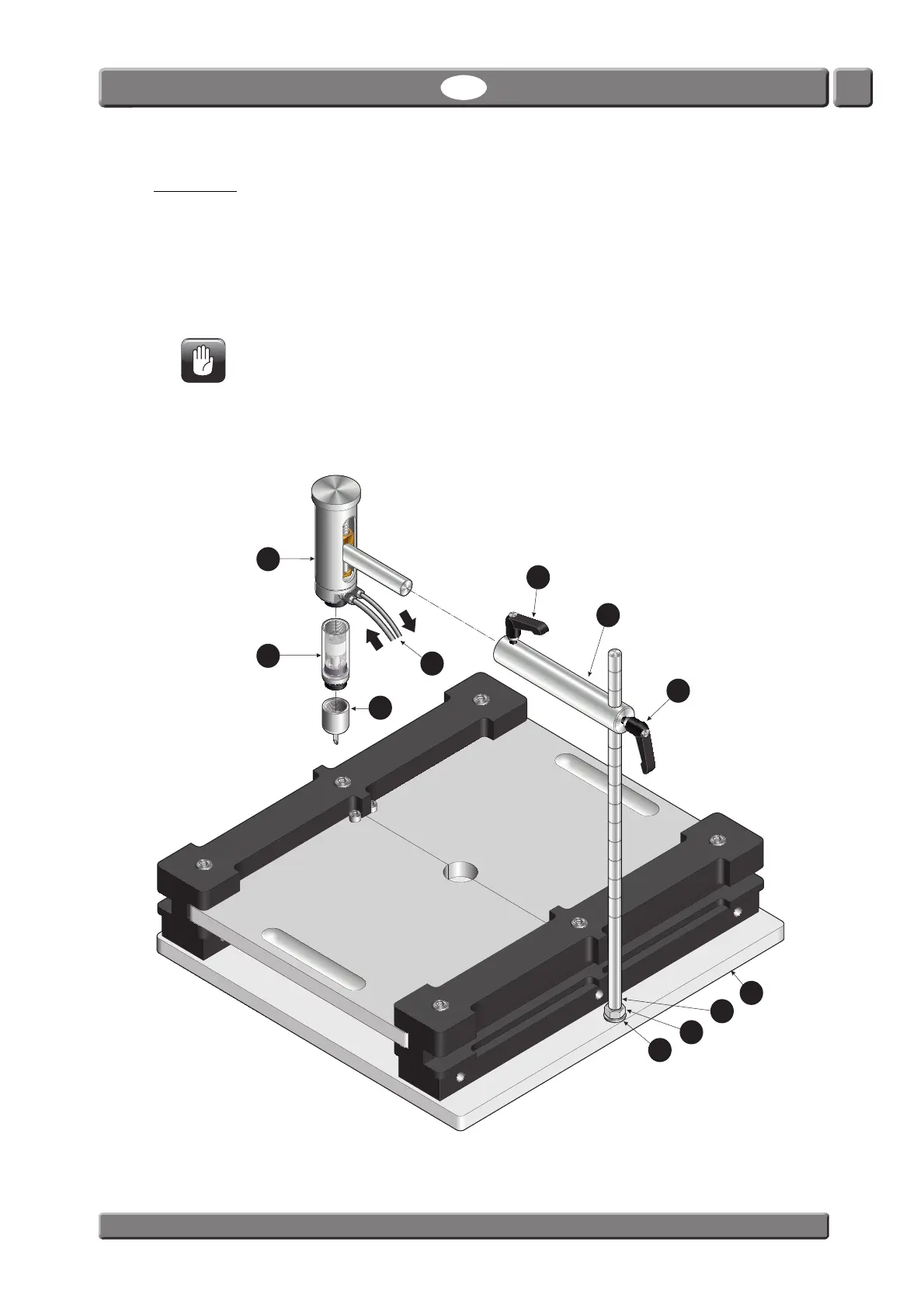
1. Mount the nut and the washer on the vertical rod , then screw the rod into the base plate
as far as it goes. Tighten assembly by screwing the nut against the base plate .
2. Fit the two handles
and to the connector rod and slide it onto the vertical rod . Tighten
the handle
to position the connector rod on the vertical rod .
3. Fit the needle
and the filter (if any) on the test head , then insert test head into the
connector rod
and tighten handle to keep it in position.
CAUTION! Filters and needles should only be hand tightened - do not use any tools.
4. Connect air supply (Feed) and pressure measurement (Sense) hoses
to the Lippke 4000/4500
device - see page 53 for details.



 To Next Page