P/N 330654-E 01/2018 COPYRIGHT © Dansensor A/S
56 User Guide EN Lippke 4000/4500
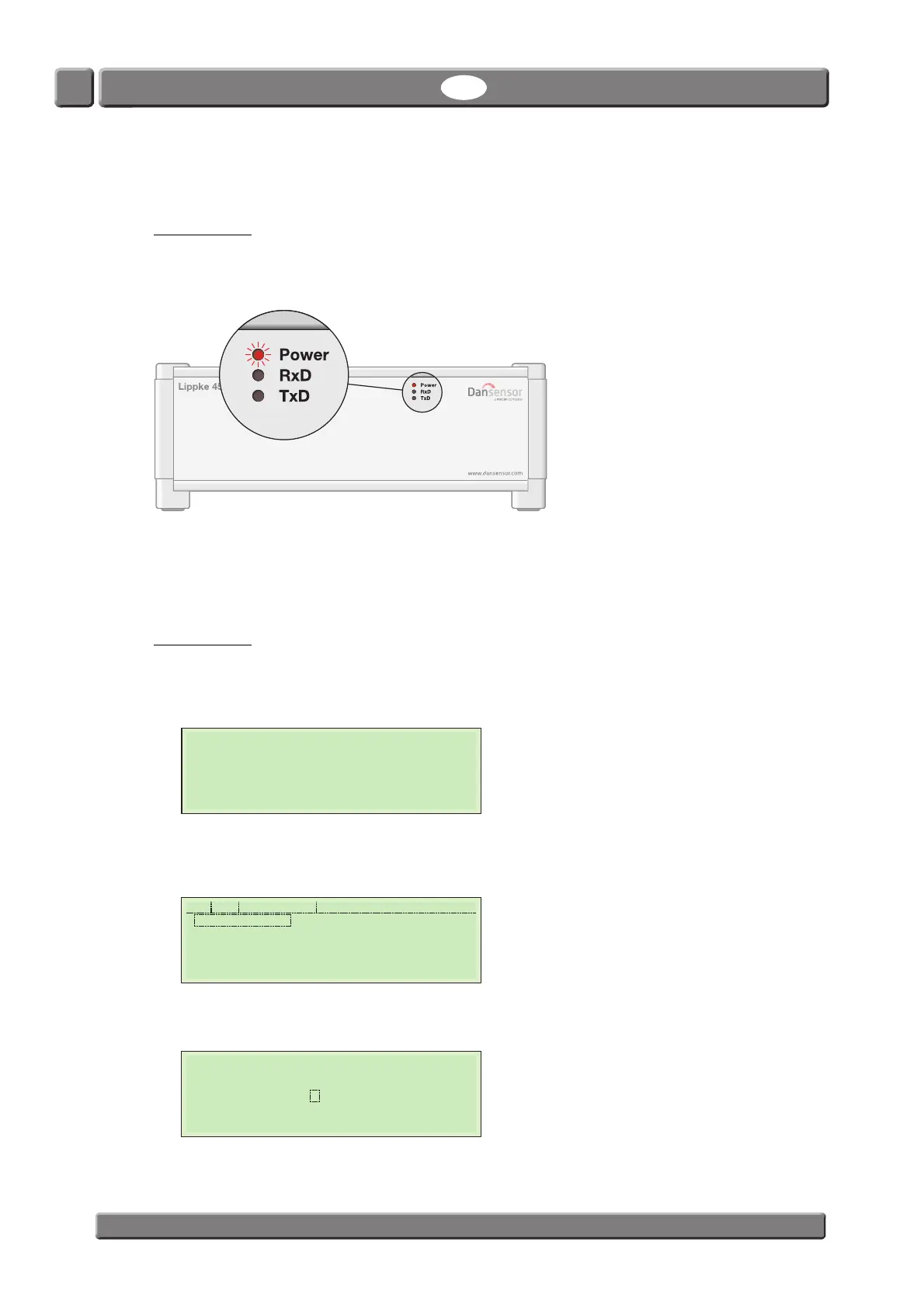
Start up
Lippke 4500
1. Switch power on by means of the mains switch at the back of the device.
2. When power is applied to the unit, the red “Power” indicator on the front will be lit.
3. Start the Package Test System Lippke 4500 application from the PC’s Start Menu.
User Name and Password is required to access the application.
Select the appropriate name by opening the User name list box. The default Password for the
Administrator user is admin.
Lippke 4000
1. Switch power on by means of the mains switch at the back of the device.
2. The display will show the start-up screen, indicating the device model, the currently installed
firmware version and the device serial no.
3. After a short internal self diagnosis the device will be ready and If User Login is required the display
will show the User Selection screen (if User Login is disabled, the display will change to show the
Main Menu).
Select user ex. Supervisor.
4. Now you will be asked to enter the appropriate PIN code.
Enter PIN code (Supervisor has been set to 0000 from the factory, but this may have been changed).
LIPPKE
4000 V1.10.0
SN:1013471114
System check
........
Supervisor
USER-1
User Selection
0000
Please enter your PIN



 To Next Page