P/N 330654-E 01/2018 COPYRIGHT © Dansensor A/S
62 User Guide EN Lippke 4000/4500
Test setup
Create a test record with parameter settings
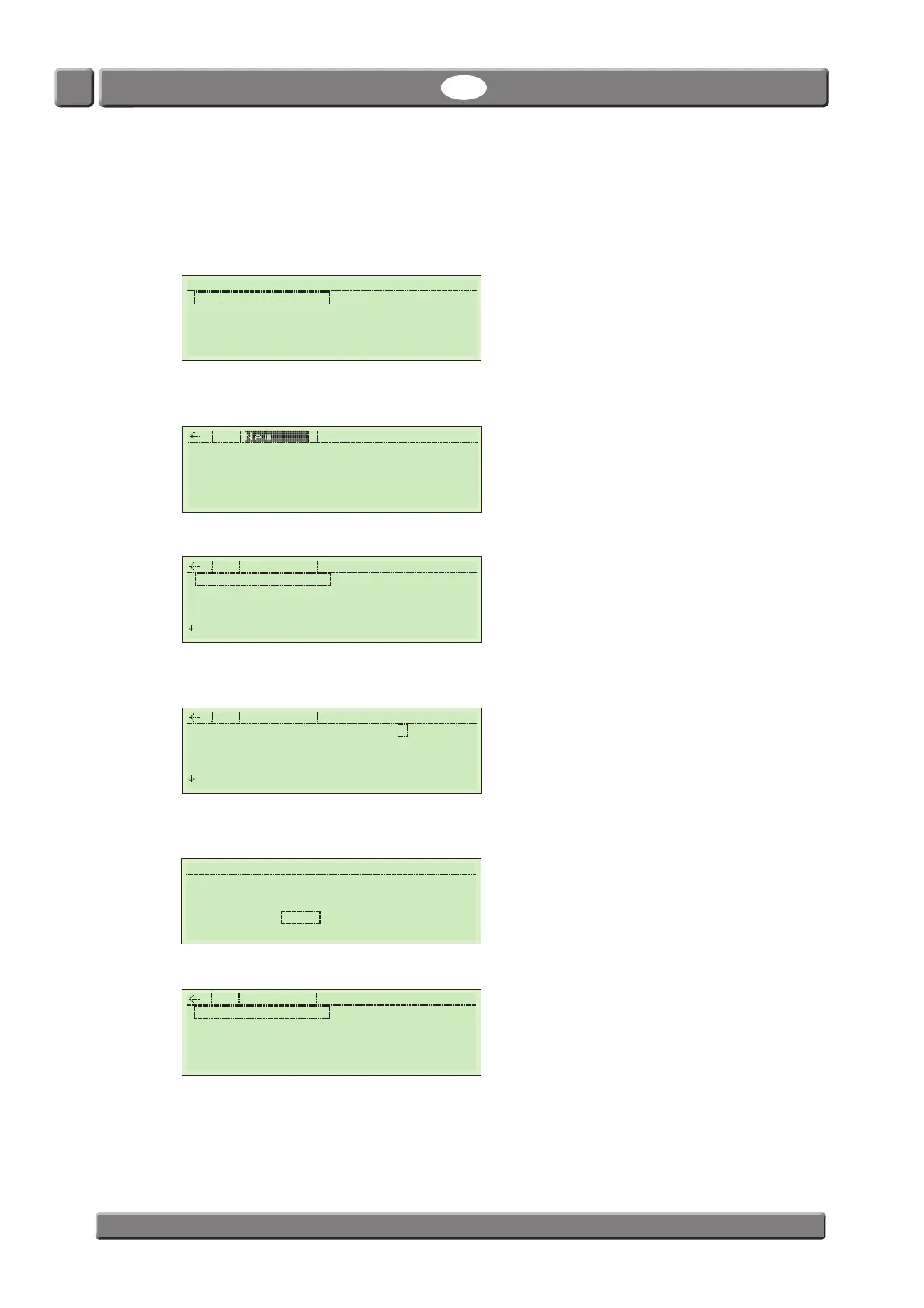
1. Select ex. Burst test from the Main Menu.
2. The display will change to show the Burst test records list, which will be empty when entering for
the first time.
3. Select New to create a new record.
4. Start by naming the record to ex. BURST-1, then set up all parameters as required - see "Burst test
settings" on page 37 for details.
5. When you are done press ESC key to return to the records list. You will be asked to save the record
file.
6. Select and press Yes to save file and return to the records list.
11:59:17 Main Menu
Burst test Creep & Leak
Leak Test CreepLeakBurst
Creep-Test
Creep2FailTest
Creep & Burst Setup
Name
Fill pressure 0050 mbar
Pressure rate 050 mbar/s
Stop-Threshold 10 %
Max Pressure 1000 mbar
Delete Burst test
Name BURST-1
Fill pressure 0050 mbar
Pressure rate 050 mbar/s
Stop-Threshold 10 %
Max Pressure 1000 mbar
Delete Burst test



 To Next Page