P/N 330654-E 01/2018 COPYRIGHT © Dansensor A/S
12 User Guide EN Lippke 4000/4500
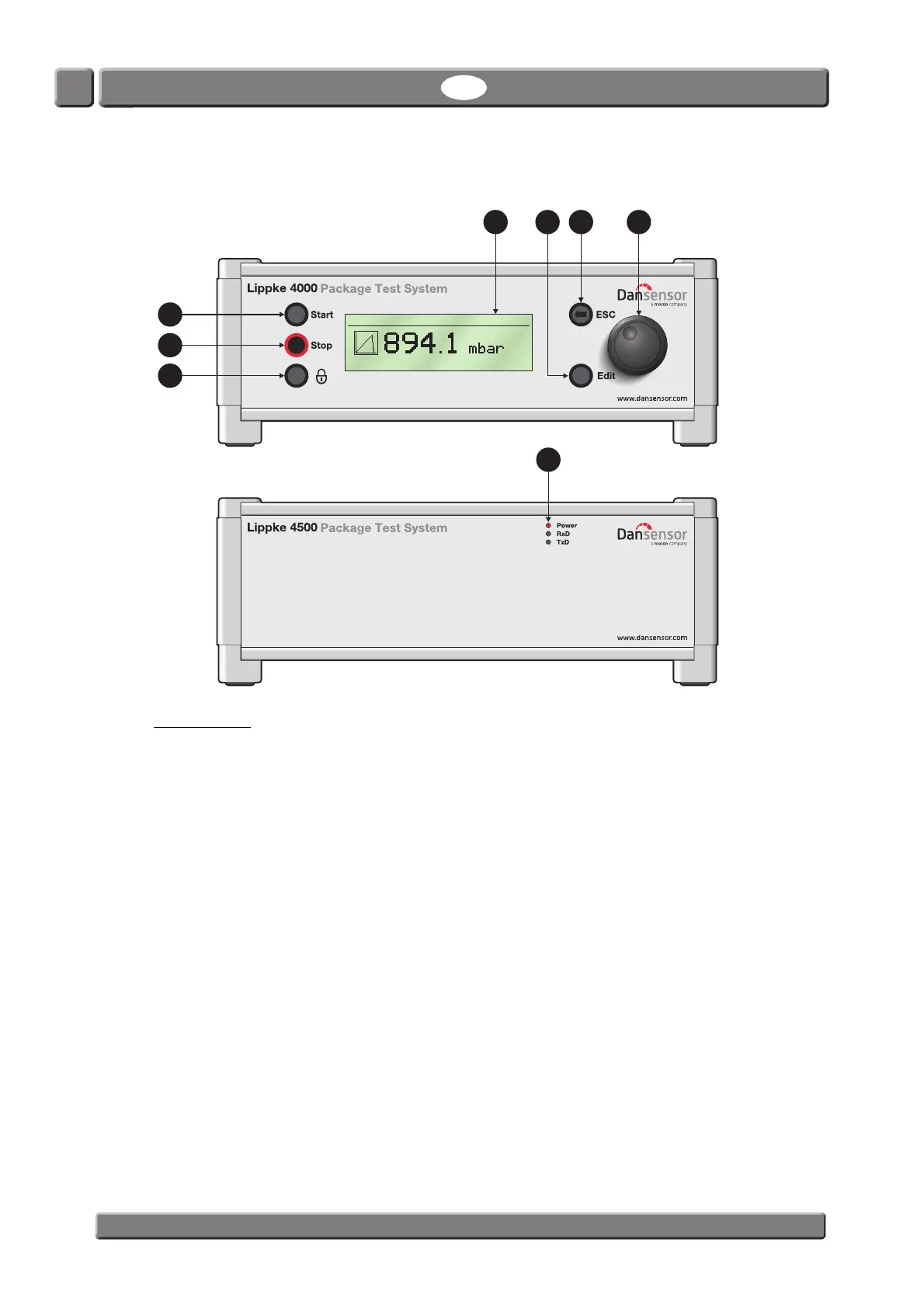
Device overview
Device front
“Start” button (4000-models only)
Use button to start a test
“Stop” button (4000-models only)
Use button stop a test that is in progress
Key button (4000-models only)
Use button to log out an operator when User Login is enabled.
“ESC” button (4000-models only)
Use button to move back, or up one level in the menu structure.
“Edit” button (4000-models only)
Use button for the following functions:
• Selecting a parameter list for editing.
• Accepting changes to numeric and alphanumeric fields.
Scroll wheel (4000-models only)
Use wheel to scroll through the menu structure (turn) and to select menu items (press).
It can also be used to edit numeric and alphanumeric fields.
1
2
3
4657
8
BURST-2 Supervisor
Test result



 To Next Page