Appliances
---------------------------------------------------------------------------------------------------------------------------------------------------------------------------------------------------------------------------------------------------------------------------------------------------------------------
DIPLOMAT
4•102
WARNING: Make sure all flames are extinguished and the LP-Gas
valve is off before refueling. LP-Gas and gasoline are highly flamma-
ble which can ignite, resulting in an explosion, fire or death. Many
states have passed laws regarding having the LP-Gas valve open
while traveling. Know the laws for the particular state in which
you are traveling.
The refrigerator doors are positive lock style doors that close with a “click”
to prevent accidental door opening while traveling. When storing the
motorhome the refrigerator doors have a storage position that locks the
doors partially open. This will help reduce odor from mold and bacteria build-
up. A completely closed refrigerator in storage is a perfect habitat for molds
and bacteria to grow. To use the storage feature, open doors approximately a half
inch and slide the latch into the cut-out of the strike plate.
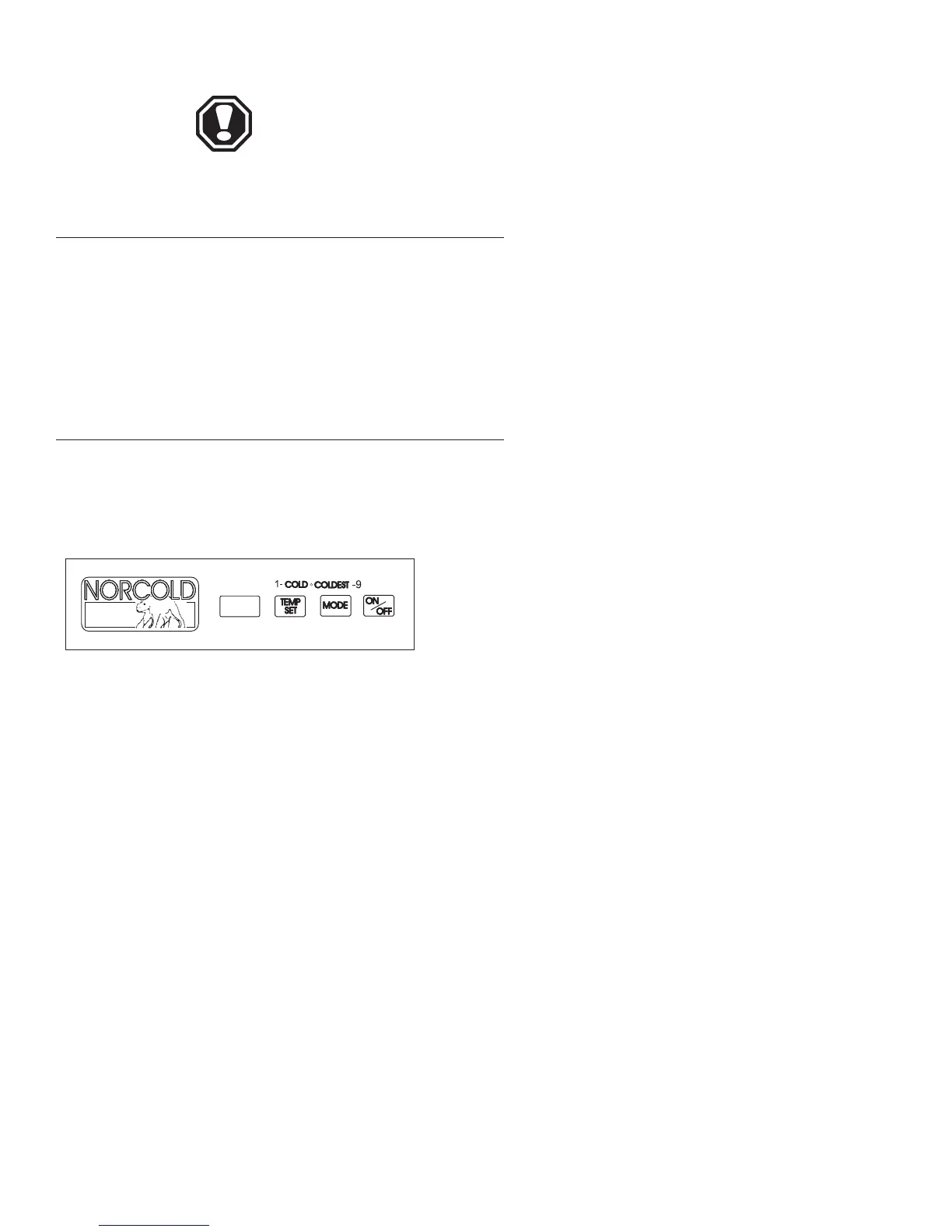
The refrigerator control panel is between the freezer compartment and the
fresh food compartment. A 12 Volt DC power supply is necessary to maintain
the operating control functions of the refrigerator.
• ON/OFF Button - Starts and shuts down the
refrigerator.
– If the refrigerator is shut down, push the
ON/OFF button to start the refrigerator in auto
mode.
– If the refrigerator is operating, push and hold the
ON/OFF button for two seconds to shut it down.
• TEMP SET Button - Controls temperature adjust-
ments for freezer and fresh food compartment. The tem-
perature adjustment selected does not change if the oper-
ation mode of the refrigerator changes.
– Push the TEMP SET button and the tempera-
ture setting “1-9” appears in the center display.
– Push and hold the TEMP SET button and the
temperature setting changes.
– Number “9” is the coldest setting.
• MODE Button - Controls the operation
mode of the refrigerator.
– Push and hold the MODE button and each of the
four operating modes of the refrigerator flash one
at a time in the center display.
– There is one automatic mode of operation and
three manual modes of operation.
– Release the MODE button when the mode of
operation selected appears in the center display.
Control Panel -
800 Series
Doors
OM030805.eps





 To Next Page